Even the fastest of computers will
hobble along sluggishly without ample memory. Keep your PC
from getting amnesia by supplying at least 1GB of RAM. I
recommend 2GB here because you can never have enough of the
stuff. Keep in mind to take advantage of dual channel
technology; you’ll need to install your modules in pairs.
Pairs of the same, high quality memory are strongly
recommended to avoid funky incompatibility problems. If you
plan on overclocking, it becomes even more imperative to
install the highest quality, fastest rated memory modules
available to you such as Micron’s “Ballistix”
or other premium memories.
When it comes to gaming Soundcards
Creative really are in a class of their own; excellent 3D
Audio positioning and low CPU utilization. Some of my
personal favourite improvements over the previous Audigy
series are:
Improved
Resampling - It’s taken some years but Creative have
finally addressed resampling issues of the previous
generations, providing a high quality resampler - you
can even avail of true 44.1kHz sampling in Audio
Creation Mode.
Gaming support -
On the gaming front CMSS-3D provides some neat features;
Elevation filter & Macro FX. EAX has been updated to
version 5 & the number of 3D Voices supported increased
to 128 (64 with Audigy 2, 32 with Audigy). X-RAM allows
the X-Fi to cache Game audio, which provides improved
performance (the Game must specifically support this
however), while OpenAL is still the only hardware
accelerated Audio Driver for gaming.
Improved
Effects/Filters - Having purchased Aureal and Sensaura
we’d often wondered how long it would take to see some
of their technology integrated in Creative soundcards.
X-Fi finally uses some of these technologies e.g.
MacroFX and HRTFs.
You’ll have to wait for our full review
for more details of course, though suffice it to say I’m
sufficiently impressed to recommend one.
Speakers
I had the pleasure of listening to the S750s just recently
and I was very impressed. If you aren’t on much of a budget
and you are searching diligently for an incredible set of
7.1 PC speakers to compliment your Audigy, then look no
further. It’s difficult to accurately describe audio using
text, but “tight bass” is really where these speakers
outperform a lot of other similar setups I have listened to.
The mids and highs are very clear and punchy - The sound is
perfect - And if you are an audiophile, you won’t be
disappointed in the clarity & rumble this 7.1 set has to
offer.
If you still want premium sound but do
not need positional sound (not to mention the ton of wires -
a solution is coming soon), don’t look further than the
THX-certified 2.1 ProMedia audio system from Klipsch,
currently selling for $150.
If you aren’t looking to invest a small
fortune in your audio setup but you need it nice and loud,
you can’t go wrong with a set of Logitech X230s for less
than $30. But Logitech isn’t the only brand (although
certainly one of the better price-point brands), and there’s
plenty of selection out there. You might want to pick these
up at your local store, where you may be able to demo
different speakers and make a choice with your own ears.
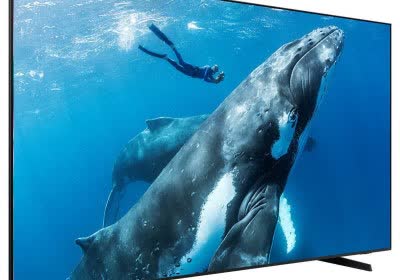
For the ultimate media experience, you
need a screen with abundant real estate. Sporting a very
impressive 24 inches of visual acreage, you won’t ever find
yourself squinting again. Of course, your friends will
cringe in jealousy (and rightfully so)! Ringing up at just
about a grand, possibly one of the greatest features of this
LCD is its affordability. While budget doesn’t play much a
role in this article, the price for this monster monitor
helps to keep it realistic, and what you get for the money
is simply outstanding. The Dell UltraSharp 24” showcases low
response times (12ms) suitable for gaming and well, one hell
of a picture in UWXGA (1920x1200). What’s more is today’s
LCD technology is virtually ghost free, finally putting the
nail in the coffin of your venerable CRT. The high
native-resolution of this widescreen is complimented by our
GeForce 7800 GTX setup, capable of silky smooth,
high-resolution gaming. It doesn’t stop there though; we
have an integrated 9-in-1 flash card reader, plus a 4 x USB
hub to toy with. Combine these features with the price, size
and 1000:1 contrast, and 500 c/d² brightness and the choice
is easy.
[Techspot LG Flatron 19” Review] The LG 19” is a nice
alternative for those looking for a top-quality LCD, but
also looking for something more modest in size and price.
This ultra-slim LCD boasts a 8ms response time, brilliant
picture and a very cool set of features such as auto-tilt &
mirror, and touch controls with a very sleek exterior. The
19” screen size is a pleasant dimension to work with and the
resolution is just right at 1280x1024. This will make a
great LCD for any system, but is certainly well suited to be
on the top of your shopping list for this high-end system.
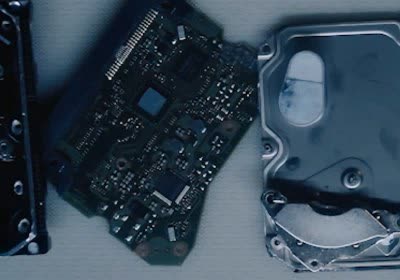
Hard Drives: There’s lots of different
ways to slice this pie. To satiate your appetite for
performance, two WD raptors in RAID 0 would be ideal. They
offer the fastest seek and transfer rates currently
available with SATA drives and RAID will give you another
modest bump in speed. The downside is Western Digital only
provides Raptors with a maximum capacity of 74GB. For the
ultimate in performance but on the edge of impractical, you
can toss four (or more) of these bad boys in RAID 0
configuration. This gives you quite a bit of storage as well
as greatly increased disk throughput.
Maybe capacity is your bag. If you are
looking for tons of storage for your music, video collection
and your 3,000,000 page thesis for college (okay, maybe it
is more like 20… 000), then you will definitely be eyeing
the 400-500GB drives available. Unfortunately, the caveats
are slow(er) performance and a substantial increase for
potential data loss. “Data loss?” you ask. Throwing the
contents of your OS and valuables on a single drive can be
risky business with all those nasty viruses, exploits and
various OS problems which exist for the sole purpose of
ruining your e-life. To a lesser degree, relying on a single
drive can be unpleasantly taxing, stressing out the physical
media and promoting advanced wear and tear. Our forums are a
living testament to these very real problems. The benefit of
course, is lots and lots of storage space. Also, modern
drives are fast enough handle your average activities
without much delay, so performance won’t be detrimental
(although noticeable).
So with the above stated, what about
both capacity and performance? An elegant solution is to
combine the two - a fast RAID setup and a large capacity
spare for storage. For this system, I am going to recommend
2 x 74GB WD Raptors and a large capacity drive of your
choice (400-500GB maybe). This will pony up the edge in
performance we are looking for, but also give most pack rats
space to waste and offer enough gigabytes to backup your
primary drives as well. Not bad.