also @ TechSpot: Google quietly adds conversational search to Chrome 27

Analysis of BSOD screen?

Discussion in 'Windows BSOD, Freezing, Restarting Help' started by barebear, Jan 1, 2007.

  1. barebear Newcomer, in training Posts: 65

    I'm running XP Pro SP2 fully updated

    I received the following info on a BSOD:

    Problem seems to be caused by file win32k.sys

    Page fault in non-paged area

    Technical Information:

    Stop 0x00000050 ( 0xBC0D64A0, 0x00000000, 0xBF8363E5, 0x00000001

    Win32k.sys address BF8363E5 base at BF800000, Date Stamp 43446a58


    Please advise what may have caused the problem and what steps to take to correct the problem
  2. Tmagic650 TS Ambassador Posts: 18,747   +62

    This could be caused by a virus infection. You can try repairing XP by inserting the XP CD, booting from this CD and follow the on-screen instructions. When you see the fisrt XP repair option screen, skip to the next repair screen and select this option. XP will look like it is installing fresh, but when it completes all your settings will remain
  3. barebear Newcomer, in training Posts: 65

    Tmagic650 Thanks for replying---I run V-Com System Suite which uses Trend Micro anti-virus, its on 24/7 and I also do full system scans which have turned up nothing. I also run X-Oft Spy, Webroot SpySweeper, Trend Micro Anti-Spyware, Pest Patrol, Spyware Blaster, Spyware Guard, Spybot Search and Destroy, Rootkit Revealer, F-Secure Blacklight, Rootkit Buster. None of these have turned up anything. All programs are either auto-updated or I check for updates daily.
    X-Oft, Webroot and Pest Patrol do nightly full system scans. I also have run Trend Micro Housecall and Sysclean which have found nothing.

    The BSOD happens infrequently and with no consistent parameters as re time of occurrence---happens anywhere between 12 --72 hrs intervals at any time of day.
    Any other commments/ideas?
  4. Tmagic650 TS Ambassador Posts: 18,747   +62

    These intermittant BSODs can be really tough to solve. Do you have a "failsafe defaults" setting in the bios of your motherboard. I suspect this may be something caused by your memory, but other than swapping it out or removing one stick, running something like memtest may not show any problems
  5. barebear Newcomer, in training Posts: 65

    I don't have any failsafe default setting that I know of-----board is Asus A7N8X deluxe.

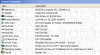
    I have attached a .jpeg of system summary generated by PC Wizard 2006.

    Ram is Mushkin Black High Performance.

    I have Memtest 86 on cd and will run it for several hrs very shortly---I can use my backup system for emails--will advise you of Memtest findings when its run for 4 hrs.

    Don't know that it matters, but I do run the Stanford Folding At Home app.

    Please let me know if I can provide you w/ any other info that may be applicable

    Attached Files:

  6. Tmagic650 TS Ambassador Posts: 18,747   +62

    Try turning off "folding at home" and see if the BSODS stop. Are there driver updates available for your video card? Bios updates for your motherboard?
     
  7. cfitzarl TechSpot Chancellor Posts: 2,521   +9

    Make sure ALL of the drivers in your computer are up-to-date, more often than not, a BSoD is caused by malfuntioning hardware.
  8. barebear Newcomer, in training Posts: 65

    I run Driver Genius Professional weekly, which automatically updates my drivers.

    I have also gone to the NVidia site; Asus hasn't put out a bios update for my board in a couple of years.

    I'm writing this on my backup computer---restoring a ghost on the system I wrote about, then will run Memtest 86 for 4 hrs and advise results; also will stop the Stanford prog. for several days and see if that changes anything
  9. barebear Newcomer, in training Posts: 65

    Memtest 86 ran for 3hrs 45 min w/ no errors.
    Just to check, went again to site for my video card (Radeon 8500LE (R200)--my driver is ver 8.252.0.0 dated 5/3/2006. Site shows a 6.11 dated 11/15/06, but also has extensive warnings re using it.

    Driver Genius has all my drivers backed up and I also run Norton Ghost----I'll try the installation if you agree thats the way to go-----please advise and suggest any other steps you'd like me to take. To the best of my knowledge, every other driver in the system is fully updated (as far as I can tell from the system summary that I attached to an earlier post today)

    Do be aware that my spontaneous reboot issue has been going on for several months, happens infrequently and with no consistent parameters as re time of occurrence---happens anywhere between 12 --72 hrs intervals at any time of day.

    I will wait for your advice before doing the 6.11 update---stuff w/ dire disclaimers makes me nervous
  10. Tmagic650 TS Ambassador Posts: 18,747   +62

    Most software and drivers have disclaimers... Go ahead and update to this new driver and see if your system stablizes
  11. barebear Newcomer, in training Posts: 65

    I actually got brave and did that last night--so far no problems, but based on the time intervals I've had between spontaneous reboots, it'll be a good 4 days w/ no reboots before I feel secure about having cured the problem.
    If I do get a blue screen (auto restart is disabled), will immediately send it to you--likewise will advise if/when problem resolved.

    Thank you so much for your time and help!
  12. Tmagic650 TS Ambassador Posts: 18,747   +62

    Ok Barebear,
    do let us know how this turns out :)
  13. barebear Newcomer, in training Posts: 65

    I will do so in all detail.
    For now, I can say that neither Driver Genius and especially not Windows Update are able to find all available updates, let alone the big majority of them.
    When I went item by item through Device Manager, I found multiple NVidia NForce,Radeon, AMD, and other updates by going to the specific manufacturers sites.

    And then, after downloading/installing the updates, I found that they weren't showing up in Device Manager-----I had in multiple instances to do "install from a specific location" and browse to the downloaded items to get them installed.

    The updating has so far definitely helped in terms of everything being a bit faster (reboots, program opening, Ghost burning, program operations are noticeably faster), and on reboots my tray icons appear in the proper order.

    Will, as stated previously, keep you informed as to developments re spontaneous reboots (it'll be blue screens w/ error details and .dmp files since auto restart is disabled), and anything else of note----it'll be a good 96 hrs w/ no issues before I'll begin to feel things are fixed, and a week will clinch it.
  14. barebear Newcomer, in training Posts: 65

    Since my last post, the computer had been running w/ no Event Viewer errors or BSOD up to the time I went to bed last night, but I found a BSOD when I got up this AM.

    I'm pretty sure I know the cause--I incorrectly reconfigured one of my programs that is scheduled to run automatically at a certain time every night. It is a backup utility that backs up my My Documents folder from my D: (secondary IDE slave HD) to a USB connected HD.

    What I had done was to incorrectly set the locations of the source and destinations folders--I didn't have a source destination folder entered and on top of that had the destination configured as G:\Backup instead of G:\Backup\ .

    Since correcting that about 4 hrs ago, no error messages or BSOD, but it now will be at least another 5 days till I can be reasonably sure that the issue is resolved ( based on the interval histories of Event Viewer errors and BSOD's up to now).

    I will continue to report the developments regarding the resolution of this matter but, unless I get a BSOD or Event Viewer error messages in the interim, it will be 5 days till my next post.
    Attached are the complete data shown under Technical info from last night's BSOD---unlike the BSOD I originally wrote about, it is just numbers w/o any text. Also attached are the text of both the mini-dump and user.dmp files Windows developed from the BSOD. I researched Aumha and the MS Knowledge base, but the only article that seemed to fit the nature of my BSOD (i.e. no text, just numbers in the Technical Information area of the BSOD) was KB834450, which is not how this BSOD happened --- I was asleep.

    I am not technically sophisticated enough to analyze the .dmp file data and its specific indications.

    Please advise with comments about the file data as well as if it appears I'm right re my statement above about what I think was the cause of the BSOD.

    Thank you so much again for your time and help!
  15. barebear Newcomer, in training Posts: 65

    I am happy to report that the system made it through the night and did all its scheduled maintenance with no BSOD or errors showing in Event Viewer.
    My next post will be either when I get a BSOD or error messages in Event Viewer, or in 7 days with no interim problems ( at which point I'd feel secure that the problem is fully resolved and post here to advise ).
    Edit/Delete Message
  16. barebear Newcomer, in training Posts: 65

    I got a BSOD overnight while the last of my scheduled maintenance programs ( a backup utility ) was running.

    It read IRQL NOT LESS OR EQUAL

    Under Technical Data was:

    Stop 0x00000A ( 0x997FFFF4, 0x00000002, 0x00000000, 0x804E65DE )

    Complete memory dump and mini dump files are attached

    Please advise proper action to take
  17. cpc2004 Newcomer, in training Posts: 2,044

    The culprit may be SSFS0509 and it is part of spysweeper.
  18. barebear Newcomer, in training Posts: 65

    I have deactivated SpySweeper as of last night per advice from another person--will report back in a day or 2 as to developments--it'll take a week of no BSOD before I can be sure thats the full solution--some one else thinks there might be a hardware problem too--only time will tell---if no BSOD for a week, then I should be ok----will advise here of any and all developments
  19. tweakboy TechSpot Maniac Posts: 518

    Could be heat, could be memory , Unstable for sure, Try clean driver installs,
  20. barebear Newcomer, in training Posts: 65

    Memory is Mushkin Black High Performance --ran 4 3/4 hrs under Memtest w/ no issues. Asus probe indicates CPU temp 123 F and MB temp 75 F.

    Had just done major NVidia and Radeon driver updates --am going to just watch for a few days to see if any more BSOD or other events.

    If not, hopefully removing SpySweeper did the trick--have sent them copy of memory dump with comments that have been sent to me about it being the problem per info in dump file, but no word from them yet.

    Will report any comments from them, any more BSOD or related events, and after a week of no errors from this coming Sat. PM ( 1/13), also will report that. So far its been about 32 hrs since disabling SpySweeper from startup, and no probs.