also @ TechSpot: Weekend Open Forum: Imagining Google's own country

Difficulty finding Log/Files

Discussion in 'Windows OS' started by srsust, Mar 11, 2002.

  1. srsust Newcomer, in training

    Anybody have an idea what this is?

    I must have set-up a logging file without setting limits, but for the life of me I can't remember where. This one has reached 4.5 gigs.

    WINDOWS\system32\LogFiles\WMI\trace.log

    I'd really like to get rid of this monster, or at least set some limits, but not knowing what's controlling it, I'm afraid to just delete it. Anybody have a suggestion on how I should proceed?

    Thanks.
    SRS:confused:
  2. Whack0 Newcomer, in training Posts: 169

    4.5 gigs?! :eek:

    Sorry, I have no idea what it is, and I can't find one on my computer. What OS is that you are using?

    Here's a link (not sure if it works for you) to Microsoft's support page on trace logs. I hope this helps.

    Oh, and welcome to 3DSpotlight. :)
  3. Didou Bowtie extraordinair! Posts: 5,898

    Do you have a firewall program like ZoneAlarm or BlackIce ?

    They both have LogFiles but I've never seen them get that big ( & generally they create this logfile in their install directory, not in winnt\system32 ).

    Maybe it's a Service that you are running. Try looking in Start Menu -> Progams -> Administratives Tools -> Services

    You could also try running a Scandisk, it could be a partition error giving the wrong size or something...
  4. Mictlantecuhtli TS Special Forces Posts: 4,916   +9

    Running XP? Not Win2k Server? Check Event Viewer logs for abnormalities.
  5. srsust Newcomer, in training

    You guys are great!

    Thanks to all of you for responding so quickly.

    Whack0, I followed your link and checked for trace logs under Performance on my system. It was blank.

    Didou, I'm going to run scandisk right after I post this.

    Interesting note: The file seems to have returned to zero as of this morning.:confused:

    Anyway, thanks again.

    SRS
  6. srsust Newcomer, in training

    Oops!

    Can't forget Mictlantecuhtli. I'm running XP-Pro. Event viewer shows nothing relevant. Ugh!

    Thanks,
    SRS
     
  7. srsust Newcomer, in training

    Persistent unwanted trace.log file

    Thank you all for troubling to help me.

    1. WMI Control under Services and Applications has logging active, but with a 64Kb limit on the file.

    2. Performance Logs and Alerts under Services and Applications is set to manual, but has not been started.

    3. The system will not permit me to rename or delete the file.

    4. Task Scheduling is set to automatic, and has been started, but I can find no indication of any logging.

    5. Windows Management Instrumentation and Event Logging are set to start automatically and show as started but, again, I can't find where either is set to unlimited logging.

    6. I believe SYSMON in XP is Performance Monitor, a sample of which is automatically set up when XP is installed (I have no "Start>prog>acc>system tools>sysmon"). I haven't done anything with this, but in any event the log file is set to "C:\PerfLogs\System_Overview.blg" and my problem is with "\WINDOWS\system32\LogFiles\WMI\trace.log" (at this moment 2.5 gigs).

    7. I was finally able to get a look at the very beginning of the trace.log file, and have attached what I found there. Perhaps this will give you a clue to identify where I might go from here.

    Thanks again,
    SRS

    Attached Files:

  8. Mictlantecuhtli TS Special Forces Posts: 4,916   +9

    Have you checked the end of the file? Stuff is usually added to the end.
    I don't have much ideas about this.. looks like a debug kernel to me. Have you tried disabling performance counters with Exctrlst? I don't know if that helps in this case though.
  9. srsust Newcomer, in training

    I'm downloading the Exctrlst tool concurrently with this message and will report results tomorrow.

    Thanks much,
    SRS
  10. srsust Newcomer, in training

    Activity Report

    Reporting my latest efforts:

    1. I downloaded the Exctrlst tool and disabled reporting. I then rebooted and found that the TRACE.LOG file was still being created and grew rapidly.

    2. I found the following in the TRACE.LOG file:

    N T K e r n e l L o g g e r C : \ W I N D O W S \ S y s t e m 3 2 \ L o g F i l e s \ W M I \ t r a c e . l o g

    \ D e v i c e \ H a r d d i s k V o l u m e 1 \ W I N D O W S \ S y s t e m 3 2 \ L o g F i l e s \ W M I \ t r a c e . l o g

    \ D e v i c e \ N e t B T _ T c p i p _ { 8 1 1 E 9 E 3 9 - 9 9 1 2 - 4 A 0 2 - 9 C 8 0 - A 8 6 4 8 F E 1 3 C F 6 } ]?

    3. Assuming that the "NT Kernel Logger" was creating the file, I unsuccessfully attempted to find a relevant entry in "Administrative Tools."

    If I'm correct and the TRACE.LOG file is being created by the NT Kernel Logger, I assume I can limit the file's size if I can find the control for that logger. Any ideas?

    Thanks,
    SRS
  11. lokem Newcomer, in training Posts: 773

    Try looking in the Performance application under the Administration Tools folder. See whether if there are any Counter Logs or Trace Logs running and check the size of the log file limit on each of the running ones if any.
  12. srsust Newcomer, in training

    As indicated in my last post, I looked through everything in "Administrative Tools" but could find nothing associated with the TRACE.LOG file, nor was there anything running without a reasonable limit on the log file. Any idea on how to access the NT Kernel Logger, which seems to be the culprit?

    Thanks,
    SRS
  13. lokem Newcomer, in training Posts: 773

    Hmm... I've found something related to the NT Kernel Logger. Not sure whether it's relevant as it's for Win2k, but you can give it a shot:

    http://www.microsoft.com/windows2000/techinfo/reskit/tools/existing/tracelog-o.asp

    That command is only available with the resource kit. I've searched in my own WinXP system and I can't find the exe file. Try looking for the same file in yer system and see whether you can find it or not.
  14. srsust Newcomer, in training

    I think you've taken us a step in the right direction.

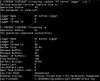
    I downloaded the tracelog application and, using the query command, appear to have confirmed that the TRACE.LOG file in question is, indeed, being created and updated by the NT KERNEL LOGGER. Unfortunately, I've been unsuccessful in determining how to go about changing the parameters used by the NT KERNEL LOGGER, either for the current session or permanently, and would appreciate any suggestions along these lines. Attached is the tracelog report, preceded by the report I get when I try to change parameters.

    Thanks much,
    SRS

    Attached Files:

  15. Mictlantecuhtli TS Special Forces Posts: 4,916   +9

    Win2k Resource Kit Help files could help now.. doesn't tracelog -? help?
  16. lokem Newcomer, in training Posts: 773

    Good to know it was helpful. I'm not sure I can decipher what's going on with the JPG file you posted.

    Anyway, try finding for a way to disable the logging.
  17. srsust Newcomer, in training

    Mictlantecuhtli,

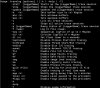
    As indicated in the attachment, I keep getting "The parameter is incorrect" report and the subsequent query shows nothing is changed. Perhaps you could post a command line that would work. Attached is a shot of the help message.

    Thanks,
    SRS

    Attached Files:

  18. lokem Newcomer, in training Posts: 773

    Have you tried:

    tracelog -stop "NT Kernel Logger"

    If that doesn't work try:

    tracelog -x

    And if that doesn't work try:

    tracelog -l

    And print the output here. We'll see what happens...
  19. Mictlantecuhtli TS Special Forces Posts: 4,916   +9

    I agree with Lokem, as it's NT Kernel Logger it should stop with -stop "NT Kernel Logger" . However, there was a line
    "Enabled tracing: Process Thread Disk File HardFaults ImageLoad", they could be disabled with -noprocess -nothread -nodisk (well, 3 of them).
  20. srsust Newcomer, in training

    EXTREME apologies. I've been gone for 10 days. I'll try your suggestions and post the results.

    Thanks much,
    SRS