also @ TechSpot: Lenovo sees huge increase in PC sales as rest of industry declines

Digital DIN in Redhat 7.2

Discussion in 'The Alternative OS' started by PHATMAN5050, Apr 8, 2002.

  1. PHATMAN5050 Newcomer, in training Posts: 645

    I have a creative labs audio card in my linux box, and its set to DIGITAL DIN rather than just regular. The digital DIN requires a special adapter whichi use on my WINXP box, and i want to plug my Linux box into my WinXP box using the Line-in. Any idea how to disable digital din? Thanks!
  2. Mictlantecuhtli TS Special Forces Posts: 4,916   +9

    I've read that about dozen times now and I still don't get it..
    So you want to feed your Linux-PC's sound to WinXP-PC, to XP-PC's line-in but this digital something prevents it? :confused:
    Which Creative Labs soundcard is it?
  3. PHATMAN5050 Newcomer, in training Posts: 645

    Ok, let me explain: On the back of almost all Creative Labs cards they have: Digital DIN, Line in, Mic, Front, and rear. If in the operating system 'Digital Output' is selected, it will send the music through Digitan DIN which are for special speakers like the Cambridge Soundworks FPS2000. When it is played through the digital din it disables the front and rear. In linux, the default is Digital Din, and i want to know where the preference is to disable Digital Din and enable Front and Rear. Did i make it easier, its kinda weird, lol
  4. Phantasm66 Newcomer, in training Posts: 6,504

    Thankyou. I understand what you want now.

    I am afraid that I still can't spot exactly what sound card you have.

    I am also afraid that linux drivers and software for certain hardware devices are not as advanced or developed as those for Windows OSs; you get nothing like the "Surround Mixer" for Linux that is sound card specific, for example.

    I suggest better drivers. Try :

    http://www.euronet.nl/~mailme/
    http://opensource.creative.com/
    http://developer.creative.com/scripts/DC_D&H_Games-Downloads.asp?opt=5

    And so forth for Sound Blaster cards, particularly the sound blaster live.

    I am afraid that, even although I have a creative SB card, I don't use the digital output.
  5. PHATMAN5050 Newcomer, in training Posts: 645

    ok thanks p66. Sorry, i guess i forgot to mention which card i have. Creative Live! XGamer in my linux box. Thanks!
  6. Mictlantecuhtli TS Special Forces Posts: 4,916   +9

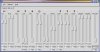
    Looking at the mixer (GMIX 3.0), I see some digital lines & stuff. Muting Digital1 or 2 doesn't help?

    Attached Files:

     
  7. PHATMAN5050 Newcomer, in training Posts: 645

    No, its only 1 and it would just be called Digital and it would be on or off. Maybe it would be better if i wrote creative labs or something...
  8. Mictlantecuhtli TS Special Forces Posts: 4,916   +9

    Maybe even better to change your soundcard :). Mine is plain SB Live! Value, about three years old. You could try that Creative's link Phantasm66 provided, though.
  9. PHATMAN5050 Newcomer, in training Posts: 645

    lmao, yes, i could do that but that would be too easy...:D