also @ TechSpot: Adobe Creative Cloud apps now available; Photoshop CC includes new features

Microsoft Wireless Mouse and Keyboard

Discussion in 'Other Hardware' started by vassil3427, Jan 2, 2004.

  1. vassil3427 Newcomer, in training Posts: 822

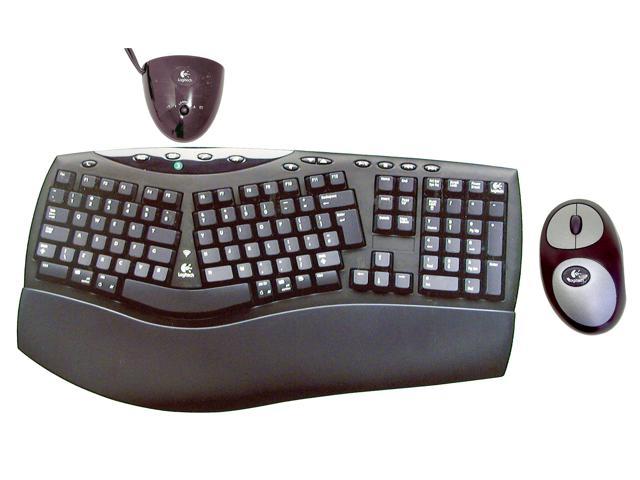
    Does anyone else here use a wireless keyboard and mouse? My mouse died a couple days ago, so I was going to purchase a new wireless one. Well Bestbuy was sold out of every single wireless mouse except for the $90 ones. I looked over and saw this really nice looking Microsoft wireless keyboard and mouse for only $60. I said, heck with it. I bought it, and I love it. Just thought I'd share my experience with you all. I bought the Microsoft "Basic Wireless Optical Desktop"
  2. vassil3427 Newcomer, in training Posts: 822

    So does anyone else use a wireless keyboard/mouse?
  3. therealdeal329 Newcomer, in training Posts: 77

    [IMG]

    i got that for my parents, its pretty cool
  4. lyapunovia Newcomer, in training

    A word to the wise with these wireless devices. Keep a set of new batteries nearby at all times you never know when they will need them.
  5. lzrdlps Newcomer, in training Posts: 19

    I use a Logitech wireless mouse, haven't had any problems, except every month have to pop in some fresh batteries. Stock up on the batteries!
  6. vassil3427 Newcomer, in training Posts: 822

    They cant possibly eat batteries that fast can they? MS claims the batteries last up to 6 months, is that without use or something??
     
  7. SNGX1275 TS Special Forces Posts: 11,917   +119

    Buy rechargable batteries :)
  8. vassil3427 Newcomer, in training Posts: 822

    Smart Man :D
  9. ak_in_charge Newcomer, in training Posts: 137

    I just purchased the logitech wireless keyboard and mouse with the recharging docking station for the mouse...not having to worry about batteries is awesome.

    Its the way to go!!!!
  10. Greeno Newcomer, in training Posts: 394

    nice idea :)
  11. lowman Newcomer, in training Posts: 446

    AK_in_Charge - I just bought the same setup from logitech...with the charging cradle\remote for the mouse, and I couldn't be happier - and I keep 4 AA batteries on hand in my studio in case I need them - it's been 3 months and I notice no sign of wear on the batteries yet...pretty awesome setup, and it was well worth the $100.00...