also @ TechSpot: Building a Thin Mini-ITX PC: Small and Silent Performance

Red Alert 2 error Windows Vista???

Discussion in 'Gaming' started by johnnynumba1, Mar 17, 2007.

  1. johnnynumba1 Newcomer, in training

    heyy

    i just put Red Alert 2 on my pc and when i go to play the game it doesnt load into the game i just get this error.
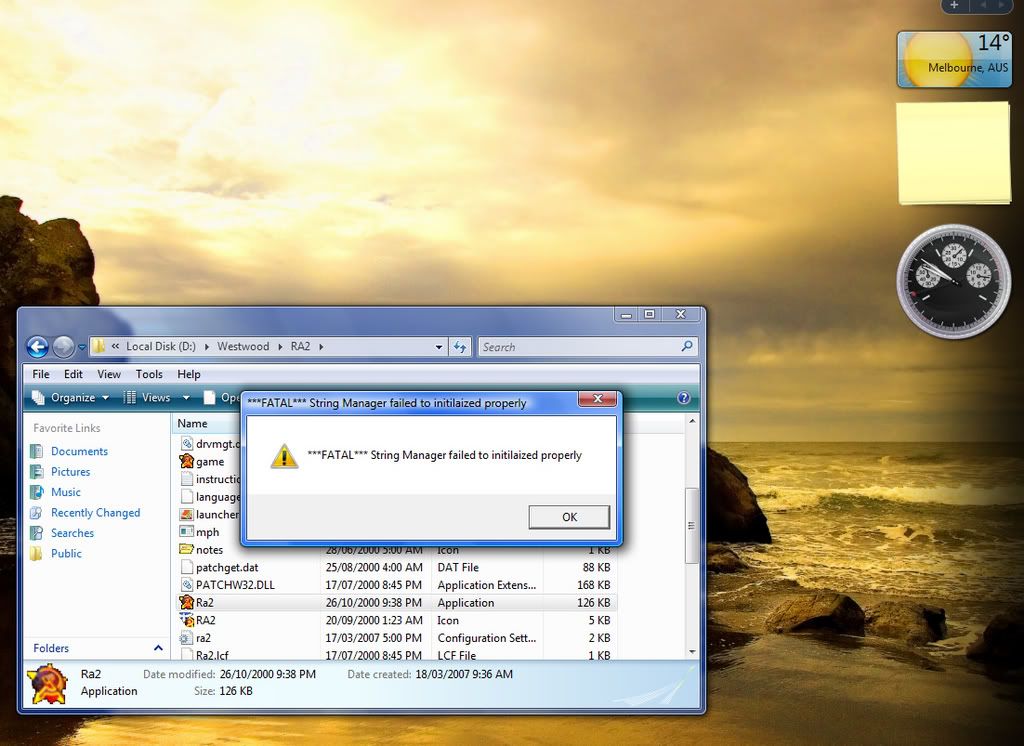
    [IMG]

    so it would be great to know if it widows vista or if they is a patch out that fixes this! and it works on Windows Xp coz i try on my brothers computer and it works fine


    Thanks You


    Johnny
  2. mailpup TS Special Forces Posts: 7,906   +77

    It's probably a Vista issue. It seems unlikely there will be a patch for it since it came out originally in 2000, seven years ago. Have you tried changing the compatibility mode? Using the latest graphics card driver?
  3. johnnynumba1 Newcomer, in training

    Heyy

    how do that ?? thanks "?
  4. mailpup TS Special Forces Posts: 7,906   +77

    I don't have Vista myself but in Windows XP you could right click on the program icon (in your case the game icon), click on "Properties" and find the Compatibility tab. Perhaps Vista is similar.

    Also, in XP there is an alternate method of getting to the Compatibilty Wizard. Under All Programs in the Start Menu, go to Accessories and the Compatibility Wizard is there. Maybe Vista isn't too different.
  5. Tekboy1 Newcomer, in training

    A Hero Comes!!!!

    I finally found the answer after a lot of troubleshooting!!! What you do to get the game to work is..........................
    ............
    ...........
    ..........
    .........
    ........
    .......
    ......
    .....
    ....
    ...
    ..
    .
    Right click on the program and left click on run as administrator. That's it!! Enjoy playing.
  6. oldschool101 Newcomer, in training

    redalert 2 on vista...

    hey, I'm new to the forum I have the same problem an error when trying to play redalert2 on my vista.... I changed the game settings as told but then I was directed to microsoft to try and fix it from there .......but no luck
    Please help ...
    Thanks
     
  7. Daveskater Banned Posts: 2,031

    oldschool101, if setting the program to run in administrator mode doesn't work, try the compatibility mode (set to windows xp sp2) then if you're still having problems start a new thread :) i use vista too and know how annoying its compatibility is ;)
  8. Rolfman TechSpot Enthusiast Posts: 125

    Guys quit mentioning XP... he allready said he has vista.

    This is what i did....

    That same thing happened to me more than once , what i did was ...
    i made a back up of my files and the i reinstalled the game...
    then i ran the registry Set up EXE , and i omitted the latest patch.
    I kept doing this untill it worked.

    Sounds Laim but hey .... if it gets the job done i'll go for it.
  9. TimeParadoX Newcomer, in training Posts: 2,445

    Rolfman, he's not saying SWITCH COMPLETELY to XP, all he needs to do is change the Compatibility to a earlier version of windows when the game came out ( such as Win XP ) so it can play ;)