Not to be outdone by its neon-loving rival, SteelSeries has unveiled a bevy of gaming peripherals at CES, including three new mice: the Kinzu v2, Kinzu v2 Pro Edition and Kana. Like many of SteelSeries' other designs, all three feature an ambidextrous Intellimouse-like profile and are priced competitively at $40, $45 and $50. That falls right in line with the price range of Logitech's mainline G300, G400 and G500.
The Kinzu v2 will come in rubberized black, white, orange and yellow, has four buttons including the CPI toggle, supports stable movement speeds at 65 inches per second and has an optical sensor that supports up to 3600 frames a second. For another $5, the Pro Edition adds "tournament-grade Omron button switches" with improved feedback as well as three different colors: gloss black, metallic silver and red.
SteelSeries Kana ($50)
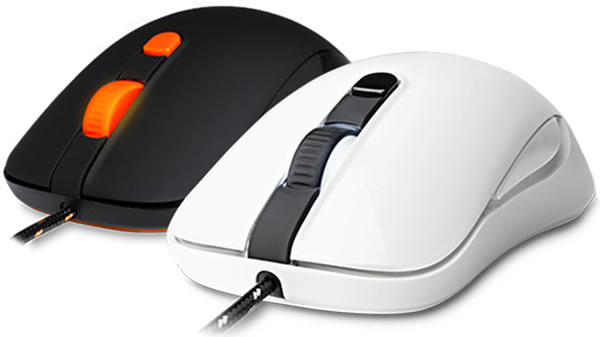
The Kana is a new addition developed in part with the feedback of more than 300,000 gamers. "With the Designed by Gamers campaign, it was the first time we asked our fans and followers to choose a design for us, and we were incredibly proud to see the response from the community – it makes sense that consumers, specifically our consumers want to have a say in what we're creating," said SteelSeries.
It has an additional two buttons over the Kinzu v2 (thumb controls) and adds an illuminated scroll wheel with various LED intensities that can be assigned to the active CPI profile. Otherwise, the underlying specs seem to be nearly identical. All three are backed by the SteelSeries Engine, software that allows users to configure unlimited profiles with custom buttons, CPI and polling rates, macros and more.
SteelSeries Ion Wireless Controller
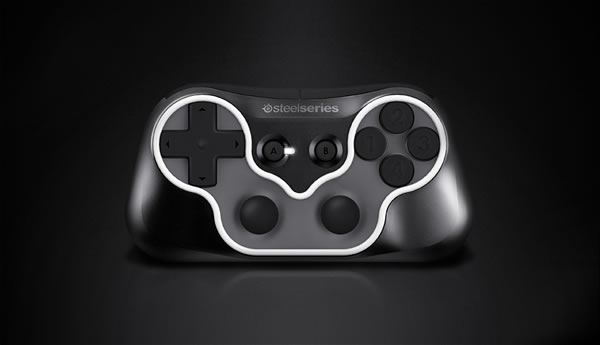
SteelSeries has also revealed a new wireless gaming controller for PCs, tablets or phones. The device connects over Bluetooth, affords up to 20 hours of use between recharges and features a classic layout with two thumb sticks in the lower center, a D-pad on the left, four buttons on the right, and two trigger buttons occupying the shoulders. Pricing is unknown, but the Ion controller is due in the third quarter.