also @ TechSpot: Intel says Haswell will improve battery life by 50 percent

TechSpot News

boot articles


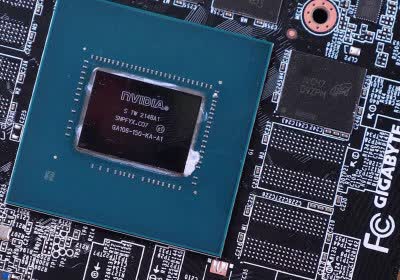
Infographic: What happens when your computer turns on

Infographic: What happens when your computer turns on
  • Posted March 27, 2013, 11:00 AM by Matthew DeCarlo | Filed in Hardware
  • Ever wonder what's happening after you press the power button on your PC? Sure, you're greeted by an esoteric beep, your flashy liquid cooling loop and meticulous wire routing become illuminated through the side window, your aftermarket case fans release a dull whir...

Troubleshooting and Fixing Windows 8's Boot Configuration

Troubleshooting and Fixing Windows 8
  • Posted January 22, 2013, 2:56 AM by Julio Franco | Filed in TechSpot, Software
  • Windows 8 received a decent amount of enhancements on the desktop side that I tend to appreciate versus running Windows 7. One such area of improvement is notification management and how it handles updates and system restarts. Running the final version of the OS for a few months now, it’s been a painless affair until this past weekend.

    Unable to boot all of sudden, after some troubleshooting I settled on the idea that it wasn't a hardware problem. With a long history of dual booting different versions of Windows over the years, finding a corrupt MBR, boot sector, or Boot Configuration Data (BCD) is nothing new, but it took me longer than usual to come to a solution.

Tech Tip of the Week: Bypass Metro and Boot Directly to Windows 8's Desktop

Tech Tip of the Week: Bypass Metro and Boot Directly to Windows 8
  • Posted July 13, 2012, 2:01 AM by Matthew DeCarlo | Filed in TechSpot, Software
  • I've been running the Windows 8 Consumer Preview for a few months and although I'm okay with Metro replacing the Start Menu, I hate seeing the new interface by default every time I reboot. When Windows 7 starts, you hit a login screen (assuming it's enabled) and then you're brought straight to the desktop.

    When Windows 8 starts, it displays a lock screen that you have to move out of the way before entering your credentials, and then you have to dismiss the Metro interface before accessing the desktop. Like I said, I'm cool with Metro, but I have no desire to see a full-screen Start Menu when I log into my PC.

Windows 8 removes need for 'F8' key, advanced boot menu redesigned

Windows 8 removes need for
  • Posted May 23, 2012, 3:00 PM by Rick Burgess | Filed in Microsoft, Software With Video
  • On Microsoft's MSDN blog, the company has revealed in great detail some of the changes we can expect to see to boot options inherent in Windows 8. Most notably, gone are the days of tapping F8 repeatedly. Also gone is…

1the archive »

TechSpot on:

Subscribe to TechSpot

Get free exclusive content, learn about new features and breaking tech news.