also @ TechSpot: Asus P7P55D Deluxe Motherboard Review
Welcome to the TechSpot OpenBoards. Please read the FAQ if you have any questions. Login to participate.

Go Back   TechSpot OpenBoards > Hardware & Tweaking > Storage & Networking

Hard Drive Missing Space

Closed Thread
Bookmark Thread Tools
  #1  
Old 03-07-2006
Newcomer, in training
 
Member since: Aug 2005, 7 posts
Hard Drive Missing Space

Hi Guys

Got a problem

Ive got 2 Hard Drives

First hard drive is an 80Gb, everything is ok there

C: 39.0Gb
E: 35.4Gb

Second hard drive is a 200Gb, theres a problem here with some space missing

D: 19.5Gb
F: 58.5Gb
G: 24.4Gb
H: 25.4Gb

By my mark, there is 127Gb all together and there is roughly 60Gb Missing

Also it looks like my partitions are wierd as on my 80, i have my c drive and a backup drive, but in this case d is before e.

Whats going on

HELP!!
  #2  
Old 03-07-2006
Nodsu's Avatar
TechSpot Evangelist
 
Location: Estonia
Member since: Feb 2002, 9,430 posts
System specs
At the time you created the partitions on your 200GB, your computer did not support hard drives bigger than 127GB.

This is a common problem and can be caused by your motherboard being old, BIOS being out of date, your operating system being out of date. You can create new partitions in the remaining space on the 200GB after you have managed to make your computer support large hard drives.

The warped drive lettering is a "feature" of Windows. If you want all the partitions on the second hard drive to come after the ones on the first HD, then make sure the second hard drive has only logical partitions on it. (Or just assign different drive letters to everything in Disk Management).
To remove this ad, sign in. To register for a new account, click here.
  
  #3  
Old 03-07-2006
Newcomer, in training
 
Member since: Aug 2005, 7 posts
so what would you suggest in getting back my space?
  #4  
Old 03-07-2006
Newcomer, in training
 
Member since: Aug 2005, 7 posts
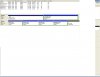
this might suggest a cause
Attached Images
File Type: jpg Problem.JPG (93.0 KB, 6 views)
  #5  
Old 03-07-2006
Nodsu's Avatar
TechSpot Evangelist
 
Location: Estonia
Member since: Feb 2002, 9,430 posts
System specs
So there is nothing to fix (any more), your disk space is all there, just not partitioned.

Just create some partitions in the unallocated space or use some partitioning software to resize your existing ones..
  #6  
Old 03-07-2006
Newcomer, in training
 
Member since: Aug 2005, 7 posts
the only problem is when i try to create a new partition, it comes up saying i can only create a primary partition
  #7  
Old 03-07-2006
Newcomer, in training
 
Member since: Aug 2005, 7 posts
never mind, i made another primary partiton and it works

my primary partition on the 200Gb so it wouldnt matter if there were 2, the mp3 drive isnt booting the comp
Closed Thread

Tip: Download Advanced SystemCare 3 Freeware - 1 Click A Day to Clean, Repair, Protect & Optimize your PC.

Thread Tools


Similar Topics
Topic Category Replies Last Post
Big Problems Please Help !!!!!!! Windows OS 34 12-24-2008 05:35 AM
Missing hard drive space after system restore Windows OS 9 11-07-2006 05:58 PM
Old Hard Drive in new PC as second Hard drive. Can it be done??????? Storage & Networking 2 01-30-2005 04:57 PM
Hard Drive Cooling Overclocking, Cooling and Modding 6 11-24-2004 08:55 PM
missing hard drive icons General Hardware 4 10-19-2003 04:52 PM


All times are GMT -4. The time now is 09:55 PM.