Welcome to the TechSpot OpenBoards. Please read the FAQ if you have any questions. Sign up or Login to participate.
Collaborate in the cloud with Office, Exchange, SharePoint, and Lync
|
|||||||
Collaborate in the cloud with Office, Exchange, SharePoint, and Lync
problems with sound
|
|
Thread Tools | Search this Thread |
|
#1
|
||||
|
||||
|
problems with sound
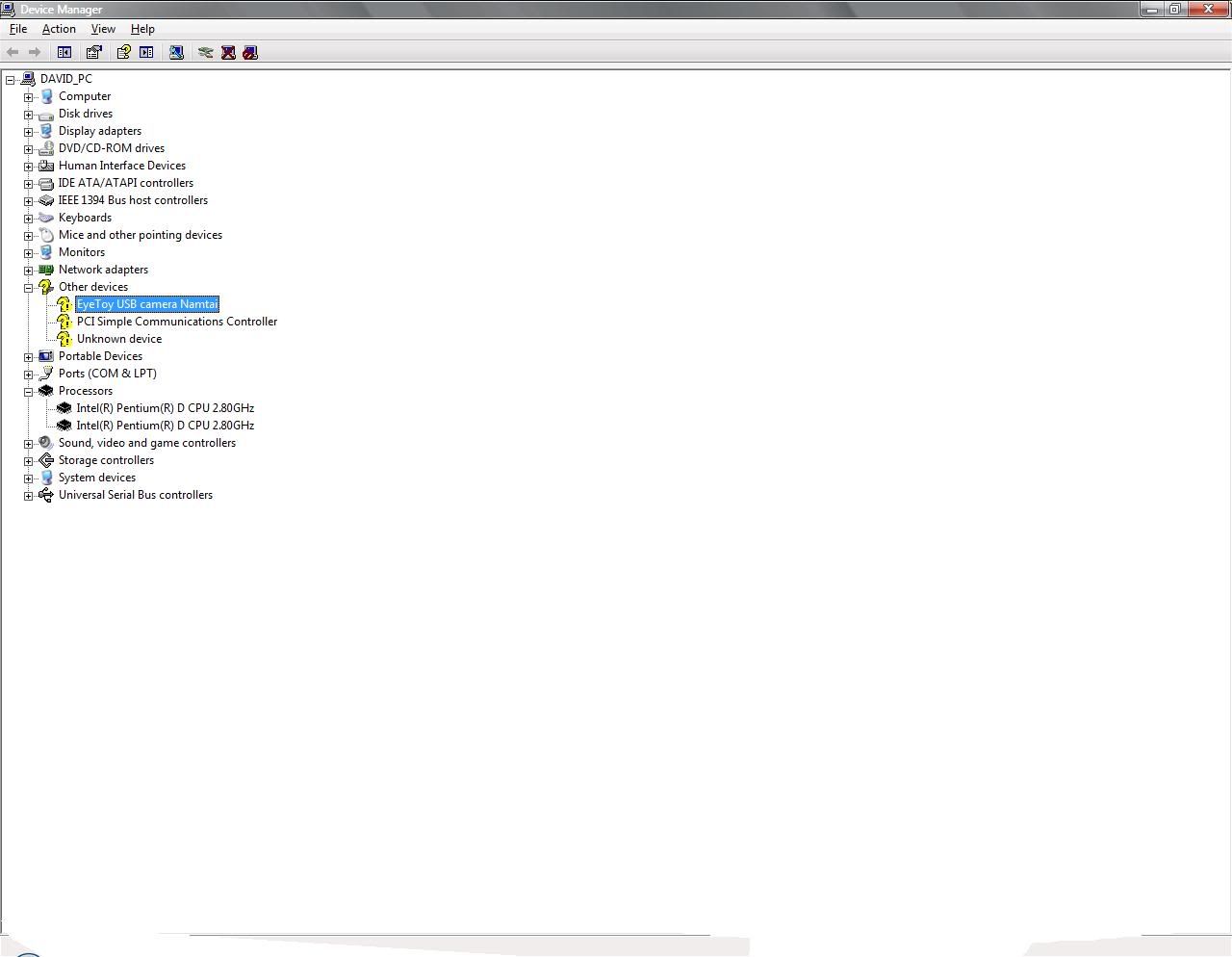
right well heres the story. my pc isnt playing any sounds through the speakers when ever i try and play something it says No Audio Ouput Device is installed.
i know i need to install it, but i dont actually know what to install, this is what is displayed in my device manager ![]() pc info HP m7360y series Windows XP Media Center IntelŪ PentiumŪ D dual core processor 820 (2.8GHz, 2MB,800MHz FSB) |
|
#2
|
|||
|
|||
|
Go to the HP website HERE and download and install all the drivers for your computer, including the audio drivers.
The Eyetoy camera should have come with a drive cd. Unplug the camera, install the drivers and reconnect the camera when prompted. You could also go to the camera manufacturers website and get the drivers. Regards Howard
|
![]() |
| Similar Topics | ||||
| Topic | Replies | Forum | ||
Sound problems - sound stutters
|
7 | Audio and Video | ||
Problems with sound
|
4 | Software Apps | ||
Sound problems.
|
12 | Audio and Video | ||
Sound Problems with Sound Blaster Audigy 2 Value
|
6 | Audio and Video | ||
on board sound problems - sound keeps jumping / dropping music.
|
4 | Audio and Video | ||
| Thread Tools | Search this Thread |
|
|
All times are GMT -4. The time now is 09:38 AM.


Sound problems - sound stutters