Welcome to the TechSpot OpenBoards. Please read the FAQ if you have any questions. Login to participate.

Go Back   TechSpot OpenBoards > OS & Software > Gaming and Consoles

The Sims Complete Collection not installing.

Reply
Bookmark / Share this page
Thread Tools
  #1  
Old 03-24-2007
Newcomer, in training
 
Member since: Mar 2007, 1 posts
The Sims Complete Collection not installing.

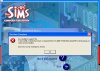
I just bought the Sims Complete Collection and when I click the install button on the install wizard, it tells me that I don't have enough space on . and that I need 3600 MB of free space to install, and then kicks me out of the installer.

I have 13.6GB of free space on C: and I don't know why it would fail to recognize that. I've uninstalled a lot of excess programs and defragmented my computer, I've ran countless virus scans and spyware scans and I still get this error.

I'm really starting to get ticked off, but anything you could do to help would be GREATLY appreciated.

BTW: In the screenshot I was using a Windows theme, but upon realizing that might mess with my computer I uninstalled it and it still won't let me install the sims.

I've attached a screenshot of the error message and my DirectX Diagnostic of my computer specs.

Cheers
Dhargk
Attached Images
File Type: jpg errormessage.JPG (11.0 KB, 14 views)
Attached Files
File Type: txt DxDiag.txt (43.1 KB, 8 views)

Last edited by Dhargk; 03-24-2007 at 08:21 PM.
Reply With Quote
  #2  
Old 01-28-2008
Newcomer, in training
 
Member since: Jan 2008, 1 posts
ughhh...

Mine does the SAME exact thing...I even returned my game and got a new one..but same thing happened, i have done the smae things you have and cleaned up all my stuff. have you figured out how to make it work??:
chef:
Reply With Quote
You can remove this banner by registering, join the TS Community for free.
  #3  
Old 01-28-2008
Sunny87's Avatar
Newcomer, in training
 
Location: England, just outside London
Member since: Jan 2008, 5 posts
System specs
Browse the DVD and look for a file named "Sims Eraser.exe" apparently it fixes this issue.
Reply With Quote
  #4  
Old 06-04-2008
Newcomer, in training
 
Member since: Jun 2008, 1 posts
I'm not sure if this should go here but I also have problems installing SIMS complete collection; first I've reached 95% then it would give error message about cyclic redunduncy (I wasn't able to prnt scrn). I had it replaced but still having the same problem;

then now when I tried it again it wouldn't even get past install wizard :

SIMS ERROR.jpg
Reply With Quote
  #5  
Old 07-03-2008
kaotic jezebel's Avatar
Newcomer, in training
 
Member since: Jul 2008, 1 posts
Im havin trrouble installin mine too. I get to 95% then it asks to put disk 2 in. I do that then it opens a folder with a sound clip an a folder. Go into the folder an find a zip file. If i click on the zip or close that down it continues to install but then says insert SIMS COLLECTION in, or the file is damaged.
Reply With Quote
  #6  
Old 07-03-2008
mopar man's Avatar
TechSpot Addict
 
Location: Tennessee
Member since: Sep 2006, 1,270 posts
System specs
You may have a damaged second disk.
Reply With Quote
Reply
Thread Tools

Forum Jump

Similar Topics
Thread Thread Starter Forum Replies Last Post
Having trouble installing The Sims Deluxe Edition ARZ246 Gaming and Consoles 2 05-14-2008 07:54 PM
Having problems installing Sims 2 mvericksangel Gaming and Consoles 2 08-19-2006 06:46 PM
Problems installing The Sims Unleashed melanie_boulian Gaming and Consoles 2 05-18-2006 02:33 AM
Having Trouble Installing The Sims xmai202x Gaming and Consoles 1 03-01-2006 08:45 AM
Problem installing the Sims. Jenna_ Gaming and Consoles 2 05-29-2005 04:31 PM


All times are GMT -4. The time now is 10:46 AM.