Welcome to the TechSpot OpenBoards. Please read the FAQ if you have any questions. Login to participate.

Go Back   TechSpot OpenBoards > Hardware & Tweaking > Overclocking, Cooling and Modding

Are my timings/cpu bus speed correct?

Reply
Bookmark / Share this page
Thread Tools
  #1  
Old 03-29-2007
Guitarplayer's Avatar
Newcomer, in training
 
Location: Minnesota
Member since: Mar 2007, 3 posts
Are my timings/cpu bus speed correct?

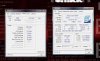
I've built a computer for the first time and I'm not sure about a few things.. First of all my memory frequency is only clocked at 266.7mhz. Isn't that really low considering I have dual DDR2 800 (PC2 6400) sticks? Also is my timing good on it or should I modify it in anyway? Thanks for the help!
Attached Images
File Type: jpg computer info.jpg (92.7 KB, 16 views)
Reply With Quote
  #2  
Old 03-29-2007
Didou's Avatar
TS Special Forces
 
Location: Brussels, Belgium
Member since: Feb 2002, 5,821 posts
System specs
Since you haven't posted any information about your system in your profile, you could at least help us & do it here.
Reply With Quote
You can remove this banner by registering, join the TS Community for free.
  #3  
Old 03-29-2007
Guitarplayer's Avatar
Newcomer, in training
 
Location: Minnesota
Member since: Mar 2007, 3 posts
My Computer Specs:

Centurion 5 Case - 700w Thermal Take Toughpower

Intel Core 2 Duo 6600 2.4ghz Conroe

Motherboard ABIT IN9 32X-MAX LGA 775 NVIDIA nForce 680i SLI ATX Intel

8800gtx 768mb EVGA

SUPER TALENT 2GB DDR2 SDRAM DDR2 800 (PC2 6400)

HITACHI 320GB 7200 RPM SATA 3.0Gb/s Hard Drive
Reply With Quote
  #4  
Old 03-29-2007
TechSpot Member
 
Location: Romania
Member since: Apr 2006, 174 posts
Dram Speeds are lower than normal
When computer starts open the bios page and set up Your DRAM/FSB Ratio to 1:3(or set it to automatic);
Hope i helped.

Last edited by eazy_duz_em; 03-29-2007 at 04:46 AM.
Reply With Quote
  #5  
Old 03-29-2007
Didou's Avatar
TS Special Forces
 
Location: Brussels, Belgium
Member since: Feb 2002, 5,821 posts
System specs
You have to go in the µGuru section of your motherboard's BIOS & play with the settings there.

The settings you'll need to play with are "MEM" & "FSB:Memory Ratio". In the "Estimated DDR2 Data Rate", you should have 800.0 as a result.
Attached Images
File Type: jpg abit-uguru-bios-settings.jpg (82.1 KB, 3 views)
Reply With Quote
  #6  
Old 03-30-2007
Guitarplayer's Avatar
Newcomer, in training
 
Location: Minnesota
Member since: Mar 2007, 3 posts
it won't let me load the modified bios, it now says CMOS Checksum Error F1 to continue, del to enter setup..etc , and it loads the defaults, i even reset it back to normal and it says checksum error
Reply With Quote
Reply
Thread Tools

Forum Jump

Similar Topics
Thread Thread Starter Forum Replies Last Post
new board won't POST, Processor not running at correct speed LexiDad2004 CPUs, Chipsets and Mobos 1 08-19-2005 07:20 AM
what is CAS latency and timings deano3041 CPUs, Chipsets and Mobos 11 07-21-2005 12:01 AM
my memory timings ArchVile CPUs, Chipsets and Mobos 1 07-18-2005 02:09 AM
cpu notworking at correct speed Dinvan CPUs, Chipsets and Mobos 3 04-09-2004 08:43 PM
Memory timings snowman CPUs, Chipsets and Mobos 0 12-05-2003 06:26 PM


All times are GMT -4. The time now is 01:55 AM.