also @ TechSpot: Nortel's internal network "owned" by hackers for almost a decade
Welcome to the TechSpot OpenBoards. Please read the FAQ if you have any questions. Sign up or Login to participate.

Go Back   TechSpot OpenBoards > Hardware > Overclocking, Cooling and Modding

Collaborate in the cloud with Office, Exchange, SharePoint, and Lync

Case airflow... got stuck

Thread Tools Search this Thread
  #1  
Old 08-12-2007
TechSpot Enthusiast
 
Member since: Jul 2007, 171 posts
System specs
Case airflow... got stuck

hello,
please answer my each questions below. thanks in advance.
my sys config pentium D @2.8, 512 ddr2 ram, agp 128mb 5200fx.
1. my case's side panels donot have small holes to help airflow. i have two case fans at the backside one for intake and other for outake.while running my anti-virus scan(i.e. at about 30% average cpu usage) my temps become cpu-53-54, hdd-46-48. so do i need to change the side panels or make small holes in them???
2. what is the safe temp limits for CPU and HDD under stress like anti-virus scan or playing games? i mean the temp above which i must be careful for my case airflow/system cooling.
  #2  
Old 08-12-2007
TechSpot Member
 
Member since: Jul 2007, 36 posts
1. Side vents always help, more airflow the better if you're using air cooling. However, having an intake and out fan right next to each other seems inefficient to me. I've never tried it because it doesn't make sense to me, so I could be wrong, but it just seems to me that having intake in the front and out in the back always made sense for me.
2. Under full load, a CPU should be at around ~70C, at most. If it's reading 55C under 30% load, then there could be a problem, but I would get a program like TAP and run a full load test. If after about 20mins of that it never goes over 70C, you're relatively okay, but 70C is still kind of high. I would suggest an intake in the front and out fans in the back. Also, if your CPU still has high temps you may want to try one of a few things:
-Open up the case and make sure the fan is clean. Dust is a huge problem for cooling.
-Take the heatsink off, clean it and re-apply thermal compound
-Get a new CPU fan that is a little more powerful.
  #3  
Old 08-12-2007
TechSpot Enthusiast
 
Member since: Jul 2007, 171 posts
System specs
very very thank you for ur help...but right now i m hard on money. cannot purchase even case fans . any other help or suggestion

Edited by Moderator: Removed quote. There`s no need to quote the post directly above your own, unless you`re only replying to a specific section, in which case you would only quote that section.

Last edited by howard_hopkinso; 08-13-2007 at 05:56 AM..
  #4  
Old 08-13-2007
TechSpot Enthusiast
 
Member since: Jul 2007, 171 posts
System specs
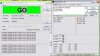
attaching the temps screenshot after stressing the CPU. hva luk at it and reply.
Attached Images
File Type: jpg untitled.JPG (89.7 KB, 10 views)
  #5  
Old 08-13-2007
TechSpot Member
 
Member since: Jul 2007, 36 posts
The highest temp I see here is on the second core and it's 61C. If I am misreading then just let me know, I've never used that program before. However, if I'm reading it right and 61C is the highest temp your CPU is seeing, even at full stress, I really wouldn't worry about it. Really not much else you can do for it besides more fans.
  #6  
Old 08-13-2007
Cinders's Avatar
TechSpot Paladin
 
Location: Texas, USA
Member since: Jul 2007, 1,070 posts
System specs
I'd simply take the intake fan and make it an exhaust fan. When you get a little money, you can then add an intake fan.

http://img.photobucket.com/albums/v6...at/airflow.jpg
This what your doing now and it's now helping as much as it could with two exhaust fans.

Last edited by Cinders; 08-13-2007 at 05:49 PM..
  #7  
Old 08-13-2007
TechSpot Enthusiast
 
Member since: Jul 2007, 171 posts
System specs
thank you very much cinders and halos.
  #8  
Old 08-13-2007
TechSpot Enthusiast
 
Member since: Jul 2007, 171 posts
System specs
to halos.
the temp2 is of motherboard as shown by other programs like everst home or hmonitor.
  #9  
Old 08-13-2007
k.jacko's Avatar
TechSpot Addict
 
Location: Nottingham, UK
Member since: May 2007, 743 posts
System specs
your motherboard is 61°C?? :eek:
Freakin testicles that is on the high side. Sounds like your cpu fan is doing its job but your case sux0rs!
Can you manage the cabling any better in there to help with airflow?
  #10  
Old 08-13-2007
TechSpot Enthusiast
 
Member since: Jul 2007, 171 posts
System specs
ya.....i think my case really sucks
  #11  
Old 08-13-2007
captaincranky's Avatar
TechSpot Evangelist
 
Member since: Oct 2006, 7,585 posts
Quote:
Originally Posted by thehacker
hello,

1. my case's side panels do not have small holes to help airflow. i have two case fans at the backside one for intake and other for outake <(exhaust).
I don't exactly understand what you mean by an intake and an exhaust on the same case panel. If this were so the exhaust would "short circuit' the airflow from the intake fan and air would not flow into the remainder of the case. So, either this arrangement needs to be changed, I'm not understanding what you're saying, or we need to put our heads together to change the laws of fluid dynamics. < Just kidding on option "C" there. How do you spell outake in Chinese? >Take Out< Again, just kidding on that one too.

Last edited by captaincranky; 08-13-2007 at 02:45 PM..
  #12  
Old 08-13-2007
Cinders's Avatar
TechSpot Paladin
 
Location: Texas, USA
Member since: Jul 2007, 1,070 posts
System specs
My pleasure. What case do you have?
  #13  
Old 08-14-2007
TechSpot Enthusiast
 
Member since: Jul 2007, 171 posts
System specs
a full atx size navtech case...its a cheap one.
  #14  
Old 08-14-2007
TechSpot Enthusiast
 
Member since: Jul 2007, 171 posts
System specs
to cinders
the pic showing the airflow problem must not be wid my case coz
1stly my fans are apart. intake at bottoma nd out at top(below smps/psu).
and secondly as hot air is out at top it must flow up as it has low density and cool air keep going in from the bottom...i thought to apply a little physics lolz
  #15  
Old 08-15-2007
Cinders's Avatar
TechSpot Paladin
 
Location: Texas, USA
Member since: Jul 2007, 1,070 posts
System specs
Well that's better than my worst case senario!
Closed Thread

Similar Topics
Topic Replies Forum
Case Max Airflow 2 Other Hardware
case airflow question 13 Overclocking, Cooling and Modding
Cable management and airflow 6 Overclocking, Cooling and Modding
No airflow when there should be. 2 Overclocking, Cooling and Modding
Airflow help 3 Processors and Motherboards

Thread Tools Search this Thread
Search this Thread:

Advanced Search
All times are GMT -4. The time now is 08:52 PM.