also @ TechSpot: AMD Radeon HD 7770 & Radeon HD 7750 Review
Welcome to the TechSpot OpenBoards. Please read the FAQ if you have any questions. Sign up or Login to participate.

Go Back   TechSpot OpenBoards > Hardware > Overclocking, Cooling and Modding

Begin your free trial now Pay-as-you-go options starting at $10/user/month

Motherboard cuts out USB connections

Thread Tools Search this Thread
  #1  
Old 10-10-2007
TechSpot Member
 
Member since: Apr 2007, 36 posts
System specs
Motherboard cuts out USB connections

After suffering heat damage from a broken fan of two on a ATI video card, I am beginning to think the motherboard may be damaged.

I have installed a new video card, new RAM, new CPU & fan and formatted and reinstalled my Windows XP hard drive but I still get the same problem - sometimes all my USB connections go off forcing a reboot, or sometimes I get screen corruption (usually in a 3D game) again forcing a reboot.

I've monitored the temperature which boots at 45c and gets to 60c, in a demanding game this rises to 67c. But I've had the same problems from a few minutes after booting up so I don't think it's heat related.
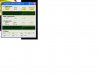
Temperature Screenie.JPG

Looking for the same motherboard will set me back about £70-80 but I'm reluctant to do this after all the money spent (new CPU, video card, etc).

Perhaps I'm running too many peripherals - I have and external USB (4X) hub so I don't have to plug things in around the back of the machine, 2 sata HDs, 1 IDE HD and USB network adaptor, but I thought this is nothing unusual. I've also just installed a new 400w PSU which should more than cope.

Unless it's something to do with the RAM I should assume it's the motherboard, shouldn't I? What else can make me lose my USB ports and sometimes get screen corruption?

  • AMD Athlon 64 3400+ CPU
  • 3GB Corsair RAM**
  • Gigabyte GA-K8NNXP motherboard (Dual Bios) 754 socket
  • 2 x 70GB SATA 1000rpm Hard Drives
  • 1 x 150GB IDE 720rpm HD
  • Coolmaster Wavemaster case with 2 external fans
  • 400watt PSU
  • Radeon 1950 512mb video card
  • Creative Soundblaster Audigy
  • Logitech wireless keyboard and lasar mouse

No errors on Device Manager of all hardware

PS: One last thing. My computer doesn't power off when I shutdown but restarts forcing me to hold in the power button to switch it off. Any advice would be grateful.

** Now down to 2gb due to compatibility

Last edited by TC Machine; 11-02-2007 at 10:46 AM..
  #2  
Old 10-10-2007
boykov's Avatar
TechSpot Member
 
Location: Portugal
Member since: Nov 2005, 130 posts
System specs
Hi
i think your power supply does not have the power to run these specs ...
http://www.extreme.outervision.com/psucalculator.jsp
try this site...
  #3  
Old 10-10-2007
Rik's Avatar
Rik Rik is offline
Banned
 
Location: UK-Maidenhead
Member since: May 2005, 4,987 posts
System specs
Looks to me as if one of the ic's is overheating on the mobo. If it was me I'd replace it to be on the safe side. If you check my system spec you will see that I also use 754 and a similar mobo to mine is quite cheap these days.
  #4  
Old 10-25-2007
TechSpot Member
 
Member since: Apr 2007, 36 posts
System specs
Thanks to you both for your replies. As it turned out it seemed to be a simpler problem. The PC sometimes made more noise than other times. I found one of the wires was 'clipping' the heatsink fan probably causing a slight overheat. Also 2 ram chips were not 100% compatible with one I had before and caused a PFN_LIST_CORRUPT error (blue screen with white message) - changing those fixed that.

Also the PC was ok in Linux so my Windows system had to be faulty; after so many crashes perhaps a few essential files were corrupted. A full install (with a "Nuke" of drive C before formatting) ensured a good installation.

To date, fingers crossed, I've had no errors and everything is going back in smoothly. Thanks again for the advice.
  #5  
Old 10-31-2007
TechSpot Member
 
Member since: Apr 2007, 36 posts
System specs
Addendum

Problem was not so easily fixed and started playing up as before.

I found one of the RAM chips was faulty and also CAS 2.5-3-3-8 memory does not match 3-3-3-8 memory and needs the bios to be changed manually. I replaced with 2x1GB 3-3-3-8 memory.

I still get screen corruption, usually in demanding 3D games, and the USB ports drop out disabling my mouse and wireless network (internet). The keyboard is wireless but goes through the PS2 interface so I can still access Windows but the machine will not log off and I have to hold in the power button to switch off - not an ideal way to quit Windows.

I don't seem to have the same problems when using Linux OS but I don't have any demanding games to test it on.

Still thinking the motherboard has a damaged component and maybe a new one would end all these problems but hard to get the same model GA-K8NNXP as it's a few years old.

My power supply recommended wattage was 376w - am currently using the correct 400w to cope.

Last edited by TC Machine; 11-02-2007 at 10:26 AM..
  #6  
Old 10-31-2007
Rik's Avatar
Rik Rik is offline
Banned
 
Location: UK-Maidenhead
Member since: May 2005, 4,987 posts
System specs
It's looking more and more like a mobo fault i have to say.

Just out of interest tho, have you been monitoring temperatures at all recently?
  #7  
Old 10-31-2007
TechSpot Member
 
Member since: Apr 2007, 36 posts
System specs
Temps

Yes Rik. I had a hardware temperature program running for a couple of weeks. It said the cpu was 45 degrees on boot up and went as high as 65-66 after using in a demanding game. Ram and video card get quite warm too but as the problem occurs when the machine is cold, I don't see it as a factor.

Incidently, after installing SP2 and then IE7 the machine started getting the old errors. It may have been coincidental as I only briefly had IE6 and SP1 running (a few days) but as I said it doesn't have any problems in Linux - making me think it's a software conflict with my system.
  #8  
Old 11-01-2007
Newcomer, in training
 
Member since: Nov 2007, 2 posts
Same Thing

I'm getting the same problem...mouse keeps turning off. I overclocked my machine just a smidge, and now my mouse works for about 45 minutes, then cuts out. I reboot, and it's fine again for a few minutes. I've uninstalled every driver possible, but no luck. I'm also using a GA-K8 board, but it's the K800M micro ATX for AMD 754 pin cpus. I don't want to spend $50 on a motherboard that's so old, but to replace the video card and CPU would be even more expensive.
  #9  
Old 11-02-2007
TechSpot Member
 
Member since: Apr 2007, 36 posts
System specs
If it's a USB mouse then maybe try using a PS2 one. Have you also tried pulling out the cable after it cuts out and putting it back in again? Windows then auto-detects a new hardware device usually (worked for me a few times). Inconvenient I know.

A more drastic solution maybe to re-install Windows and your motherboard drivers from after formatting your hard drive (backup anything you want to keep first). Make sure you have all your necessary drivers at hand.

Last edited by TC Machine; 11-07-2007 at 06:40 AM..
  #10  
Old 11-02-2007
Newcomer, in training
 
Member since: Nov 2007, 2 posts
Reconnect

I've tried reconnecting the mouse, and it blinks ever so briefly (that is, the red light blinks) and Windows does nothing. I've uninstalled the Mouse Drivers, various other drivers, software...

I'd rather replace the motherboard before formatting again (just formatted about a month or 2 ago.)
  #11  
Old 11-02-2007
Rik's Avatar
Rik Rik is offline
Banned
 
Location: UK-Maidenhead
Member since: May 2005, 4,987 posts
System specs
Unless you get an identical mobo, chances are that you will have to reformat anyhow.
  #12  
Old 11-02-2007
Cinders's Avatar
TechSpot Paladin
 
Location: Texas, USA
Member since: Jul 2007, 1,070 posts
System specs
I don't know if this true or not, but I've heard that an over heating southbridge can cause the USB ports to shut down. Maybe you need to look at your southbridge cooling setup and add or replace a fan.
  #13  
Old 11-07-2007
TechSpot Member
 
Member since: Apr 2007, 36 posts
System specs
OVERHEATING WAS THE PROBLEM.
The Sapphire X1950 512mb video card (most powerful AGP card) which just about fits into the casing requires more power than my system could provide. I changed to an slightly inferior motherboard and started getting screen corruption and crashes after a few boot ups. When i opened the machine the card was [COLOR="Red"]red-hot!![/COLOR] I changed the card to a decent but not so power hungry one (ATI Radeon 9800XT) and the PC worked fine.

Perhaps my previous motherboard is fine too - will test before I think of swapping back.

Overheating is known to give symptoms different to normal diagnosis but regular screen corruption is a sign of the VGA card. My previous mobo seemed able to tolerate the card but the entire system was very warm (hot), which may have led to random failures.

Thanks to all for the help.

Quote:
I've tried reconnecting the mouse, and it blinks ever so briefly (that is, the red light blinks) and Windows does nothing. I've uninstalled the Mouse Drivers, various other drivers, software...

I'd rather replace the motherboard before formatting again (just formatted about a month or 2 ago.)
Probably a silly suggestion but are the batteries good? If so, new mouses are quite cheap and you could try re-clocking it back to get the system stable even just to see if it was that which caused the problem (power drain).
Closed Thread

Similar Topics
Topic Replies Forum
Front Panel Connections to Motherboard 5 Processors and Motherboards
Motherboard connections 11 Processors and Motherboards
Audio cuts out 2 Audio and Video
CPU fan cuts out intermitenly 2 Overclocking, Cooling and Modding
When are the XP price cuts? 8 Processors and Motherboards

Thread Tools Search this Thread
Search this Thread:

Advanced Search
All times are GMT -4. The time now is 08:57 AM.