Sign up for a new account or log in here:
Surprisingly loud.
Extremely comfortable.
Excellent heat insulation.
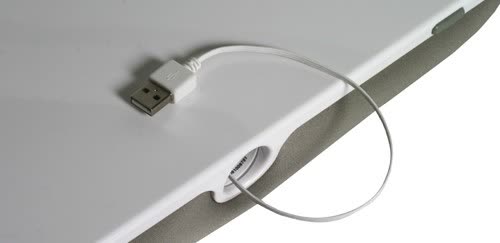
Hassle-free cable management.
Packs in a USB audio device.
Offers great convenience.
Expensive.
Lacks surface inclination.
Heavy.
Loses tonal balance at maximum volume.
By TechTree on July 25, 2011
Expert Review Price: Rs 3999 Entertainment for kids in the early 90s meant pooling lunch money to rent tapes of classics such as and . Back then, movies meant huddling in front of the bulky CRT TV set during summer vacations. In this age of , the...
By Gear Diary on June 01, 2010
Review: Philips CushionSpeaker Laptop Stand Posted on 01 November 2010 by Travis Ehrlich So I am sitting in my recliner with my 13″ MacBook Pro in my lap. The laptop is a bit warm and the show I am watching sounds terrible through the stock...
By Computeractive on May 23, 2010
A clever product, but too expensive given its sound...
By Web User on May 20, 2010
Adding a speaker to a laptop cushion is a pretty good idea, but it won’t be to everyone’s tastes. Couch surfers might prefer to listen to the TV or their hi-fi than their laptop, while a good pair of headphones or external speakers will put...
By Pocket-lint on March 24, 2010
The quality of the construction if good as you'd expect from Philips, but the design doesn’t hit the mark for us. For a relatively simple concept, there is too much here that doesn’t sit...
By Trusted Reviews on March 20, 2010
Philips' CushionSpeaker, which is similar in concept to the Logitech Speaker Lapdesk N700 we've also reviewed today, looks to combine the company's audio product experience with an always useful mini-desk to save your lap from the toasting...
By eReviews
on October 09, 2010
Jeg synes et eller andet sted at Philips CushionSpeaker SDC5100 er et lidt sjovt produkt, men jeg også typen der har et skrivebord til min notebook, og sjældent benytter den uden at have både mus, tastatur og ekstern skærm tilsluttet...
By PC-tidningen
on April 23, 2010
Varför inte passa på att bygga in ett par hyfsade högtalare på en gång?Kudden ansluts till datorn via usb. Kabeln dras mycket praktiskt in i kudden så att den inte märks. När kudden ansluts till datorn tar...
By Komputer for Alle
on April 20, 2010
Puden tilsluttes med et USB-kabel, der meget praktisk kan trække sig selv ind i puden. Lyden skifter automatisk over til pudens højttalere uden nogen form for indstilling. Det giver en nogenlunde lydkvalitet, hvor musikkens detaljer går...
| Trending | Featured |
Get free exclusive content, learn about new features and breaking tech news.
TechSpot on: