also @ TechSpot: Apple iOS 'Absinthe' jailbreak: 1 million downloads and counting

TechSpot

Blue Screen of Death HELP!!!!!!

Discussion in 'Windows BSOD, Freezing, Restarting Help' started by cooljjay, Mar 29, 2007.

Thread Status:
Not open for further replies.
  1. cooljjay Newcomer, in training

    I just recently bought a used toshiba p25 laptop and it gets the blue screen of death. I have reinstalled winXP numerous times and restored the system and it still happens. I have gotten it twice since this last install but i usually get a window that says a prog has been shut down because of a serious error. can someone tell me whats causing it and what needs to be replaced to cure this problem????
  2. Tmagic650 TechSpot Ambassador

    Check your memory, reset your bios and make sure your fans are operating and the air passages are clean
  3. cooljjay Newcomer, in training

    I have flashed the bios, and i have moved the memory to another slot, the fans look clean and i am going to reseat the cpu tomorrow. The memory is a cheap no name brand so I might switch it out. any other ideas?
  4. Route44 TechSpot Ambassador

    Memory could be the issue. Can you attach your Minidump so that it can be read?
  5. cooljjay Newcomer, in training

    went ahead and cleaned the heatsink and re seated the cpu, bought new simm installed it and so far just got an error saying that internet explorer has preformed an illegal operation and needs to be shut down
  6. joked u 2 Newcomer, in training

    When you reloaded windows, did you format the HDD using quick or just the normal long? Does windows load? do you get to the desktop? Have you tried safe mode?
  7. cooljjay Newcomer, in training

    nope i just formatted it the quick format way, i might try doing the long. After I have installed the new memory simm and cleaned the fans I haven't received the blue scree but just internet explorer error that happen twice. i am trying to defrag and scan.
  8. joked u 2 Newcomer, in training

    try scaning you hard disk for errors, rt-click on the drive in my computer -> properties -> tools ->check now. try that
  9. cooljjay Newcomer, in training

    just did that before I went to bed last night so lets see what greif i shall get today.
  10. cooljjay Newcomer, in training

    well i have reinstalled windows again did a full slow format, cleaned the fans, installed new memory, installed all updates, flashed the bios, ran defrag and scan disk and i still get the screen so far no more errors but got one blue screen.
  11. joked u 2 Newcomer, in training

    when it blue screens, press the pause button, write down the number and take it to microsoft technet and they will give you a detailed report of what the problem is and how to fix it.
  12. Route44 TechSpot Ambassador

    Attach minidump.
  13. cooljjay Newcomer, in training

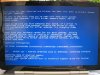
    heres a photo of the screen

    heres a photo of the death screen i receive, i will contact technet and see what they say

    Attached Files:

  14. Tmagic650 TechSpot Ambassador

    You have a pending hardware failure... This is most likely a hard drive fault
  15. cooljjay Newcomer, in training

    cool, so i should try to replace the harddrive before I move to the motherboard?
  16. Tmagic650 TechSpot Ambassador

    Yes,
    a hard drive is much less expensive than a laptop motherboard
  17. cooljjay Newcomer, in training

    cool i will run to frys tomorrow and pick one up and let you know if it cured my case of BSOD.
  18. Tmagic650 TechSpot Ambassador

    That would be great cooljjay... Good luck with this
  19. cooljjay Newcomer, in training

    thanks i need it, i got this pc really cheap and thought that a new installation of windows would cure it but i forgot i was dealing with microsoft lol
  20. cooljjay Newcomer, in training

    well thanks all who answered it seems after all in was the harddrive. havent gotten any more errors or BSOD's since i installed a new hdd.
Thread Status:
Not open for further replies.