2008.7.9 19:10:54
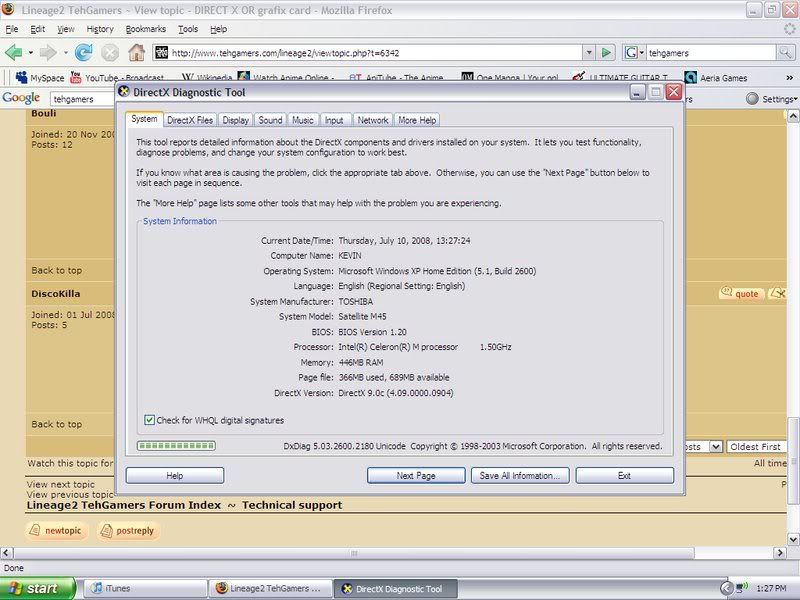
OS : Windows XP 5.1 (Build: 2600)
CPU : GenuineIntel PentiumPro-class processor @ 1498 MHz with 446MB RAM
Video : No Video
PosCode : LS1:0:0:0 1/0
Please enable Direct3D acceleration. You can do this by starting dxdiag and enabling Direct3D Acceleration in the Display1/2 tab after installing DirectX 8.1b (or later) and the latest drivers for your graphics card.
i get thiss error while playing lineage 2 what do i have to do in order to fix i looked in control pannel to c if i had direct x but i could not find it.. but the thing is i have windows xp so it should already come with direct x....but any ways how do i get the latest drivers for your graphics card.
????
thanks you guys have been tons of help in the past hopefull you can be again!
OS : Windows XP 5.1 (Build: 2600)
CPU : GenuineIntel PentiumPro-class processor @ 1498 MHz with 446MB RAM
Video : No Video
PosCode : LS1:0:0:0 1/0
Please enable Direct3D acceleration. You can do this by starting dxdiag and enabling Direct3D Acceleration in the Display1/2 tab after installing DirectX 8.1b (or later) and the latest drivers for your graphics card.
i get thiss error while playing lineage 2 what do i have to do in order to fix i looked in control pannel to c if i had direct x but i could not find it.. but the thing is i have windows xp so it should already come with direct x....but any ways how do i get the latest drivers for your graphics card.
????
thanks you guys have been tons of help in the past hopefull you can be again!