also @ TechSpot: Asus' new lineup of Z87 Haswell motherboards revealed

PCI.SYS Windows XP Pro will not install

Discussion in 'Windows OS' started by Tane, Nov 3, 2004.

Post New Reply
  1. nazin133 Newcomer, in training

    Yeh your right Colchar, you definitely need winxp with service pack 2. I was getting so frustrated and upset and kept thinking there's a fault with my graphics card, but it's ok now.

    I can't believe it does not mention this in either my mobo manual or my graphics card manual. Them manufacturers need to inform customers about these things.

    now I'm getting a problem with my soundcard which is on a normal PCI SLOT, slot 2 I think. Should it be on Slot 1, does it matter at all on what slot it's on?
  2. Murdock69U Newcomer, in training

    The XP SP2 answer makes so much sense. That saved me a bit of a heart attack. Though I bought bad equipment.
    But I do have a further question, I initially was trying to install XP pro x64.
    It freezes at the same spot where x32 XP gives the pci.sys
    As far as I can tell, there is no SP for x64.
    If i cannot find a solution (hoping this PCI gfx card works temporarily for install) I plan on using the slipstrem I have and then upgrading to x64. Though I am afraid I may run into that problem again.
    I hate doing upgrades, I greatly prefer fresh installs of new OSs.
    Are there any ideas on how to proceed installing XP x64?

    Thank you
  3. vimalvisu Newcomer, in training

    same problem for me too

    i have a laptop(1 gb ram,80 gb hard drive with windows xp media centre edition).i tried to install windows xp professional in it as another operating system but i got the following error msg........

    stop:0x000000e(0xc0000005,0xf7612bf,0xf7a5e208,0xf7a5df08)

    pci.sys-address F76120BF base at F760B000,date stamp 3b7d855c

    if some one knows how to solve this error plz reply.thanks.
  4. Nay Newcomer, in training

    I was having this same problem while fixing up my buddy's Dell laptop, and everything I tried didnt work.

    Thank god I found this thread/forum. The slipstream disc worked like a charm!
  5. mkultr4 Newcomer, in training

    pci.sys stop error

    hi
    i have recently purchased some components.
    p4 3.4 775
    ecs pcg extreme motherboard
    ati radeon x800gt pci ex
    3 x 1 gb ddr2 667 mgz

    this is to incorporate my existing hdd's which i want to keep intact.

    i tried connecting everything and booting into safe mode from an existing windows partition an my hdd, but the system continually reboots after loading mup.sys or btkernel.sys.

    this led me to try a fresh install onto a blank partition but i then get the stop error refering to pci.sys. the exact error is:
    pci.sys - address f78350bf, base at f782e000, datestamp 3b7d855c.

    i have tried another (identical) mobo, cpu ram and video card with exactly the same error.

    the xp disk i am trying to reinstall from is only sp1, but the existing windows partition that i hoped to boot into safe mode with is sp2.

    i have also disabled pracically everything in the bios which makes no difference.

    i am mere hours away from taking this kit back to the large nationwide chainstore and telling them to sort it or refund my money.

    any help would be much appreciated.

    thanks
  6. Crouching Newcomer, in training

    I had experieced the same problem last night I'm running a
    P4 3.0GHz
    Intel 945PVS mobo
    2GB cosair DDR2
    ATI X700Pro PCI-X

    My only question, why can I load Windows 2000 on my PC with the same PCI-X graphics card but not with SP1?

    Now I did create a SP2 slipstream, well sort of, I got everything correct till the part where you have to intergrate it:

    Example: C:\XP-SP2\i386\Update\Update.exe -S:C:\XP

    So what I did was take the I386 and copied the contents to the older I386, If thats ok I do not know, but I work to some extent.

    I got further then I did before but then It asked me enter my XP Professional Disc 1 which I never recieved befire.

    So what If I install a regular old PCI graphics card, then it should in theroy work right? correct me if I am worng
     
  7. Major Newcomer, in training

    WP vs SBS 2003

    Hello
    I have the same problems but on a win 2003 smal business server..

    windows bluescreen both in new setup and in reboot of working installation..
    same error as above.. ?

    enyone have a clue.. ?
  8. bocoun@verizon. Newcomer, in training

    I am having similar instalation problem, however, when I try to slipstreamed SP2 with Windows XP Pro I get this message "This Service Pack cannot be integrated into a destination that has integrated Software Updates. Consult the Service Pack documentation for more details about supported integration scenarios."
    Any ideas on what to do?
  9. vpu3 Newcomer, in training Posts: 29

    does this xp sp2 solve the sata hd recogniton problem. bios does not sees the hard drive?
  10. Supay Newcomer, in training

    Hey I've tried this and it works

    Hello, please sorry my English, but I only speak Spanish

    Well, I recently Buy one PC with the following:

    Pentium D 3.4 Ghz
    2Gb RAM
    ATI 2006 Series All in Wonder
    SATA Disk 250 Gb
    Mother Board Intel 945 PVS

    Well I've been tired to install Windows XP SP2 the first time but i have the blue screen , i tried everything, but nothing works, well i tried something else, Ive installed one more SATA Disk, and installed as a RAID Volumen, and A Mirror Disk, If you Understand me,

    After I did that, I run WinXP Sp2 installation and it works completly

    HEre what you need to do, install a new hard drive with the same capacity in the SATA port 0 and 1, the you configure a RAID VOlumen before install WinXP, after you create the RAID Volumen in the first step of WIN XP Installation press F6 for isntall a driver to RAID Disks, afeter continue with the normal steps, the advantege you get with that procedure, is everything you do in the first disk, inmediatly copies to the second disk, and if the first one failes for any reason just change the disks and that's it.

    I hope you understand everything if you need more help please write me a letter to maickff@hotmail.com, and i return it as as soon as posible.
  11. Supay Newcomer, in training

    Sorry, I was wrong with the other one

    Well, I'm sorry about the other solution. That works partialy, but at the final in reboot of windows finished instalation the PC roboot one and another and another, and never stops.

    In the end I put in there a tools for memory test, and that report a error reading RAM, well i remove one of the two memories installed before, (one in channel A and another in channel B), and in a single memory slot the things go perfectly fine, the windows install very good, and runs much better, it seems windows not work appropriatley with both channels.

    Try that one, and if you get a solution getting windows work with both channels, let me know please, because I put both of memories in one channel and everthing work perfectly fine
  12. papai Newcomer, in training

    hiii , same problem here ..
    i have Intel D Processor 2.8Mhz with intel D945Gcl motherboard.
    but i havent attached any PCI Express card till now but facing the same problem when intalling Win XP pro.

    ***(stop 0x000007E(p1,p2,p3,p4)
    pic.sys..........

    same thing as mentioned by others ..

    so XP with SP-2 is the solution again ???
    PS :( i hvent attact any pci Express but the board has the facility of PCI exprs.)
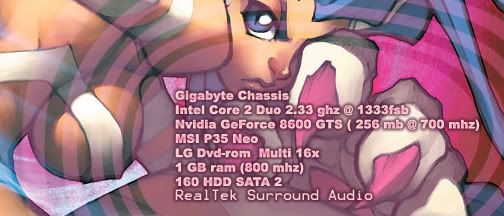
  13. Whisky On Rocks Newcomer, in training

    pci.sys problem

    I have noticed that your advices were really helpfull to some people. I have a similar problem. I used to have an ASUS AGP board with Core 2 duo. I changed the motherboard to ABIT-IP95 that is a PCI. This is the message i get
    A problem has been detected and windows has been shut down to prevent damage to your computer.

    If this is the first time you have seen this stop message screen restart your computer.

    If it appears again follow these steps:

    Check to be sure you have adequate disk space. (Yup got 10gigs)

    If a driver is identified in the stop message, disable the driver or check with manufacturer updates

    Try changing video adapters

    Check with your hardware vendor for any bios updates (have updated bios to latest version)

    Disable cahing or shadowing memory (have disabled the memory caching)

    If you need to use safe mode to remove or disable components restart your computer and press F8 to select advanced start up options then select safe mode
    Technical info

    ***stop 0x0000007E ( oxc 0000005, oxf9a380bf, oxf9e84208, oxf9e834208, 0xe9e83f08)

    *** PCI.SYS address f74ef0bf base at f74e800, date stamp 3b7d855c

    I have XP professional installed on it but nothing works. When I tried to use my bootable win xp home edition cd, it takes me to the windows setup but then it kicks me out and the same error, blue page appears again. Can you help me ? I would really appreciate it. Thank you so much
    By the way!! I am using my onboard VGA card since i still havent received my PCI express. Please help if you can!
  14. papai Newcomer, in training

    PCi.sys problem solution..

    hi ,

    dont use a normal XP cd ..
    u have to use windws XP with Service Pack 2 CD...

    search for it ..ull find in the market..
  15. Whisky On Rocks Newcomer, in training

    Thank you

    Thank you. I did it and it worked out! Thanks again.
  16. emank1965 Newcomer, in training

    Hi,

    I have been dealing with this issue for almost a week, disabling anything will not work!!! I even loaded a ghost image from another machine and it worked but guess what now you have to take off the unnecessary programs off of it, Someone suggessted slipstream cd, Before doing anything make sure that you have Easy CD Creator version 5 and your current XP cd before going to this site, it works!!! http://www.winsupersite.com/showcase/windowsxp_sp2_slipstream.asp

    If anyone needs assistance on how to set this up let me know!!!
  17. wxguess1 Newcomer, in training

    Not fixed yet

    ABIT IP-95 MOTHERBOARD
    MAXTOR ATA/133 IDE HARD DRIVE
    EXCELSTOR SATA II 80 GB HARD DRIVE
    APIDA DDR400 512MB STICK
    2.66 CELERON D CPU
    WINDOWS XP PRO

    I tired the slipstream method. No good.

    The only way I can get this to work is to install the OS on a formatted SATA HD in another computer, then transfer the HD over. Regular IDE PATA drive will not boot after the install, it has to be the SATA.

    IT works for awhile, long enough to install java, and firefox, and stuff like that. After an hour or it starts putting up windows shut down errors, and eventually starts rebooting. After several reboots, the OS is dead.

    When I put the HD back another computer the OS is coruppted and not bootable.

    Tried everthing, new memory, HD, CPU, even tried Vista. All has the same thing, blue screen with various diffent stop errors, depending on the configuration.

    I'm ready to give up, and send the ABIT board back, as it is the only common link for the stop errors. Everything else works fine without the IP95
  18. farfingud Newcomer, in training

    i tried what was posted by emank1965 above... using the slipstream instructions from: http://www.winsupersite.com/showcase...slipstream.asp.

    they worked great.

    the first time i attempted to load xp it did some strange things - like not being able to find files. i restrated the install process a second time and everything went perfectly.
  19. DocFKNx Newcomer, in training

    Thanks!

    I'm a seasoned Windows IT pro but never ran into this problem before - solves a couple issues I have all the time with new installs. Thanks for this very insightful and informative solution!

    Doc
  20. frostwolf Newcomer, in training

    OMg same thing !@@

    See this is what happened....
    I had just gotten this new PC !!
    [IMG]

    BTW my gfx card is PCI-express

    I notice SP2 !! which is sumthing i dont like cuz it doesnt let me install Direct x 9.0c !!!!!! and then i was using it for a week or so and then ( I THINK I GOT A VIRUS ) when i used to boot up the pc..it would load windows and @ the welcome screen it would jus restart ! so then my next thought is to formatt it !

    I put the windows XP pro cd in and booted it up ! it started loading files..and as soon as it said starting up windows xp setup the pci.sys BSOD came up !! I got soo frustrated !@$@! i still am ! luckily i got my old pc to search for help !!

    So..can any1 answer this !!


    1)Is it because of the pci-express, that windows xp pro setup is not loading?

    2)And does SP2 contain dx 9.0c ?? Cuz i really need that !!

    3)So should i installed the slipstream whatever SP2 ?? ( PS I REALLY NEED dx 9.0c) ???