also @ TechSpot: Jolla unveils first Sailfish OS smartphone, set to ship this year

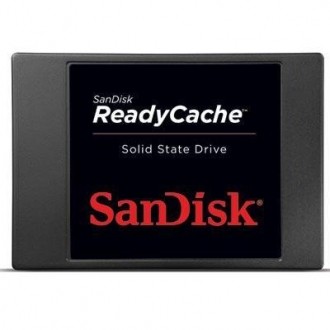
SanDisk releases 32GB ReadyCache SSD for Windows 7 PCs

By

On September 5, 2012, 4:00 PM

SanDisk has released a new Windows 7 solid state drive caching solution that doesn’t require the user to replace their existing hard drive, clone their operating system or migrate any data. Simply connect the 32GB ReadyCache drive to a spare SATA III port alongside your primary hard drive and run the ExpressCache software – it’s as easy as that.

As with other SSD hybrid / caching solutions, the idea here is that you can get SSD-like speeds while still maintaining the large capacity afforded by a traditional spinning hard drive. SanDisk claims their solution can launch applications up to 12 times faster than a standard hard drive could and your system will boot up four times faster than before.

The drive is rated at 480MB/s read and 115MB/s write – lacking on the write speed compared to most mainstream SSDs that would replace a hard drive but for a caching solution, it’s fine because you’re more interested in read speed.

Included with the drive is a 12-inch SATA 6GB/s cable, a 3.5-inch bracket and mounting screws. SanDisk backs the drive with a three year limited warranty should you run into any issues. It’s also worth pointing out that should the drive fail or if the caching solution is uninstalled, all data found in the cache also resides on the primary storage solution meaning you shouldn’t lose any information.

SanDisk’s ReadyCache drive is available right now through Amazon. The list price is $99.99 although as of writing, the SSD can be had for under $50.

, , , , , ,

Related Products from Product Finder

SanDisk 2.5 inch Ultra SSD Series SATA300

Read expert reviews, pros & cons, and product information about SanDisk 2.5 inch Ultra SSD Series SATA300. There are 10 reviews available so far.

6 Reviews

OCZ Vertex 3 Series SATA600

The OCZ Vertex 3 has a slim 2.5" design, measuring 99.8 x 69.63 x 9.3mm and weighing just 77 grams, it consumes two watts of power when in use and just 0.5 watts in standby. The 240GB model packs read and write speeds of 550MB/s - 520MB/s.

40 Reviews

SanDisk Extreme SSD Series SATA600

Read expert reviews, pros & cons, and product information about SanDisk Extreme SSD Series SATA600. There are 38 reviews available so far.

23 Reviews

User Comments: 7

Got something to say? Post a comment
  1. Sooooo...I'm seeing 120GB SSD's on sale for $70 recently. Why pay $50 for this when you can install your entire OS (and then some) on an SSD that's only $20 more?

  2. Caching SSD is nothing new. OCZ tried it already with the Synapse Cache.

    With the Intel IRST in the new Panther Point chipset (HM77?) you can use ANY SSD in caching, it will only use a maximum of 64GB for caching though, if you go with larger drives it will still use 64GB and give you the rest for whatever storage.

  3. I don't understand the difference between caching SSD and a standard SSD.

    What difference sets them apart?

    Is it a hardware difference and/or firmware?

  4. LOL just upgraded from a 128gb to a 256gb SSD why would anyone want a 32Gb barely can put Windows on one. Better off with a 32Gb thumb drive.

  5. People please stop asking why anyone would want to buy this instead of a full blown SSD solution for their storage. If you read the very first line of the article, you will know why...

    I can certainly see a few users opting for this. No cloning and/or reinstalling OSs or transferring data. You can argue that you will use the old drive as data storage but then that means storing what you need somewhere else temporarily, wiping the old disk, then migrating the data back. Clearly a big hassle.

  6. but then that means storing what you need somewhere else temporarily, wiping the old disk, then migrating the data back. Clearly a big hassle.
    There is no need in formating the disk unless you absolutely want to format it. Folders can be deleted and partitions can be resized. It's not really that big of a hassle.

  7. This reminds me of that old SMARTDRV app that came with DOS... It did the caching on the system memory, and really improved programs and games loading speeds.

    BUT WAIT... Why not buy more memory (like 32 or more GB of RAM) and have even better results configuring windows cache itself?

Recently commented stories

Post a new comment

Social Login & Guest Posting TechSpot Members
Login here or sign up for free,
it takes about a minute.
Get complete access to the TechSpot community. Join thousands of technology enthusiasts that contribute and share knowledge in our forum. Get a private inbox, upload your own photo gallery and more.
TechSpot on:

Subscribe to TechSpot

Get free exclusive content, learn about new features and breaking tech news.