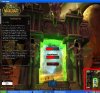
Is it possible to do Screen in Screen? Is there a software to do that :S
For example when I play Warcraft III in full screen, is it possible to make a small screen in the corner that will show Windows Media Player for example?
You know, some televisions support that. You can watch the primary channel and u can also open another channel in the small screen. Enlighten me if its that possible please.
Thanks already,
Clinkzeh
God Of Mana
06-09-2008, 04:21 PM
I am guessing you are talking about Picture in Picture viewing. This is a bit difficult with things that use alot of resources like the graphics of warcraft III and to show your desktop at the same time.
But you can try the -opengl and -swtnl tags in the shortcut for warcraft III.
Just paste one of these into the shortcut target (after the ""s) This would make Warcraft III windowed.
Ad
06-09-2008, 04:21 PM
Clinkzehffs
06-13-2008, 12:25 PM
I ment something like in the screenshot, not the Windowed mode. But instead with two different apps, for example like World of Warcraft and Windows Media Player in the small screen instead of World of Warcraft again. I got this screen with Gamecam.
Clinkzehffs
06-19-2008, 06:07 AM
Bump bump bump ^^
Clinkzehffs
08-10-2008, 04:22 PM
Noone knoıws a solution? :(
Falco75
08-11-2008, 02:03 AM
I know there are ways of puting WarCraft III into a window-ed mode. Just Google it, if you are interested. I know it works well, except for when you want to scroll aroundthe map by moving the mouse to the edges.
I feel your game, sometimes not even a good DotA game can keep me from my media players to see exactly what is playing. Alternatively, I'm sure you could keep them on top of the WarCraft window somehow.
Clinkzehffs
08-14-2008, 07:02 AM
Yeah I know I played in Windowed mode but have to make smaller Warcraft III screen to make room for windows media player at the same time to see it so it would be better for a software like can put 2 programs in picture in picture mode thanks anyway