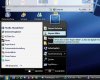
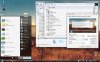
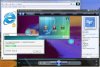
mopar man 06-12-2007, 05:39 PM Vista Transformation Pack is a program that changes system and registry files to transform the looks of XP into Vista/Vista Basic.
I will give a ratings out of 5, 5 being best, 1 being worst.
Ease of Installation: 4
It is pretty easy to install, aside from the fact that if you are running a large DPI text, you won't be able to read a certain few windows that appear. This can cause some confusion, so lower your DPI before you start this!
Ease of Use: 5
This program is surprisingly easy to use once installed. A few programs appear in the task bar that you can use to change many visual preferences.
Features: 5
This thing has so many things it's hard to list them all. It has the sidebar, Icon changes, Task bar changes, and window changes that make it look very much like a real Vista OS.
Bugs: 1
This is the downfall of this program. I am not sure if this will occur on all systems, but it did on mine, which is why I no longer use this program. First of all, attempting to use Dual monitors and changing primary desktops might as well have crashed the computer. If you have Dial Up, or anything you need to hover over in the task bar to view the text, good luck. None of mine worked aside from the clock.
It also caused problems with a few minor things that drove me nuts. If you hate little stuff going wrong, I wouldn't think about downloading/installing this program.
Performance:3
This takes up a decent, yet still too large amount of system resources. It can, and will, cause lag in games such as CNC Generals and Company of Heroes. If you are a gamer, and don't have a high end system, I don't recommend this. If you just use it for net/email, then I do recommend it.
Over all, I'd say it would get a 3.5/5 because of all of the bugs, and the fact that it caused the games to lag pretty bad.
Thanks for reading my review, as this is my first review.
Mopar Man 44
cfitzarl 06-12-2007, 06:25 PM Nice review :D ! The only thing that I don't like about the transformation packs is that they change registry files :eek: .
Julio 06-12-2007, 08:06 PM Per your post I know you have already uninstalled the Transformation Pack but I thought I would still ask if at all possible if you could post a few screenshots showing off the effects using the pack.
cfitzarl 06-12-2007, 09:11 PM Just so mopar doesn't have to reinstall it, I'll take some pics of my friends computer, which has it :) .
mopar man 06-12-2007, 10:01 PM Thanks cfitzarl, but I can get him some. If you still want to, you can (of course)!
Note that these are not from my comp, and are v.5.5, but looks just like 6 to me. I really don't see a difference. To get the start button to go above the task bar, there is another program you must download, but luckily right after the install it tells you about it.
momok 06-13-2007, 04:38 PM Nice review mopar man. I'm tempted to try it, though I think my specs would probably be unable to handle it lol.
mopar man 06-13-2007, 09:31 PM Actually momok. looking over your specs, I think you should try it. 512 should be enough.
Thanks btw.
kitty500cat 06-13-2007, 09:49 PM If I didn't run Linux regularly I might be tempted to try it :p
Nice review though. If I get tired of Ubuntu and go back to XP I might use it.
mopar man 06-13-2007, 10:10 PM I'm probably going to go buy a crappy $50 computer and install linux so I can learn a new OS :p
tipstir 02-25-2008, 07:15 PM Version 8 is more stable than 6.0 was...I use it so far so good for a few months now.
mopar man 02-27-2008, 07:32 PM Errr, Tipstir, just so you know, you quadruple posted......
(And I thought Geometry would never leave school)
:P :X :/
Wait a second..........
Anyway, I thought they meant they wouldn't have anymore releases after 6.0final....
tipstir 02-28-2008, 04:21 PM Errr, Tipstir, just so you know, you quadruple posted......
(And I thought Geometry would never leave school)
:P :X :/
Wait a second..........
Anyway, I thought they meant they wouldn't have anymore releases after 6.0final....
Something is wrong when I post here it gets stuck and double posting shells out..
Not too often.. Anyway...
That's the pitch!~ Get the Vista Transformation Pack 8.0.1 today!
It's on Windows X's Shrine 8.0.1
http://www.windowsxlive.net/?page_id=15
Well it seems to work very well.. Looks very well down also. You can choose to integrate the pack into XP, but that's a no going back deal though. Or just layer XP kernnel with that pack. Then you can always remove it. I did that on 3 systems then removed it. One the icons for all Vista stick around, because I wasn't there to watch the uninstall and my firewall found some activity it was trying to call home (this pack) and blocked it, but I kind of like the icons better in Vista for drives look 3d than prior XP or XP MCE.
I only run this one the best laptop in the house. I did try some old DELL D600 series PIII 1GHz and 850MHz both have faster HDDs and memory that's why they can run this stuff. Anyway they work great you don't get some features like the Window Objects for the clock, an etc.. So one system has it no problems with it.. Nice backgrounds. There is no Screensavers for it. I found another guy who made screensavers for Vista worked okay then I had not screensavers again. So that was pulled. Vista Ultra Screensaver it was called suppose to work on XP hey right...
Tedster 03-01-2008, 03:17 PM I use 6.0 on my laptop, but I cannot get any later versions to work. I suspect it is due to my integrated graphics on my laptop. 8.0 simply will not install.
hellokitty[hk] 03-01-2008, 04:04 PM Ive looked into changing XP to look like Vista and all ive been able to do is change my themes into vista themes. Looks nice and doesnt lag, even on a really crappy computer. Its just like an xp theme that looks like vista.
Email at hfhfdjsk at gmail if you want it
oh right how can you get the Vista window flip on xp withought the transformation pack?
My comp can't handle it first and most importantly. I also hesitate because it seems so extreme.... i dont wanna have my regestry changed! Does system restore get rid of it? How easy it it removed?
i know there are programs that sorta do that but their not very good. Gliches and crap
like topdesk by otaku software and Shock Aero by some wereird guy lol
Tedster 03-02-2008, 12:51 PM 6.0 doesn't have a windows aero flip. It is basically just a theme change. Also I was able to change my start up splash screen.
hellokitty[hk] 03-02-2008, 03:42 PM hmm that doesnt sound as large as i thought it was i can do that on my computer with my vista themes. Just not the startup screen. Well i found the startup screen picture in my windows directoy and i changed the black to white but i didnt watch the startup don't know if it did anything.
How large is the download?
@#*($ i like the aero flip thingy
Tedster 03-03-2008, 09:33 PM both 6.0 and 8.0 are rather large.
6.0 is 30.2MB
hellokitty[hk] 03-03-2008, 10:25 PM Hmm...oh thats not as bad as i thought. i thought it would be almost in the hundreds. like a third pary service pack lol. My computer already looks like vista, except no vista aero flip and no altered startmenu for my current theme but i think it does for some other themes. i gues i dont really need this...... i thought it would be more than that.
Tedster 03-04-2008, 08:57 AM I like the new look, except I don't like the thumbnail pop-ups on the bottom toolbar. I still don't know how to permanently turn them off.
tipstir 03-06-2008, 09:45 PM I use 6.0 on my laptop, but I cannot get any later versions to work. I suspect it is due to my integrated graphics on my laptop. 8.0 simply will not install.
You need to remove that version 6.0.. Then reboot the system. Use some sort of registry cleaner I use WinASO to really scrub deep into the registry. But you might have lock the OS and bind the version 6.0 files too your OS. The only way would be to rebuild the OS with a clean install. Just have to be careful not to bind as it no way back from that.
In 8.01 you get WinFlip which replaces task manager, but you really don't have to use 8.01 to get WinFlip to work. I can only get these vista packs to work on laptops when it comes to desktop they go screwy. I just removed 8.01 from my video production box. I was able to get WinFlip installed and just press alt-tab and have the same effect you get in vista like this below in xp without the vista pack:
http://enscreenshots.softonic.com/s2en/65000/65587/3_winflip02.jpg
hellokitty[hk] 03-06-2008, 11:51 PM that aero flip looks nice but i think the real vista one actually zooms out a little farther.
well could you tell me how to get the vista flip?
tipstir 03-07-2008, 11:37 AM ']that aero flip looks nice but i think the real vista one actually zooms out a little farther.
well could you tell me how to get the vista flip?
I think this works better than the vista version well it's clone of the original or reverse engineering well that's how this vista pack stuff is all about. If you install Network Magic with this package boy you got some cool XP Vista features..
Anyway it's called WinFlip I got it off here: http://winflip.en.softonic.com/
Just download and unzip it into your program folder. You really don't install it so you need to create a short cut of the program and stick that into your start-up folder. I change the default flag - tab to alt-tab. I use the flag key for other items.
Enjoy!
If you're not using Vista Pack on a laptop but would like a better battery monitor which is free 100%. I use Notebook Battery Monitor Taskbar ---- http://www.batteryinfo.de.vu/
hellokitty[hk] 03-07-2008, 06:17 PM thanks! very nice. im only running it on my laptop at this moment. The laptop is REALLY old actually im not really running it, i only have like 32mb of video memory and thats i gues not enough. but the screenshots look nice (at least this can still view pictures lol). No need for a battery monitor, it only lasts about 10 mins anyway lol.
tipstir 03-08-2008, 10:17 PM ']thanks! very nice. im only running it on my laptop at this moment. The laptop is REALLY old actually im not really running it, i only have like 32mb of video memory and thats i gues not enough. but the screenshots look nice (at least this can still view pictures lol). No need for a battery monitor, it only lasts about 10 mins anyway lol.
Listen I had installed on laptop using AGP 2x ATI graphics with 8MB of ram and it can be installed. Just won't have the side bar with the fancy clock an etc.. But you get the background, taskbar WinFlip works. Really 8MB to 16MB of RAM is good enough. With 16MB of RAM the side bar appears with the clock. I also set my video on my newer laptop from 128MB to 32mb. Unless you going to play games you would use more RAM for video otherwise 8MB or 32MB is just enough.
Then there is Energy Blue (this would give you Windows XP Media Center Theme) But now there is Windows XP Black Theme. If you take the Energy Blue and Mix it with the Windows XP Black Theme than boy it looks like Vista Trans Pack without all the heavy weight. I like the Vista Icons replacements for folders, drives an etc.. If I can find that then I'll be okay.
hellokitty[hk] 03-08-2008, 10:26 PM ok i have 512mb of ram. My Graphics card is really old and sucky thats what i mean. WinFlip gives me errors because of my graphics card.
I have everything that you said below in your second paragraph. The energy blue theme and the black verison of it, also i have all vista themes and Vista icon replacments all on my XP computer with out the Transformation pack.
also my laptop is REALLY old i mean REALLY old. did i mention the battery lasts about 10 mins?
tipstir 03-09-2008, 08:24 PM ']ok i have 512mb of ram. My Graphics card is really old and sucky thats what i mean. WinFlip gives me errors because of my graphics card.
I have everything that you said below in your second paragraph. The energy blue theme and the black verison of it, also i have all vista themes and Vista icon replacments all on my XP computer with out the Transformation pack.
also my laptop is REALLY old i mean REALLY old. did i mention the battery lasts about 10 mins?
I have a 10 year laptop it only has 256MB of RAM, PII 266MHz, 512KB L2 and 2MB of Video Ram for NeoMagic 256-bit. What I am doing on that is this as you have mentioned. The transformation pack is okay but on some older systems you just can't access all fhe features. You need a system with min 512MB but 32MB of RAM for video for the sidebar. Check out below:
http://www.highdefforum.com/showthread.php?p=554724&posted=1#post554724
Battery pack is going on that one if you only get 10 mins out of that. I have a few with dead batteries, memory 64, 72, 96, 128 and 256MB. New ones have 512MB and 1GB. I don't run them all but they all work.
hellokitty[hk] 03-09-2008, 09:05 PM hmm thats a sad laptop but thats weird. It works? mine doesn't. It tells me DirectX could not be initialized when i try to run winFlip. I think i have v9.0c i THINK but its harddrive died and that was a pain, might not have remembered directX... anyway i got it working on my other comp and its nice but isn't quite like the vista version, the windows are at a different angle, they hide the windows behind them.
oh yeah, my graphics card is some weird EMACHINE s3 Unichrome Pro 3D or something and my drivers are about 4 years old. Anyone know where to get them?
tipstir 03-09-2008, 10:46 PM ']hmm thats a sad laptop but thats weird. It works? mine doesn't. It tells me DirectX could not be initialized when i try to run winFlip. I think i have v9.0c i THINK but its harddrive died and that was a pain, might not have remembered directX... anyway i got it working on my other comp and its nice but isn't quite like the vista version, the windows are at a different angle, they hide the windows behind them.
oh yeah, my graphics card is some weird EMACHINE s3 Unichrome Pro 3D or something and my drivers are about 4 years old. Anyone know where to get them?
The way I get the older laptops to work with XP is that I ditch the old slow HD for a 40GB or better, of course flashing the BIOS also helps to support the HD. Those video drivers can be got from MSI web site or S3 itself since their still be used well somewhat for onboard. Check the MOBO maker it should be on the system board or the code. WinFlip you don't have DX9x or c. Winflip can change the angle depends on your video card features. But I use alt-tab instead.
Tedster 03-10-2008, 07:16 AM At this point I really don't want to mess to much with the laptop. It's 4 years old and it's my workhorse. It's been around the world several times. 6.0 works good enough for me and I don't want to bog the system down anymore. It's already reaching the upper limits of what it can do. But I am thinking about installing it once I get my home computer from my military shipment.
I'm still trying to figure out how to turn off thumbnail preview in the bottom toolbar. Anyone know?
tipstir 03-10-2008, 10:25 AM At this point I really don't want to mess to much with the laptop. It's 4 years old and it's my workhorse. It's been around the world several times. 6.0 works good enough for me and I don't want to bog the system down anymore. It's already reaching the upper limits of what it can do. But I am thinking about installing it once I get my home computer from my military shipment.
I'm still trying to figure out how to turn off thumbnail preview in the bottom toolbar. Anyone know?
Change views to details, but are you talking about the icon to the right of the screen or all the icons showing thumbnails of pictures and video? I just details in views. You can turn off thumbnails to icons (folders only) Under View from the Files Explorer or when you open up My Computer. You can make it set in place by clicking on tools, folders options, view then apply all settings. But make sure you have the view you want on the folders prior to pressing that button.
Tedster 03-10-2008, 04:42 PM I'm just referring to the pop-up thumbnails on the bottom toolbar on the desktop.
I want thumbnails when I am looking at a folder with pictures, just not on the desktop bottom toolbar.
tipstir 03-11-2008, 01:53 AM Hmm.. Can you do a screen dump of what you see?
Tedster 03-11-2008, 12:15 PM Nope, that just affects thumbnails when exploring files. I referring to the pop-up windows on the bottom toolbar on the desktop. These pop-ups show active windows and only pop up when you are close to or near the bottom tool-bar.
tipstir 03-11-2008, 02:48 PM http://upload.wikimedia.org/wikipedia/en/thumb/4/47/Windows_XP_Royale.png/800px-Windows_XP_Royale.png
You're talking about the task bar icons next to the active object? As shown above?
Tedster 03-12-2008, 02:51 AM nope. Like I said, a mini-window (thumbnail) pops up on the very bottom row of the screen. These windows are the windows that are currently active. I don't know how to explain it better. I am not sure how to capture the screen to post.
hellokitty[hk] 03-12-2008, 02:58 AM Yeah, i think your talking about one of vistas things, live thumbnails and crap.
if you press windows + t on vista, it cycles through the windows on the taskbar bringing up a live thumbnail of the window. Also when you put your mouse over it, i think. I think thats waht your talking about.
Anyway nice media center theme. I dont have media center but i have that theme, called Royal and a black setting for it called Royal noir (french for black).
tipstir 03-12-2008, 11:42 PM nope. Like I said, a mini-window (thumbnail) pops up on the very bottom row of the screen. These windows are the windows that are currently active. I don't know how to explain it better. I am not sure how to capture the screen to post.
1. display the object you're refering too on your desktop
2. now press the print screen key (on your keyboard)
3. click on start, then click on run, type: mspaint
4. cut and past or edit the shot you want to save as mydesktop.jpg
5. upload the attachment to your next reply.
Note if you don't want to use MSpaint you can use MS Word instead. then save it as a mydesktop.doc, might have to zip that up for this forum to be sent.
tipstir 03-12-2008, 11:45 PM ']Yeah, i think your talking about one of vistas things, live thumbnails and crap.
if you press windows + t on vista, it cycles through the windows on the taskbar bringing up a live thumbnail of the window. Also when you put your mouse over it, i think. I think thats waht your talking about.
Anyway nice media center theme. I dont have media center but i have that theme, called Royal and a black setting for it called Royal noir (french for black).
Yeah you really don't have to have MCE 2005 to run that theme. So that's french Royal Noir..I use that now. Everything else just hose the system. WinFlip not 100% yet but when it works it works.
tipstir 03-12-2008, 11:50 PM http://www.innovationstage.com/blog/kevin/wp-content/uploads/2007/01/xproyalnoir.jpg
http://www.innovationstage.com/blog/kevin/wp-content/uploads/2007/01/blueroyale.jpg
Tedster 03-13-2008, 12:21 AM alas, tried to upload, but even the zip file exceeds the 100kb limit.
I will email it to you.
tipstir 03-13-2008, 11:07 PM alas, tried to upload, but even the zip file exceeds the 100kb limit.
I will email it to you.
send it to:
tipstir@yahoo.com
Tedster 03-14-2008, 11:01 AM will do. emailed. check your spam box too.
tipstir 03-14-2008, 12:24 PM http://img2.putfile.com/main/3/7312232043.jpg
Now I see what you're facing with.. Third Party Plugin is running...
http://www.howtogeek.com/wp-content/uploads/GetVistaTaskbarThumbnailPreviewsinWindow_D46/image0.png
Called Vista Taskbar Thumbnail Preview..
There is a tool for it, but you should have that with Vista Transformation Pack GUI
Other Tool --- http://www.howtogeek.com/wp-content/uploads/GetVistaTaskbarThumbnailPreviewsinWindow_D46/visualtooltipoptions2.png
http://www.howtogeek.com/howto/windows/get-vista-taskbar-thumbnail-previews-in-windows-xp/
Actual Software here for XP/Vista Only
http://www.chrisnsoft.com/visual-tooltip/
Vista Transformation PACK GUI
http://www.windowsxlive.net/screenshots/vtp/vtp8_cu.jpg
Uncheck the box above for VisualTooptip (taskbar Thumbnail) click apply then reboot the laptop or desktop..
Tedster 03-14-2008, 04:54 PM thanks! For the life of me I couldn't figure out how to turn it off! I don't know how this extension got loaded. It must have been a part of the original download.
I would like to have windows aero flip, but I have not been successful in getting it installed in either my desktop or laptop.
tipstir 03-14-2008, 05:19 PM Your welcome! Gets installed by default... But doesn't always get loaded if your graphics card can't support the features or doesn't have enough memory.
Tedster 03-14-2008, 08:37 PM Although, my desktop is about 3 years old, it has the top end video card for it. I know it can handle the graphics.....
If I remember correctly it is a 7800 GS....
tipstir 03-15-2008, 02:07 AM Although, my desktop is about 3 years old, it has the top end video card for it. I know it can handle the graphics.....
If I remember correctly it is a 7800 GS....
Not bad! I've install it on older DELL and some graphic stuff doesn't get displayed. On newer ATI XEpress Video Laptops everything loads..
Tedster 03-15-2008, 11:26 AM Yeah, it was the top of the line AGP card at the time. I think since then there has only been 1 card that can beat it for AGP. I am quite surprised windows aero flip didn't load on the transformation pack.
mopar man 03-24-2008, 12:52 PM Ok, guys, I am going to write a review for 8.0, with the same format as the one I did here. I am uploading images now, so give me a few hours.
Tedster 03-24-2008, 06:25 PM still can't get aero flip to work. I figured my 7800 GS would work.
|
|