ragebflame
08-13-2007, 05:16 AM
Hi,
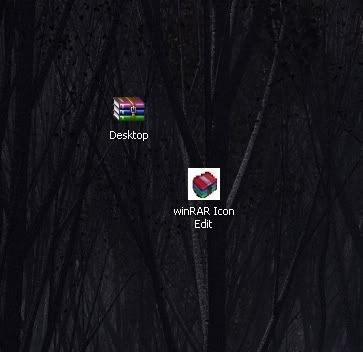
I was wondering If anyone seen this winRar icon before ?
http://i210.photobucket.com/albums/bb28/Ragebflame/Clipboard012.jpg
It came with some version of winRar i installed but now,after a reformat i cant find it. im back to the old icon. Ans thats after installing the lastest version of winrar.
Any ideas ?
Bobbye
08-13-2007, 11:37 AM
Instructions here for hacking into the program to get the icon back:
http://www.msfn.org/board/lofiversion/index.php/t35532.html
ragebflame
08-14-2007, 07:56 PM
Wow yeah thanks.
All i need now is that Icon. Thats a picture of it i cut out of another picture. Anyone use it or seen it ?
Bobbye
08-14-2007, 08:51 PM
Did you try the hack for the icon?
ragebflame
08-15-2007, 11:07 AM
Yes. That icon isint in the .exe I need to find that icon so that i can put it in there, but i the only picture i have of it is one i cut from another picture with the wallpaper in the backround and stuff.
Bobbye
08-15-2007, 12:44 PM
Not a lot of those icons running around. Can you do a Save As using right click on the icon image> There are some resizing directions on this site> scroll down to "QUOTE(b0n3z @ Jan 19 2005, 03:43 PM)"
http://www.msfn.org/board/lofiversion/index.php/t35039.html
Once you save and re-size, it should be available to open the program using right click> Properties> Customize> change icon> Look In the place where you save it (My Pictures?) and change the folder icon.
Couldn't find anything else.
ragebflame
08-15-2007, 03:54 PM
Thanks a million, 1 more question. Im going to edit that image i have. I want to remove the black from around it but instead of just the icon i get a black or white box around it.
How do i remove this.
Here's a pic-
http://i210.photobucket.com/albums/bb28/Ragebflame/example.jpg
Bobbye
08-15-2007, 05:45 PM
How about bringing it up in one of your photo editing programs and trimming it there? Something simple like MS Picture IT or maybe in Paint.
ragebflame
08-15-2007, 06:03 PM
Thats the thing. Ive tried in MS paint by selecting and area and deleting. I end up with the white backround as you see. What do you mean by trimming ?
Bobbye
08-15-2007, 06:51 PM
I looked in Paint and didn't see the cutting tool. I rarely use that program. I opened MS Picture IT, grabbed a picture from my computer, clicked on Cut or Trim, clicked on a spot to cut and cut it off. So you should be able to 'trim' the icon so all the white is gone and you only have the icon itself.