Read with Formatting | Join TechSpot! (it's free)


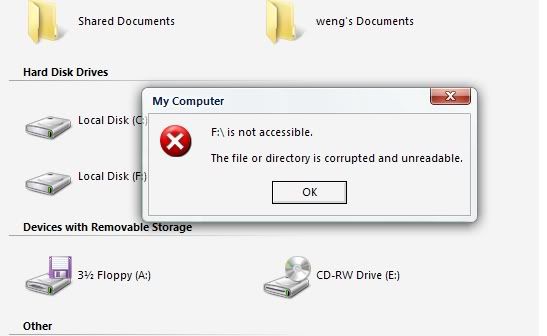
Why i cant open my Local Disk (F:)?

wen9x88
10-05-2007, 05:41 AM
Why i cant open my Local Disk (F:)?
it is external hard disk borrow from my friend,and i can open it with others computer.
but why i cant open wiht my computer?
anyone help~
http://i216.photobucket.com/albums/cc2/wen9x88/untitled-8.jpg

AlbertLionheart
10-05-2007, 08:57 AM
I guess it is what is says in the box = the contents of the drive are unreadable. Assuming it works OK on the machine it is usually connected to, just check it is a standard windows file format.

Ad
10-05-2007, 08:57 AM

wen9x88
10-05-2007, 09:47 AM
i don't know what you mean.
can you tell me what i need to do?

AlbertLionheart
10-05-2007, 10:05 AM
Hi
Plug the drive back into the origin machine to check that it is still OK
If it is, use that machine to find out what was used to format the drive - either FAT or NTFS. You can find this by right clicking on the drive in windows explorer and looking at the file system. As you appear to be running Vista which will read both file systems I suspect it is either damaged or possibly password protected. Is the original machine a MAC by any chance?

wen9x88
10-05-2007, 10:23 AM
i think it use NTFS

AlbertLionheart
10-05-2007, 10:25 AM
You need to be sure - if it is NTFS then Vista should read it without error. As I suggest, it might be damaged or maybe written by a different Operating System such as an AppleMac

wen9x88
10-05-2007, 10:40 AM
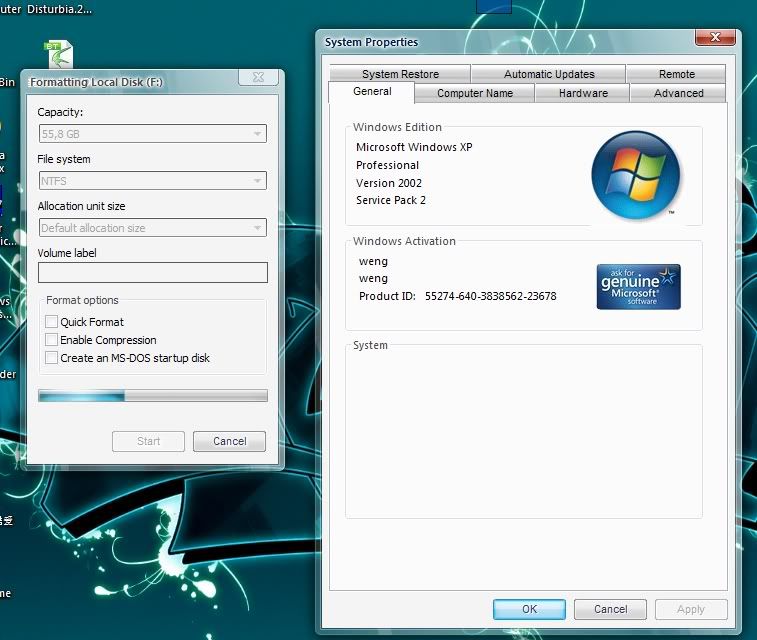
yea i m sure it is NTFS and i m using mircosoft windows xp professional version 2002 service pack 2 with Vista Transformation Pack .and my external hard disk is USB2.0 HDD external Box.
thank for reply so fast.
http://i216.photobucket.com/albums/cc2/wen9x88/untitled-10.jpg

yakwhacker
10-05-2007, 11:22 AM
okay, here's what i recommend:

back up your data first.

run error-checking on the drive on the machine that can read it, and see if it fixes any issues. Right click on the F: under my computer, click properties, and then go to the "Tools" tab, i believe it is, and run error-checking. make sure both boxes are checked before hitting start.

this will take some time. when it's done, plug it into the other machine. if it still doesn't read, you can try running the same error-check on that machine. also, do you have any kind of special security on compression on your external drive that would prevent it from being read on other computers?

also, check other USB ports and make sure other USB devices are functioning.

let me know what you find.

Ad
10-05-2007, 11:22 AM

 Tech News

 Downloads
Copyright © 1998-2008 TechSpot.com. TechSpot is a registered trademark. All Rights Reserved.