also @ TechSpot: ATI Radeon HD 5970 Review: Dual-GPU Graphics
Welcome to the TechSpot OpenBoards. Please read the FAQ if you have any questions. Login to participate.

Go Back   TechSpot OpenBoards > Operating Systems & Software > Software & Utilities in General

Found 2 gems to make XP look better than Vista

Reply
Page 2 of 3 1 2 3
Bookmark Thread Tools
  #21  
Old 10-01-2008
tipstir's Avatar
TechSpot Guru
 
Location: USA
Member since: Jan 2006, 2,422 posts
System specs
Quote:
Originally Posted by captaincranky View Post
I can rework the "Smilie' file for 1440 X 900, with no stretching.
Go right ahead... Adobe Photoshop can do this some others too, but you need remove the background layer and take out the faces which should be on a transparent background. It's easy to create a new background. I just upgraded my video card that I use on video and graphic editing on my video production system. Old video graphics card was going fast..

Quote:
Originally Posted by tw0rld View Post
My Win Xp Look.

Clean Is how I like it. No icons cluttering the desktop, it is just pleasing to the eyes.
Still got to icons on the main desktop, but background looks cool. The point here was to use docker and don't have any icons on the background.

Last edited by kimsland; 04-25-2009 at 03:40 AM.. Reason: merged recent posts
Reply With Quote
  #22  
Old 10-01-2008
tw0rld's Avatar
TechSpot Enthusiast
 
Member since: Oct 2007, 551 posts
Quote:
Originally Posted by tipstir View Post
Still got to icons on the main desktop, but background looks cool. The point here was to use docker and don't have any icons on the background.
  • I chose to have these two icons remain as they are handy. The only two that is needed, even though at times I may decide to hide the recycle bin(when I used rocketdock, as it has an alternate icon for the recycle bin). I once used Rocketdock as my docker. As a matter of fact I used a bunch of stuff:
  • I had a vista sidebar installed
  • I use y'z shadow for menu transparency
  • transbar for taskbar transparency
  • True Transparency for transparent windows border.
  • I also had Vista inspirat.
  • More recently though I have resored to replacing the windows Uxtheme.dll file for another that is skinnable, which gives me the ability to use third party VS.
  • I've also changed my login screen(will post a picture if you are interested in seeing, but for now I am off to work).
Reply With Quote
To remove this ad, sign in. To register for a new account, click here.
  
  #23  
Old 10-01-2008
tw0rld's Avatar
TechSpot Enthusiast
 
Member since: Oct 2007, 551 posts
This is what my Desktop looked like a few moths ago:


Click to Maximize

Last edited by kimsland; 04-25-2009 at 03:58 AM.. Reason: reduced all pics in thread and merged all recent posts
Reply With Quote
  #24  
Old 10-02-2008
tipstir's Avatar
TechSpot Guru
 
Location: USA
Member since: Jan 2006, 2,422 posts
System specs
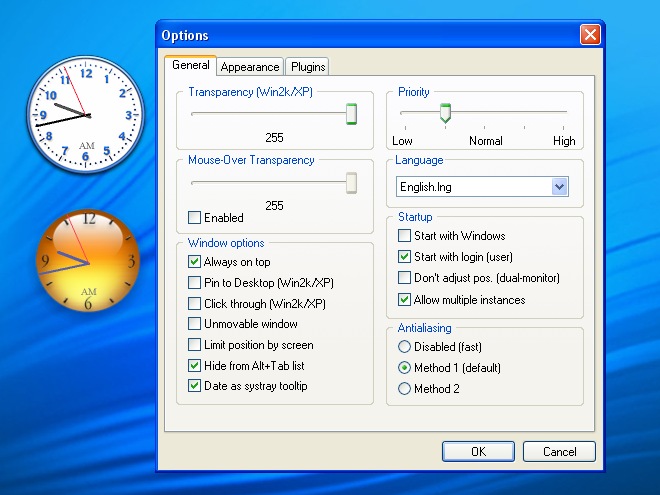
I disable the system restore, offline files, trash bin and hibernation, since these waste HDD space. Trash bin is removed. Copy is replaced by teracopy (freeware) copy program that uses 256KB of your ram as copy buffer. I use rocket dock and quicklaunch (as a backup) to what's in rocket dock. Icons on the desktop uses system restores and makes loading the desktop slower. Plus the rocket dock looks better. The ClockX is add bonus makes XP looks like Vista objects.

What you have shown I had something like the prior, but what now available works smoother.
Reply With Quote
  #25  
Old 10-15-2008
momsgonelooney's Avatar
TechSpot Member
 
Member since: Dec 2006, 130 posts
question about rocket dock..i draged my icons from the desk top to rd but, they r still on the desktop also...how do i get them only in the rd?
and how do i disable my windows clock? forget it i fixed it all myself..thanks for the toys..lol

Last edited by momsgonelooney; 10-15-2008 at 11:13 AM..
Reply With Quote
  #26  
Old 10-21-2008
tipstir's Avatar
TechSpot Guru
 
Location: USA
Member since: Jan 2006, 2,422 posts
System specs
Quote:
Originally Posted by momsgonelooney View Post
question about rocket dock..i draged my icons from the desk top to rd but, they r still on the desktop also...how do i get them only in the rd?
and how do i disable my windows clock? forget it i fixed it all myself..thanks for the toys..lol
You can drag and drop the icons from the desktop to RD then also copy them all to the quick launch to backup. Then delete the icons. Those that might not go away is trash can or recycle bin. You have to use third party tweak tools to remove that off.

Using Embeded Blue Theme for XP/2003

Click to Maximize

Last edited by kimsland; 04-25-2009 at 03:57 AM.. Reason: reduced all pics in thread and merged all recent posts
Reply With Quote
  #27  
Old 11-20-2008
Newcomer, in training
 
Member since: Nov 2008, 7 posts
Awesome... I LOVE THIS!
Reply With Quote
  #28  
Old 12-29-2008
mewi's Avatar
TechSpot Member
 
Member since: Apr 2008, 83 posts
Quote:
Originally Posted by tipstir View Post
[ghttp://www.techspot.com/gallery/data/2/medium/New_Desktop1.jpgmg
Nice but don't you think the basics work just as well too? And they waste less resources ^.~

Below are my person designs ( pink I know but I'm female so... )


Click to Maximize


Click to Maximize

Last edited by kimsland; 04-25-2009 at 03:50 AM..
Reply With Quote
  #29  
Old 12-29-2008
captaincranky's Avatar
TechSpot Evangelist
 
Member since: Oct 2006, 3,484 posts
Awwwwww, that's soooo cute....!

Wow, it's a really good thing you're female. If a man had of posted that sort of thing, it would give rise to all sorts of speculation.

Although, I'm not really sure that an embedded Windows theme and a screen res photo, is the worst usurper of system resources one might implement.

I sort of stick with the standard icons on the desktop. I always forget about the little jobbies on the taskbar. Besides, the bigger icons are easier to hit with the cursor. >>>>>>..Click, gotcha! That sort of thing.

Last edited by kimsland; 04-25-2009 at 03:10 AM.. Reason: removed quoted previous post
Reply With Quote
To remove this ad, sign in. To register for a new account, click here.
  
  #30  
Old 12-29-2008
supersmashbrada's Avatar
TechSpot Evangelist
 
Location: Detroit
Member since: Mar 2007, 3,071 posts
System specs
funny i saw this thread, i have the xp window with lightning and rocketdock, right now on vista:P
Reply With Quote
  #31  
Old 12-29-2008
mewi's Avatar
TechSpot Member
 
Member since: Apr 2008, 83 posts
Quote:
Originally Posted by captaincranky View Post
Awwwwww, that's soooo cute....!

Wow, it's a really good thing you're female. If a man had of posted that sort of thing, it would give rise to all sorts of speculation.

Although, I'm not really sure that an embedded Windows theme and a screen res photo, is the worst usurper of system resources one might implement.

I sort of stick with the standard icons on the desktop. I always forget about the little jobbies on the taskbar. Besides, the bigger icons are easier to hit with the cursor. >>>>>>..Click, gotcha! That sort of thing.
You'd really be surprised how little resources it takes up lol. What you see on my login/desktop is actually manually modified windows XP lol. I wouldn't be surprised if my quick launch bar was the most draining lol.

Oh yeah and the little icons, it takes a little time to get used too, but once you have gotten used to it, it's just like every other day XD

I'd think the more resource hoggy theme additions are those Macintosh/Linux quick launch equivalent emulators
Reply With Quote
  #32  
Old 01-03-2009
misha's Avatar
Newcomer, in training
 
Location: singapore
Member since: Jan 2009, 18 posts
System specs
sweet dude

my new look desktop. sweet
Attached Images
File Type: jpg Rocket Desktop.jpg (235.6 KB, 18 views)

Last edited by kimsland; 04-25-2009 at 03:10 AM.. Reason: merged recent posts
Reply With Quote
  #33  
Old 02-17-2009
tipstir's Avatar
TechSpot Guru
 
Location: USA
Member since: Jan 2006, 2,422 posts
System specs
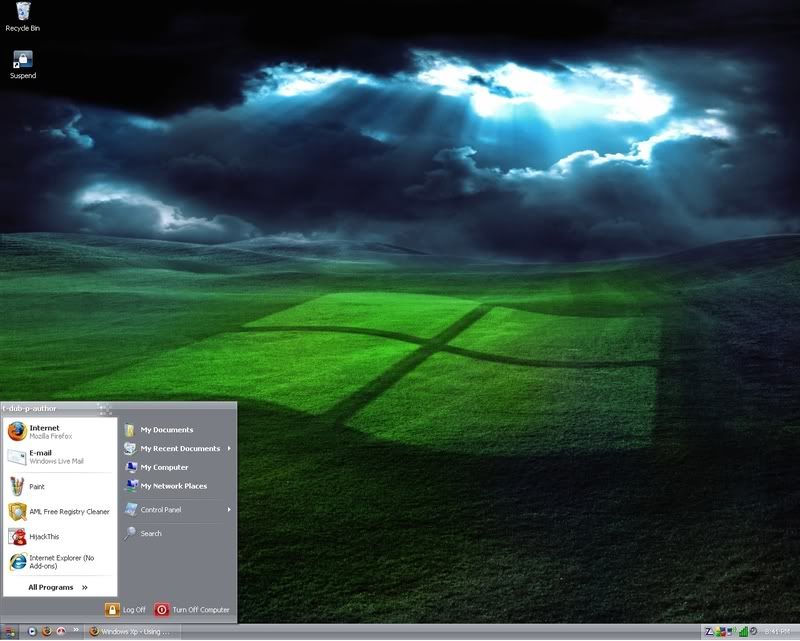
Wow! Since I had started this thread a lot of you really enjoy changing the appearance of XP into Vista but now how about making it look like Windows 7. This is what my main PC and the rest on the network look like now except Windows Server 2003 R2 Enterprise Editon SP2


Click to Maximize

I also have login/shutdown changed into Windows 7
Boot Screen is also Windows 7 also icons still based on Vista but that's how they're in Windows 7 release..

You need the following:

Vista Drive Icons (freeware)
http://downloads.sourceforge.net/drv..._1.4_Setup.exe

Windows Sidebar (freeware)

http://www.thoosje.com/sidebar.html

SevenVG_Refresh_with_Superbar_by_Vishal_Gupta (theme/font/styler included) (freeware)
Windows_7_Taskbar_Iconizer_by_Solo_Dev.exe (freeware)
Windows_7_Boot_Screen_for_XP_by_Vishal_Gupta (freeware)
Windows_7_Default_Login_4_1_by_RaulWindows (freeware)
These above you need to go to the link below this message to get them off the site:
http://www.askvg.com/transform-windo...mization-pack/

Vista Icon 135 Pack (freeware)
http://www.vistaico.com/download/Vis...ero-Pack-3.zip

Windows 7 Official Backgrounds (freeware)
http://neosmart.net/gallery/v/wallpapers/Win7/Official/

Enjoy!


Current Desktop Look with Mod 7, Icon Task, OD


Click to Maximize

The above is Windows XP Pro SP3 shown above, I've added ObjectDoc is like RocketDoc except you can display yor local weather for the entire week, it shows todays date link more to Outlook and some other perks and it's free! There is also one you pay for also. I run both ObjectDoc you see on the bottom and RocketDoc you see on the top.

Download the free version here..
http://www.stardock.com/products/obj...s.asp#download

Last edited by kimsland; 04-25-2009 at 03:56 AM.. Reason: reduced all pics in thread and merged all recent posts
Reply With Quote
  #34  
Old 04-06-2009
Newcomer, in training
 
Member since: Feb 2009, 45 posts
how do you change a normal xp into a vista look? does it need to be xp pro? i'm scared it'll mess up my computer :s here's my current desktop with rocketdock
Attached Images
File Type: jpg pimped.JPG (92.8 KB, 6 views)
Reply With Quote
  #35  
Old 04-13-2009
tipstir's Avatar
TechSpot Guru
 
Location: USA
Member since: Jan 2006, 2,422 posts
System specs
Quote:
Originally Posted by cubyong View Post
how do you change a normal xp into a vista look? does it need to be xp pro? i'm scared it'll mess up my computer :s here's my current desktop with rocketdock
Not hard to do, you just want Vista theme only...

This is what you want here..
http://bf-87.deviantart.com/art/Vist...or-XP-67785264


Well how about Seven Black look almost like Vista..

Use this link to get started.. Or you can read back through this posting to get the right method of how to change into Vista.
http://www.askvg.com/download-sevenv...or-windows-xp/

My Desktop Part 1 and Part 2


Click to Maximize

Shown above is: Rockdock, and ObjectDock with weather and calender


Click to Maximize

Shown above is WinFlip (WinTab Fliping) these are all 100% freeware..

Again above is Windows XP Pro SP3, I keep my system resources light so all what you
see doesn't hose the system. There is a new way to tab but that works like Firefox Fox Tab.
I haven't tested it out yet so I don't know how well that would work on XP desktop.

Last edited by kimsland; 04-25-2009 at 03:55 AM.. Reason: reduced all pics in thread and merged all recent posts
Reply With Quote
  #36  
Old 04-23-2009
Newcomer, in training
 
Member since: Apr 2009, 31 posts
Hey tipster, can you make the fist background you posted on page one of this thread into 1680x1050, the stretch just does not do it justice.

TIA
Reply With Quote
  #37  
Old 05-08-2009
tipstir's Avatar
TechSpot Guru
 
Location: USA
Member since: Jan 2006, 2,422 posts
System specs
Quote:
Originally Posted by DeathsDesign View Post
Hey tipster, can you make the fist background you posted on page one of this thread into 1680x1050, the stretch just does not do it justice.

TIA
Max for me is 1280x1024 or 1440x900, laptop to HDTV 1600x1200 even though the set can do 1920x1200.

There is free or open source Paint Editors that can do what you seek, but it has to be done your your system that can do 1680x1050.
Reply With Quote
  #38  
Old 05-14-2009
AndrestheBean's Avatar
TechSpot Member
 
Location: Puerto Vallarta, Mexico
Member since: May 2009, 204 posts
System specs
Quote:
Originally Posted by tw0rld View Post
[COLOR="DarkSlateBlue"]My Win Xp Look.[/COLOR]


Click to Maximize

[COLOR="DarkSlateBlue"]Clean Is how I like it. No icons cluttering the desktop, it is just pleasing to the eyes.[/COLOR]
looks like windows 7
Reply With Quote
  #39  
Old 05-24-2009
tipstir's Avatar
TechSpot Guru
 
Location: USA
Member since: Jan 2006, 2,422 posts
System specs
Current Look XP to Seven7


Still XP Pro SP2
Reply With Quote
  #40  
Old 05-25-2009
EXCellR8's Avatar
TechSpot Booster
 
Location: Yokelsville, NH
Member since: May 2007, 880 posts
System specs
Not a huge fan of all the eye candy, which doesn't make much since because I love digital artwork and rendering but it is what it is. Subtle > *
Attached Images
File Type: jpg desktop_052509.jpg (195.4 KB, 4 views)
Reply With Quote
Reply
Page 2 of 3 1 2 3

Tip: Download Advanced SystemCare 3 Freeware - 1 Click A Day to Clean, Repair, Protect & Optimize your PC.

Thread Tools


Similar Topics
Topic Category Replies Last Post
SpySheriff and a few other gems Virus & Malware removal 14 07-01-2008 09:40 PM
How to Make Vista Sound Scheme Louder? Windows OS 1 10-01-2007 11:11 AM
applications on Vista and iGoogle make users vulnerable Virus & Malware removal 1 09-18-2007 04:33 PM
HELP! Hard disk not found! XP/vista Storage & Networking 6 09-02-2007 05:09 AM
Vista after cold boot - new hardware found everytime Processors, Chipsets and Motherboards 1 08-30-2007 10:02 PM


All times are GMT -4. The time now is 07:01 PM.