also @ TechSpot: Asus P7P55D Deluxe Motherboard Review
Welcome to the TechSpot OpenBoards. Please read the FAQ if you have any questions. Login to participate.

Go Back   TechSpot OpenBoards > Operating Systems & Software > Software & Utilities in General

Found 2 gems to make XP look better than Vista

Reply
Page 3 of 3 12 3
Bookmark Thread Tools
  #41  
Old 06-01-2009
tipstir's Avatar
TechSpot Guru
 
Location: USA
Member since: Jan 2006, 2,422 posts
System specs
Quote:
Originally Posted by EXCellR8 View Post
Not a huge fan of all the eye candy, which doesn't make much since because I love digital artwork and rendering but it is what it is. Subtle > *
Digital artwork is great as you have a neat background there. Just have a nice theme like what I have and you'll be set. I'll create a package and you can do the same as me.

Check back later...
Reply With Quote
  #42  
Old 07-03-2009
tipstir's Avatar
TechSpot Guru
 
Location: USA
Member since: Jan 2006, 2,422 posts
System specs
Vista Logon and Vista Shutdown along with a Vista Black Theme

I've scripted both files for you to use. Makes it easier to install and setup..

1. Logo.exe - just run it. This will change the logon and logon off screens. Note: Welcome and Password are in Spanish that's the only 2 words that is and everything is in English. but you get the same large image you see in Vista Logon Graphic. There is a neat light bulb that will give you shutdown options.

Click on image preview


Download Logon here.
http://www.mediafire.com/?lqm4dzmnitm

Instructions

Download the Logon
Double click on LOGON.EXE
Click on Install
You'll be prompted
Click okay or allow
Reboot PC
If all goes well you should see the new Saving your settings and Shutdown Message with new background. When you logon back you should see the new Welcome Screen This is what I use currently for a couple of months. No issues.

Click on image preview


Download Vista Black Theme Here

http://www.mediafire.com/download.php?nqjt0u4ozjz

Instructions

Download STOLENFS.exe
Double click STOLENFS.exe
Once installed you need to select the theme using Windows display
Theme is called STOLENFS
Makes sure you go under Appearance and change to Color Scheme: sfs4 - Vista Orb default is XP Flag

Last edited by tipstir; 07-03-2009 at 10:00 PM..
Reply With Quote
To remove this ad, sign in. To register for a new account, click here.
  
  #43  
Old 07-04-2009
wolfram's Avatar
TechSpot Guru
 
Location: Ciudad Juarez, Mexico
Member since: Nov 2005, 2,599 posts
System specs
Looks NICE!

However I wonder how much RAM it uses
Reply With Quote
  #44  
Old 07-04-2009
tipstir's Avatar
TechSpot Guru
 
Location: USA
Member since: Jan 2006, 2,422 posts
System specs
Quote:
Originally Posted by wolfram View Post
Looks NICE!

However I wonder how much RAM it uses
Let's put it this way I run what you see above on old PII 266MHz L2 512KB, RAM 256MB 2.5MB for Video, mod 40GB 7200RPM and 802.11g wirelss

I also have this on PIII 850MHz and PIII 1GHz RAM 512MB the rest are faster systems more RAM. But just to let you know it not going to use up any more resources than you are now with present XP graphics.
Reply With Quote
  #45  
Old 07-26-2009
spikester48661's Avatar
Newcomer, in training
 
Location: west Branch,mi.usa
Member since: Sep 2006, 51 posts
System specs
make XPsp3 look like windows7.uses little ram and cpu and gpu. go to[URL="http://http://www.windowsxlive.net/products"] for windows 7 transformation pack....
Reply With Quote
  #46  
Old 08-02-2009
tipstir's Avatar
TechSpot Guru
 
Location: USA
Member since: Jan 2006, 2,422 posts
System specs
Quote:
Originally Posted by spikester48661 View Post
make XPsp3 look like windows7.uses little ram and cpu and gpu. go to[URL="http://http://www.windowsxlive.net/products"] for windows 7 transformation pack....
Well you don't need the transformation pack, what has been posted throughout this thread uses freeware stuff to turn your XP SP3 into Vista or Windows 7.
Reply With Quote
  #47  
Old 09-24-2009
tipstir's Avatar
TechSpot Guru
 
Location: USA
Member since: Jan 2006, 2,422 posts
System specs
Windows 7 look for Xp


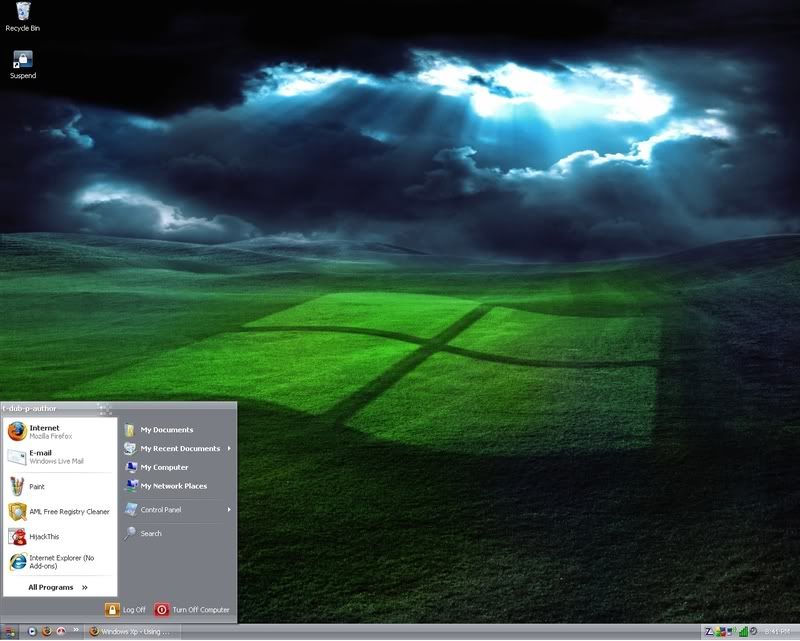
This is a black theme look.. with matching logon and shutdown backgrounds
Reply With Quote
  #48  
Old 4 Weeks Ago
spikester48661's Avatar
Newcomer, in training
 
Location: west Branch,mi.usa
Member since: Sep 2006, 51 posts
System specs
sevenmizer will make xp look like windows7 and its free too. go to[url="http://http://www.syssel.net/hoefs/windows/sevenmizer.php"] and get it.
Reply With Quote
  #49  
Old 4 Weeks Ago
tipstir's Avatar
TechSpot Guru
 
Location: USA
Member since: Jan 2006, 2,422 posts
System specs
Quote:
Originally Posted by spikester48661 View Post
sevenmizer will make xp look like windows7 and its free too. go to[url="http://http://www.syssel.net/hoefs/windows/sevenmizer.php"] and get it.
That program looks unstable and you still end up with XP screens where as the above is completely changed and no need to use 3rd-party customizer program. Just run theme.exe just SFX then you change the theme to Black7. Then there is one for the taskbar. These are easy to apply. Boot/shutdown screen is easy also. Fonts, cusors and icons are all included
Reply With Quote
To remove this ad, sign in. To register for a new account, click here.
  
Reply
Page 3 of 3 12 3

Tip: Download Advanced SystemCare 3 Freeware - 1 Click A Day to Clean, Repair, Protect & Optimize your PC.

Thread Tools


Similar Topics
Topic Category Replies Last Post
SpySheriff and a few other gems Virus & Malware removal 14 07-01-2008 09:40 PM
How to Make Vista Sound Scheme Louder? Windows OS 1 10-01-2007 11:11 AM
applications on Vista and iGoogle make users vulnerable Virus & Malware removal 1 09-18-2007 04:33 PM
HELP! Hard disk not found! XP/vista Storage & Networking 6 09-02-2007 05:09 AM
Vista after cold boot - new hardware found everytime Processors, Chipsets and Motherboards 1 08-30-2007 10:02 PM


All times are GMT -4. The time now is 04:31 PM.