I am replacing the motherboard on my compaq presario R4000. It took a hit by lightning and took out the charging circuit. The computer would function normally on battery power. Once the battery ran out. i was dead. I re-charged the battery with a friends laptop and it again functioned normally. I purchased a new motherboard and installed it but now i get no video or anything on the monitor at all. I can hear the drives and fans running but nothing on the monitor. I re-installed the old board and it works fine. I believe that i recieved a bad board but wanted someone to verify that. I attached a pc monitor to test and got a "no imput signal" which makes me believe that the video on the board is out. The package was opened when i picked it up so that's why i think i got a bad one. Any thoughts or am i missing something? Would the new board need to be initialized or something before the monitor will display?
You are using an out of date browser. It may not display this or other websites correctly.
You should upgrade or use an alternative browser.
You should upgrade or use an alternative browser.
R4000 motherboard
- Thread starter viper150
- Start date
Normally you should see at least the initial startup display (before Windows kicks in)
You could try to locate the Bios reset jumper on the motherboard
Remove the little CMOS button battery)
And then jumper the pins to reset the bios
Then return the jumper, and put the battery back in
You should also try Benchtesting the Motherboard out of the case
You could try to locate the Bios reset jumper on the motherboard
Remove the little CMOS button battery)
And then jumper the pins to reset the bios
Then return the jumper, and put the battery back in
You should also try Benchtesting the Motherboard out of the case
Hmm, good point, don't think there is one on a laptop mobo
Just benchtest, without battery in, and using an external monitor (ie not the laptop's display)
Is that the button type backup battery or the main power battery? I'm not really sure how i would bench test the board but it only takes a few minutes to install and hook everything up and i did try an external monitor which did nothing but give me a "no input signal" on the screen. I have swapped the boards no less than three times each with the same results every time. The new board does allow me to charge the battery so when i install the old board with some juice in the battery, everything works fine but i change to the new board and again, no display at all. I believe that i have eliminated the display as the problem and all i can think of is a bad board.
Yes the button silvery battery (if it's removable, by a tiny clip, up the top)
But when you tested external, it still would have been preferred without your laptop display plugged in (you may have done this too)
I'm thinking DOA board as well mind you :dead:
OK, tried that just as you suggested. No signal detected on the monitor. BTW, I do have reason to doubt the integrety of the supplier who provided the board so if there are no procedures to initialize a new board in order for the display to light up, which i can't imagine that there would be, i will be convinced that the board was not new and since i found a missing screw on one of the components and signs that the solder bases around the screw holes in the board appeared to have been visited by screws at a previous time judging by the circular marks, i am pretty positive now. I just wanted someone to verify that before declaring war on monday. If i have missed something, someone please let me know before i make a fool of myself on monday. Thanks for the help.
Nope
By the way I was laptop specialist for some years
Now by the way, we are talking same motherboard and revision (stamped on it?)
I tried to match up the boards as best a i could to make sure that they were the same. They appeared to be identical in appearance and installed components. There are many numbers all over the board but it appeared that most of what i thought were the major ones did match. Again, i am not an expert but it appeared that some of the ones that did not match looked like they may have been serial numbers. The board was ordered by a shop owner who identified the numbers to the supplier so i assumed that he knew which ones were relavant. The only difference that i discovered was that the spring loaded push button that releases the plastic insert on one of the add-on slots had a larger "handle" on the end of it preventing it from going in far enough to lock in place once installed in the case. After three attempts to diagnose the board and make sure that i had not missed a plug or made a mistake somewhere when installing it, i replaced it with the original board and again, everything is working correctly except for the original charging problem. When i plug in the charging cord, the charge light flashes for an instand one time and that is all it does. The battery indicator verifies that it is in fact operating on battery power and that the original defect remains. I was able to fully charge the battery while the new board was installed so other than not getting the battery to charge, the computer works fine. So, if there are no reasons for the display to not light up after installing a new mainboard, i can only assume that it is in fact bad. Again, i welcome any new words of wisdom that may enlighten me on something i am missing.
Usually there's big orange writing (sometimes black or white) on it, saying the board type and even quoting the revision number
But your original board (now installed) just sounds like a "dry joint" (or even a broken circuit) at the actual power plug (on the board of course)
Sometimes it's just a matter of touching the solder points (for the connector, underneath) with a soldering iron, until the solder just becomes liquidly again, and then allow to cool, (straight away, by blowing on it)
But this is very sensitive area, ie too much heat can cause the board not to even power up again.
I suppose worth it when you are done with the board (you can borrow a soldering iron from just about anyone), but ideally it should have a small tip or just be a small soldering iron
But your original board (now installed) just sounds like a "dry joint" (or even a broken circuit) at the actual power plug (on the board of course)
Sometimes it's just a matter of touching the solder points (for the connector, underneath) with a soldering iron, until the solder just becomes liquidly again, and then allow to cool, (straight away, by blowing on it)
But this is very sensitive area, ie too much heat can cause the board not to even power up again.
I suppose worth it when you are done with the board (you can borrow a soldering iron from just about anyone), but ideally it should have a small tip or just be a small soldering iron
I have a good quality iron with adjustable heat and a shop compressor with a low pressure air nozzle i can use for rapid cooling. I'll give it a try. I tried to locate a bad joint when it first went out but i'll use a magnifying glass this time and look a little harder for anything unusual. The board failed when lightning struck near our house during a storm and was plugged in to the a/c adapter. I assumed that it took out the board but it will be worth a try to look at the connector again. Thanks for the info. The hard part will be trying to recover my cash from the worthless new board.
I wanted to try your suggestion kimsland but I did not want to risk damaging the board since it is still working. I did use a magnifying glass and carefully inspect the socket for signs of a bad joint or other damage. I did find that one of the very small chips marked PL1 directly behind the a/c socket appears to be discolored and possibly heat damaged. It does appear different that the one on the new board. I am still trying to figure out if the new board is in fact the correct one. I discovered that the ATI chips (which I assume are the video chips) have different numbers. If I uploaded the images right, you will see the different numbers. Could this be the video issue or are these just manufacturing numbers or something?
Attachments
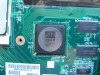
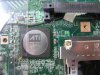
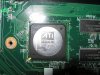
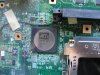
guys, you're talking about DOA MB. viper150, send it back to seller for testing and repairing. i couldn't see any dust in photos, so i think, that MB is new. at least 90% of boards i saw, which was repaired had a compound near all BGA-chips(it looks like red or black-coloured solid paste). yes, you can try to insert mini-pci post card, and check the RST pulse advancing, and check the POST-error code, but i suspect, that you don't have such equipment, so return it back to seller 
Similar threads
- Replies
- 0
- Views
- 173
- Replies
- 5
- Views
- 168


-
TechSpot is dedicated to computer enthusiasts and power users.
Ask a question and give support.
Join the community here, it only takes a minute.