also @ TechSpot: Desktop Core i3 Ivy Bridge CPUs leaked ahead of launch
Welcome to the TechSpot OpenBoards. Please read the FAQ if you have any questions. Sign up or Login to participate.

Go Back   TechSpot OpenBoards > Tech Support > Windows BSOD, Freezing, Restarting Help

Download Now:

Vista 64 Asus P5Q BSOD'S

Thread Tools Search this Thread
  #1  
Old 05-06-2009
TechSpot Member
 
Location: England
Member since: Jul 2007, 66 posts
Vista 64 Asus P5Q BSOD'S

Hi guys, need help to find out what is causing my random but frequent system crashes.

Specs.

E6750 @ 3.2ghz
4x1 Gig Corsair xm2 @ 800mhz
1x4870
800w psu
24 inch widescreen
3x150gig raid 0
Vista 64
Latest Bios

I keep getting memory management errors and page fault in non paged area. These can happen during playing a game, or when windows loads up. I did run a brief memtest on some of my ram, but it found no errors. I am wondering if the crashes could be as a result of a driver on the system or something. I have 5 logs for you.


EDIT, just added a 6th dump file. This bsod was irq less or equal or something.
Attached Files
File Type: zip bsod1.zip (94.0 KB, 3 views)
File Type: zip bsod2.zip (22.2 KB, 2 views)
File Type: zip bsod3.zip (19.7 KB, 1 views)
File Type: zip bsod4.zip (16.8 KB, 0 views)
File Type: zip bsod5.zip (18.0 KB, 0 views)

Last edited by the_gas; 05-06-2009 at 04:29 AM..
  #2  
Old 05-06-2009
TechSpot Member
 
Location: England
Member since: Jul 2007, 66 posts
Here is dump 6.
Attached Files
File Type: zip bsod6.zip (18.2 KB, 2 views)
  #3  
Old 05-06-2009
peterdiva's Avatar
TechSpot Ambassador
 
Location: Western Australia
Member since: Oct 2005, 1,202 posts
System specs
Classic signs of a RAM problem. Check to see if the RAM requires extra voltage. CAS 4 @ 800mhz requires extra voltage.
  #4  
Old 05-06-2009
TechSpot Member
 
Location: England
Member since: Jul 2007, 66 posts
Oh really, that's interesting. Looking at the ram itself it says 1.90v, the motherboard was and is set to auto. I presumed that was 1.80, anyway for a while i have been running it at 1.90. Maybe i should up it to 1.95 or even 2.0 then? So it may not be faulty ram, but not enough volts?

BTW, here are some finer details about the ram itself.

Corsair xms 2 CM2X1024-6400 1.90V Ver 5.2.

Thanks for your help peter.


EDIT, oh actually how do i find out if i have Cas 4 or 5? I think it might be 5 but not sure.

EDIT again, actually i think it is 4.
  #5  
Old 05-11-2009
TechSpot Member
 
Location: England
Member since: Jul 2007, 66 posts
Hello again. Today i got a new bsod that i have never seen before.

Since implementing your previous suggestions the bsod's went away, but then this morning after booting into vista 64 i got this one.
Attached Files
File Type: zip Mini050409-01.zip.zip (22.5 KB, 3 views)
  #6  
Old 05-11-2009
Captain828's Avatar
TechSpot Enthusiast
 
Location: Romania
Member since: Aug 2005, 262 posts
System specs
I've just finished an OC session and I can confirm a truckload of different BSODs on my P5N32-E SLi Plus and ALL due to bad voltages.
I actually have my E6600 @ 3.2GHz ATM just like your CPU.

I can see your CPU is OCed (from 2.66). Have you tried putting everything back to stock? (inluding voltages)
Also, it could be a good idea to tell us your current voltages. If you've added them manually, then you know where to look at.
If you've let them to Auto, you should have some kind of monitoring page in your BIOS. It should show your current voltages so just post them back here.

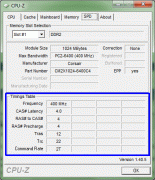
About the RAM, please google for CPU-Z, run it (no need to install it) and go to the SPD tab and tell us what it says in the timings table:

Last edited by Captain828; 05-11-2009 at 06:01 AM..
  #7  
Old 05-11-2009
TechSpot Member
 
Location: England
Member since: Jul 2007, 66 posts
Quote:
Originally Posted by Captain828 View Post
I've just finished an OC session and I can confirm a truckload of different BSODs on my P5N32-E SLi Plus and ALL due to bad voltages.
I actually have my E6600 @ 3.2GHz ATM just like your CPU.

I can see your CPU is OCed (from 2.66). Have you tried putting everything back to stock? (inluding voltages)
Also, it could be a good idea to tell us your current voltages. If you've added them manually, then you know where to look at.
If you've let them to Auto, you should have some kind of monitoring page in your BIOS. It should show your current voltages so just post them back here.

About the RAM, please google for CPU-Z, run it (no need to install it) and go to the SPD tab and tell us what it says in the timings table:
Hi there, thanks for the reply. I have not tried putting everything back to stock yet. It could be voltage problem, but this cpu has always been able to handle up to 3.2 on stock volts, or at least it did on my older motherboard, asus p5w dh deluxe. All volts are left to auto currently, except mem which is at 1.90.

When i played call of duty world at war zombie mode i often find the game running at 60-90 fps, but every now and then the game will freeze for a second or two, sometimes more, then it goes back to normal. I have noticed vpu recover errors which i think is causing this, however maybe its volts not sure. I have tried 4 different drivers, all the same result.

My pc recently came back from repair, with this new motherboard, and apparently passed all tests.

The memory bsod's seem to have gone for the moment.

I will reboot now and write down the voltages under monitoring, then i will get cpu-z and pst back asap (10 minutes).
  #8  
Old 05-11-2009
TechSpot Member
 
Location: England
Member since: Jul 2007, 66 posts
Quote:
Originally Posted by the_gas View Post
Hi there, thanks for the reply. I have not tried putting everything back to stock yet. It could be voltage problem, but this cpu has always been able to handle up to 3.2 on stock volts, or at least it did on my older motherboard, asus p5w dh deluxe. All volts are left to auto currently, except mem which is at 1.90.

When i played call of duty world at war zombie mode i often find the game running at 60-90 fps, but every now and then the game will freeze for a second or two, sometimes more, then it goes back to normal. I have noticed vpu recover errors which i think is causing this, however maybe its volts not sure. I have tried 4 different drivers, all the same result.

My pc recently came back from repair, with this new motherboard, and apparently passed all tests.

The memory bsod's seem to have gone for the moment.

I will reboot now and write down the voltages under monitoring, then i will get cpu-z and pst back asap (10 minutes).
Ok, here are the volts from bios.

cpu 1.408
3.3v 3.296
5v 4.944
12v 12.488


I actually have 4 gigs of ram, but i think 1 stick was dodgy so i removed it, i will be getting some same model same brand ram tomorrow, but it will ve 2x2gig ddr2 corsair xms2 800mhz.
  #9  
Old 05-11-2009
Captain828's Avatar
TechSpot Enthusiast
 
Location: Romania
Member since: Aug 2005, 262 posts
System specs
I was referring to all the volts! 1.2v HT, NB, SB, VTT.

Those volts you've posted seem to suggest you have a pretty good PSU so that shouldn't be your issue.

Forgot to add, what are your idle and load temps?
I also suggest you use FurMark for GPU testing and ORTHOS for RAM and CPU stability tests.
Both are free, small, easy to use and don't need to be installed.

And about your RAM, set it for 5-5-5-15, Cmd rate to T2, tRC set to auto, voltage @ 1.850V, 800Mhz. Also, for 4 DIMMs it's often required to have a slightly higher NB voltage (say, +0.50 to the default one, but no more than 1.60).

Last edited by Captain828; 05-11-2009 at 06:20 PM..
  #10  
Old 05-13-2009
TechSpot Member
 
Location: England
Member since: Jul 2007, 66 posts
Still waiting on my new ram, once it arrives i will post back with updates.
  #11  
Old 05-15-2009
TechSpot Member
 
Location: England
Member since: Jul 2007, 66 posts
Ok Update.

Got my new ram, no crashes, not one. Stable at 3.5ghz and 871mhz ram. No more bsod's. Loving it.

However got another problem. Keep getting atidkmag has stopped responding but has restarted successfully messages during intensive 3d gaming. Tried 4 different driver versions and it still happens. Think i could have a dodgy card. Have checked the temps on it, and they are fine. Seems to be a common problem though which led me to believe it could be software related, i dunno.

http://forums.amd.com/game/messagevi...VIEWTMP=Linear
Closed Thread

Similar Topics
Topic Replies Forum
Vista help - Differing BSOD's, minidumps attached 4 Windows BSOD, Freezing, Restarting Help
Annoying Vista BSOD's.. 1 Windows BSOD, Freezing, Restarting Help
Multiple Vista BSOD's 5 Windows BSOD, Freezing, Restarting Help
Bsod's everywhere, Vista 21 Windows OS
Narrowing down BSOD's on Asus P5WD2 Premium 6 Windows OS

Thread Tools Search this Thread
Search this Thread:

Advanced Search
All times are GMT -4. The time now is 09:11 PM.