Welcome to the TechSpot OpenBoards. Please read the FAQ if you have any questions. Sign up or Login to participate.
Collaborate in the cloud with Office, Exchange, SharePoint, and Lync
|
|||||||
Collaborate in the cloud with Office, Exchange, SharePoint, and Lync
Two programs screwed up my computer
|
|
Thread Tools | Search this Thread |
|
#1
|
|||
|
|||
|
Two programs screwed up my computer
I have been here before and I was very happy with the help I got so I''m going to try again and get some help since I completely messed up my computer.
Last night I finally had it with MusicMatch Jukebox but because I can't remove it and was to lazy to come here for help last night I googled my question and came up with this thing called Uninstall Plus 4.1.. Well I tried using it to remove musicmatch and it only removed somethings and there were a few error messages. But Now when I'm trying t o get to my other programs I can't seem to be able to find them. I would put a screen shot of what I'm seeing but I just discovered anything Ii can use to put a graphic in is missing. A majority of my program files are missing or moved it says. I can't even do a system restore it's not working.. So please help I am desperate. But what I still have is my Hijackthis. so if I need to post a log I will. |
|
#2
|
|||
|
|||
|
if you can not do a system restore from the start menu, try an other program such as ccleaner. you can acces all the system restores that you have. i don't know for sure if it works because i've never had such kind of problems... but you can give it a try
|
|
#3
|
|||
|
|||
|
Computer brand, model, and configuration, as well as the Operating System?
I like the CCleaner suggestion, but I like RegClean Generally, for WXP, you can download from www.majorgeeks.com, the program Reg C Cleaner by Juoni Viorno. It is free, and allows you to remove key elements of MusicMatch so that you can remove the rest with Add and Remove. |
|
#4
|
|||
|
|||
|
All I know about my computer is that it's a Dell.. and I run XP.
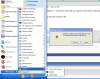
But my problem is my computer is missing programs.. I see the files where they are suppose to be but they have gone missing everywhere else. And I want to know if it's from the Two programs. Edit: Also, I can get to my programs that are on my desk top but none in the start up menu and a majority of them aren't on my desktop like my windows live and others so i don't know how to access them. So I'm thinking something happened When I tried removing music match and I need to restore my computer to where it was before I deleted files and I hae no clue how to do system restore from the information given. I have a ss of what's going on and I have a perfect example In it of what I'm talking about. I tried to open Psp7 from the shortcut at the op that appears to be broken.. But that shortcut on the bottom is from when I opened it on the desktop.. So I need to know if the program I downloaded to remove musicmatch or musicmatch itself is the problem.. Last edited by Klykyl; 08-02-2009 at 12:28 AM.. |
|
#5
|
|||
|
|||
|
Without knowing the model number of your Dell or the Service Tag on the back, or the configuration we cannot properly advise you. You could have a defective hard drive, inadequate memory, bad optical drive for install, or defective Windows version or service pack.
Everything we need is posted on the back or bottom of your computer, or listed in the Start->Control Panel->Sytem specifications or in the BIOS when it starts up and you depress F10 or F12. |
|
|
|
#6
|
||||
|
||||
|
In general, Windows stores these 3 things seperately
1) Your program menus (i.e. what you see when you click Start->Programs) 2) The actual Program Files (which is the software needed to run your stored programs) 3) Uninstall information used to help Windows uninstall your programs (which you see displayed in Add/Remove Programs) So could you be clear just what you see missing? > Are you just not seeing programs when you click Start->Programs? > Are the programs still appearing in Add/Remove Programs? or they disappear from there as well? |
|
#7
|
||||
|
||||
|
HI Klykyl
I just noticed the edit to your post. I'll post back with more info (but am about to call it a night so not likely till tomorrow!) ![]() /* EDIT */ But try this link to learn /try to System Restore |
|
#8
|
|||
|
|||
|
Okay i think this is what is needed
it's Service pack 3 Version2002 And I think the model is Dell Dimensions DE051.. Correct me if I'm missing something Also, LookinAround I'm not seeing programs when I go to start > programs and I can see all the programs in Add/remove programs. Edit: A friend tried to help me with system restore and made it worse.. I am stuck in Safe Mode W/ Networking. I know it sounds weird but everything is functioning normal but I can't use things like my printer and My speakers don't work.. And you can also see that my settings are in "windows classic" and I have no XP settings. I've had this same problem before and fixed it myself but now I can't.. here's how I fixed it last time but this time My registry looks different. http://www.petri.co.il/forums/showpo...7&postcount=11 Last edited by Klykyl; 08-02-2009 at 02:13 AM.. |
|
#9
|
||||
|
||||
|
Yikes.
System Restore doesn't work. Stuck in Safe Mode. Programs not appearing in the Program Menu.... I'm not quite sure where to start short of > First, making certain you at least have all your stuff backed up and can do a reinstall if it should come to that > And then look at/try to fix the problems. 1. Just in case, have you backed up your stuff yet? If should need be, you what's needed to reinstall a) Have you backed up all your personal files and data? Even in the current state sounds like you should be able to connect an external drive and simply copy everything? b)Do you have XP reinstallation CDs? Or do you know if Dell has a recovery partition on your hard drive? 2. Stuck in Safe Mode
3. Program Menus
So.... suggest we start with the first two points above: backups and safe mode issues. |
|
#10
|
|||
|
|||
|
1. Okay I'm tryign to back up everything into my portable hardrive but I have alot of programs I don't know how to get access to again..
Also I do not know anything about my dell CD I didn't set up my computer my parents did and my parents freak out so it's not worth my time to ask them where the CD is because they would be on my computer immediately.. And I do not know if dell has a recovery partition on my hard drive.. Is there a easy way to find that out? 2. all that stuff is selected but I'm suppose to be in normal mode but some things are missing like printer and speakers.. I can install programs.. I just don't know what is going on I've tried going into safe mode and coming back out and still nothing. |
|
#11
|
|||
|
|||
|
Would it help at all if i posted a Hijackthis log?
Because I have access to it on my computer. |
|
#12
|
||||
|
||||
|
1) It's really tough to say just what happened on your computer
2) IF any of your programs have been uninstalled or now corrupt, i wouldn't bet on either XP CD or Dell recovery partition to fix them (they'd likely only fix Windows programs/files) That said, best i can suggest is try looking again in Add/Remove Programs and under C:\Program Files Double check your Add/Remove Programs Look for the programs you see are missing from your Start->Programs menus
As to whether you have a recovery partition maybe on your hard drive > Tho note even if you have a recovery partition, if those programs are uninstalled, i wouldn't expect recovery to recover them (vs. just Windows stuff)
/* EDIT */ Ooops. I just noticed you already told us a Dell E501 computer. For future, may be useful to update your TechSpot profile with your System Specs Last edited by LookinAround; 08-03-2009 at 11:40 PM.. |
|
#13
|
|||
|
|||
|
1.As far as I can tell none of my programs are corrupt but some windows accessories and games are gone.. Like stuff that came with windows like the calculator and spider solitaire. But When I go into C:\Programs Paintshop Pro 7 and Photoshop CS2 are still in there plus both programs still work.
The MyUninstaller was to detailed.. I found out I still have lingering AOL programs but other then that everything in there looked fine. 2. I looked at the list of partitions and I'm not sure what to say about what I saw in there i know C: D: and G: but I don't know E: and I have no clue about the two blanks.. So I'm just gonna give a ss. Also, I will update my profile with information I now know.. I didn't know much about my computer when I last edited it. |
|
#14
|
||||
|
||||
|
Fixing menus if the software itself is still there
As you say at least some programs are still there and not corrupt (but maybe just no longer in your Program Menus), let's try and fix those first. Then we can any Windows accessories you think are missing. For each program, the big question is (do the following)
As for accessories you think are missing, first try this > Control Panel->Add Remove Programs > Along the left margin of the window, look for and click Add/Remove Windows Components > See that Accessories and Utitlities is checked. Click Details > See that Accessories is checked. Click Details. Make sure what you want is checked > then just do OK and Next buttons till done |
|
#15
|
|||
|
|||
|
Okay sorry it's taken a few days to get back to doing this and i really should be saying sorry to myself but whatever.
I tried doing that first step but.. really I can't find most of those files and I haven't had the time to search. A Majority of the programs are on my desktop the most important one I needed was MSN. And for accessories everything was there but they still haven't shown up in my start > all programs Maybe it will when I restart my computer but I have to wait till I finish some virus scans I think I accidentally gave myself another virus so I've gotta deal with that first before I restart. So I will update this post when I restart to see if my accessories have appeared. ![]() OH also I spent a day trying to get myself out of safe mode and I finally did it by editing some number in my registry. |
|
#16
|
||||
|
||||
|
I'll tell you what> you'd go a lot further a lot easier if you'd clean up your Start menu! Going by you first set of images- the hated computer one, I'd tell you to start there:
Right click on the Taskbar> Properties> Start menu tab> Customize> General tab> get the number of programs way down- 4 or 5> Advanced tab> Check 'open show sub-menu when I pause the mouse'> choose the items - only what you need on the Start Menu> for each item you check choose the option to 'Display as menu> when through> OK> Apply> OK .....Remember, this is the Start Menu, not All Programs. You will still have access to All Programs and I can give you a nifty way to clean that up! |
|
#17
|
|||
|
|||
|
Okay thanks Bobbye I did that and it looks a whole lot neater.
![]() I would love to know your nifty way to clean up all programs if I can get all of programs on there. Also, LookinAround I have been scouring my computer for some aware on it and I can't seem to find it so that's why It took so long to restart my computer But I finally did a few times and my accessories wont show up everything is checked though. |
|
#18
|
||||
|
||||
|
Quote:
To clean up and streamline All Programs: Set up folders, name, drag appropriate programs into folder:
Here is one more tip that will make life easier:
Each has an arrow pointing to the right. When you hover the mouse over the folder and move to the arrow, it shows you the programs within the folder and you choose the one you want. This makes a nice uncluttered All Programs listing and a lot easier for you to find what you want. You set up the folder names appropriate for you and you decide which programs go where. I've given examples of mine, but yours may be completely different. |
|
#19
|
|||
|
|||
|
Thank you so much Bobbye! It's a lot neater and mine was completely different I have graphics and school categories and a few others.. but it makes everything much neater.
|
|
#20
|
||||
|
||||
|
You're welcome. I like it because it is completely customizable to the needs of the user. And anytime you add a program and want to include it in a folder, just go through Start> Open all users> Programs as you did before and drag it in.
|
![]() |
| Similar Topics | ||||
| Topic | Replies | Forum | ||
My computer is screwed
|
6 | Virus and Malware Removal | ||
Add/remove programs screwed up???
|
3 | Windows OS | ||
Computer is screwed..
|
8 | Overclocking, Cooling and Modding | ||
Computer is screwed..
|
1 | Processors and Motherboards | ||
Add or Remove Programs seriously screwed up!
|
0 | Windows OS | ||
| Thread Tools | Search this Thread |
|
|
All times are GMT -4. The time now is 09:03 AM.


My computer is screwed