also @ TechSpot: HDD supply to recover by Q3 2012, prices to remain high
Welcome to the TechSpot OpenBoards. Please read the FAQ if you have any questions. Sign up or Login to participate.

Go Back   TechSpot OpenBoards > Hardware > Overclocking, Cooling and Modding

Begin your free trial now Pay-as-you-go options starting at $10/user/month

GeForce 9800 GT too hot?

Page 1 of 2 1 2
Thread Tools Search this Thread
  #1  
Old 09-15-2009
TechSpot Chancellor
 
Member since: Aug 2005, 693 posts
System specs
GeForce 9800 GT too hot?

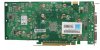
So I have a EVGA 512-P3-N975-AR GeForce 9800 In the computer I built about a year ago.

Well before I added a new hdd to it (1TB ) it ran at about 30c - 35c idle and running WoW with the settings on max would only get up to 65c tops. I was pretty happy with that. But apparently when I added that hdd I changed the airflow in my case and now its idle at about 60c, even after just booting up the computer when it was off for a few hours. Get playing games and it was getting up to about 85c, which was worrying me. So with some creative use zip ties, I mounted a spare fan to try and blow air right on it and of course I have cleaned out all the dust in my case several times. Now it runs about 5c-10c cooler when under load for a while, so about 75c.

Several reviews I have read for it did state the card runs a little hot, but I wasn't able to find specific numbers for what 'a little hot' is.

Should I be concerned about those temperatures, and or is it ok to run it like that? I have noticed games and other graphic intensive processes don't run quite as nicely any more.

Thanks in advance.

EDIT:

This is the case I have it in. Well the green version of it :P
  #2  
Old 09-15-2009
Sev's Avatar
Sev Sev is offline
TechSpot Member
 
Location: New Hampshire
Member since: Aug 2008, 112 posts
System specs
i had the same problem, the downfall with the 9800GT, they get dirty QUICK. you have to unscrew the side panel (little ity bity screws) and clean out the dust so it gets good air flow again
  #3  
Old 09-15-2009
Sev's Avatar
Sev Sev is offline
TechSpot Member
 
Location: New Hampshire
Member since: Aug 2008, 112 posts
System specs
and is it a double slot or single slot (fan blowing back into case or blowing out)
  #4  
Old 09-15-2009
TechSpot Chancellor
 
Member since: Aug 2005, 693 posts
System specs
umm the fan on the bottom pulls air onto the card, it does not blow away from it. Is that what u asked?

And when I get home I will try taking the panel off the card and cleaning it again

Last edited by TorturedChaos; 09-15-2009 at 06:33 PM..
  #5  
Old 09-15-2009
Sev's Avatar
Sev Sev is offline
TechSpot Member
 
Location: New Hampshire
Member since: Aug 2008, 112 posts
System specs
Quote:
Originally Posted by TorturedChaos View Post
umm the fan on the bottom pulls air onto the card, it does not blow away from it. Is that what u asked?

And when I get home I will try taking the panel off the card and cleaning it again
kinda.. umm what you gotta do is take the covering off to be able to access the heatsink, i was thinking of my XFX one at the time didnt notice u had posted your model, but ya the screws on the back take the ones on the out side of the card out leave the center ones ill make a jpg for you and ill circle them one sec
  #6  
Old 09-15-2009
TechSpot Chancellor
 
Member since: Aug 2005, 693 posts
System specs
Quote:
Originally Posted by Sev View Post
kinda.. umm what you gotta do is take the covering off to be able to access the heatsink, i was thinking of my XFX one at the time didnt notice u had posted your model, but ya the screws on the back take the ones on the out side of the card out leave the center ones ill make a jpg for you and ill circle them one sec
Cool thanks!
  #7  
Old 09-15-2009
Sev's Avatar
Sev Sev is offline
TechSpot Member
 
Location: New Hampshire
Member since: Aug 2008, 112 posts
System specs
there ya go, i think those are all of them, i believe the center 4 are to hold the heatsink on """addition""" Pipe cleaners from when u were in school work the best xD also i know im a pro @ Windows Paint xD
Attached Images
File Type: jpg 512-P3-N975-AR.jpg (110.5 KB, 47 views)

Last edited by Sev; 09-15-2009 at 06:46 PM.. Reason: addition
  #8  
Old 09-15-2009
Sev's Avatar
Sev Sev is offline
TechSpot Member
 
Location: New Hampshire
Member since: Aug 2008, 112 posts
System specs
keep me updated, ive had lots of practice tearing these things apart xD
  #9  
Old 09-15-2009
Sev's Avatar
Sev Sev is offline
TechSpot Member
 
Location: New Hampshire
Member since: Aug 2008, 112 posts
System specs
oh and remember, to unplug the fan, and be gentel taking it off (bad spelling i know ) xD
  #10  
Old 09-15-2009
TechSpot Chancellor
 
Member since: Aug 2005, 693 posts
System specs
Ok I will pull the card and take a look at it when I get home

Looks like its going to be a while got a flat on my truck
  #11  
Old 09-15-2009
Sev's Avatar
Sev Sev is offline
TechSpot Member
 
Location: New Hampshire
Member since: Aug 2008, 112 posts
System specs
atleast its not raining xD
  #12  
Old 09-17-2009
TechSpot Chancellor
 
Member since: Aug 2005, 693 posts
System specs
Well I took the card out and clean it out. Also d/l'd and installed EVGA Percision. The temp on the GPU was about 80c while playing WoW, and only had the fan running at 40% with it set to auto......So I adjusted it up to 90% and dropped it the temp 10c under load.

Still seems a bit hot to me, but it is better now

Last edited by TorturedChaos; 09-17-2009 at 10:32 AM..
  #13  
Old 09-18-2009
Sev's Avatar
Sev Sev is offline
TechSpot Member
 
Location: New Hampshire
Member since: Aug 2008, 112 posts
System specs
is the card overclocked at all?
  #14  
Old 09-18-2009
Sev's Avatar
Sev Sev is offline
TechSpot Member
 
Location: New Hampshire
Member since: Aug 2008, 112 posts
System specs
and what is your room temp, that also may have an effect... also try playing with the case side panel off, that way your case isnt holding the heat
  #15  
Old 09-18-2009
Ritwik7's Avatar
TechSpot Evangelist
 
Location: Calcutta, India
Member since: Jan 2007, 2,195 posts
System specs
Well the 9800GT seems to be a hot card. At ambient temps of 25c it idles at about 50-52c (fan speed set to 100%). Gaming gets it past the 75c mark. At times above 80c. However, that's because my fan speed automatically falls back to 40% after a short period of gaming. RivaTuner can't seem to keep it spinning at 100%.
  #16  
Old 09-18-2009
TechSpot Chancellor
 
Member since: Aug 2005, 693 posts
System specs
Quote:
Originally Posted by Sev View Post
is the card overclocked at all?
Nope not overclocked. Thought about it, but I haven't b/c of the temp its running at.

Quote:
Originally Posted by Sev View Post
and what is your room temp, that also may have an effect... also try playing with the case side panel off, that way your case isnt holding the heat
room temp usually isn't above 70f. And i don't really want to take off the side, b/c my tower is sitting on the floor, with the side that would be open out. Don't want to kick it accidentally or something

But using EVGA Precision and setting the fan to 90%, keeps the temp around 52c idle, and even playing WoW for a couple of hours it only got up to 65c. Stupid 'auto' keeps bumping it back down to 40% even when the card is up to 80c. So Ritwik7 try EVGA Precision. Just make sure and turn on 'Apply at Windows Startup'

I am thinking of looking for a case with some more room in it though, everything is kinda packed into this case. That 9800GT is a really long card. Think that might help.

Last edited by TorturedChaos; 09-18-2009 at 04:56 PM..
  #17  
Old 09-19-2009
Ritwik7's Avatar
TechSpot Evangelist
 
Location: Calcutta, India
Member since: Jan 2007, 2,195 posts
System specs
@ TorturedChaos : Which version of EVGA Precision are you using? Thanks.
  #18  
Old 09-19-2009
Ritwik7's Avatar
TechSpot Evangelist
 
Location: Calcutta, India
Member since: Jan 2007, 2,195 posts
System specs
Tried using EVGA Precision v1.7.1. The problem still occurs. My fan speed just spins down to 40% after a short while of gaming. (Happens only during games.)

However, I've assigned a hotkey to my profile, so every time I hear the fan spin down I press it and it goes back to 100%.

Any clues?
  #19  
Old 09-19-2009
TechSpot Chancellor
 
Member since: Aug 2005, 693 posts
System specs
Looks like I'm using 1.8.0. It should be the most recent one from there website, I just downloaded it the other day.
  #20  
Old 09-23-2009
Mictlantecuhtli's Avatar
TechSpot Special Forces
 
Location: Finland
Member since: Feb 2002, 4,886 posts
System specs
I think if a graphics card works properly (ie. no lockups / distortion in display), it's not too hot. I've seen my cards (some of them passively cooled) go past 100C without any trouble.
Closed Thread
Page 1 of 2 1 2

Similar Topics
Topic Replies Forum
Nvidia Geforce 9800 Crash 10 Other Hardware
GeForce 9800 GTX+ single slot 5 Audio and Video
GeForce 9800 GT question 4 Audio and Video
GeForce 9800 GTX Review 9 Audio and Video
Difference between a geforce 9800 and geforce 9800 LE? 2 Audio and Video

Thread Tools Search this Thread
Search this Thread:

Advanced Search
All times are GMT -4. The time now is 12:35 AM.