Welcome to the TechSpot OpenBoards. Please read the FAQ if you have any questions. Sign up or Login to participate.
Recommended Fix: Click here to fix Windows errors and optimize PC performance
|
|||||||
Recommended Fix: Click here to fix Windows errors and optimize PC performanceBrowser Redirect problem in IE and Firefox
![]() |
|
|
|
Thread Tools |
|
#1
|
|||
|
|||
|
Browser Redirect problem in IE and Firefox
The Browser is redirected to an ad site when I click on one of the search results. It does this no matter if its IE or FireFox. I ran all of the procedures in the 8 step process. One problem, though... After the CCleaner ran, the reboot turned McAfee back on. I did not catch this. I hope I did not complicate things.
Thank You, The Astronerd
|
|
#2
|
||||
|
||||
|
|
|
#3
|
|||
|
|||
|
Tmagic650,
OK... I ran the ESET scanner and it found nothing. I couldn't find a log file for it, though. I haven't tried to run a browser yet. What do you think? |
|
#4
|
|||
|
|||
|
I went back and downloaded all updates for the 8 step process and then unhooked my lan cable. I turned off McAfee. I ran the 8 step process. I have included the log files plus an added log from AdAware. CCleaner, Malwarebytes, SUPERAntiSpy ware found nothing. I'm not familar with the guts of HijackThis to know if it shows unless i take the log to www.hijackthis.de to have it analyzed. AdAware seems to have found a bunch of stuff.
More symptoms: The redirect is going to newserversearch.com, errrawscevehseen.com and sasrceewrrehven.com among other sites. My right mouse button no longer works on the browser window so I can't "copy and paste". |
|
#5
|
|||
|
|||
|
The SUPERAntiSpyware log... I had trouble attaching...
|
|
#6
|
|||
|
|||
|
New Information:
I do not know if this matters or not but when the machine is booted up in safe mode with networking, the redirect does not happen. |
|
#7
|
||||
|
||||
|
Turn off System Restore, rerun the scans and turn System Restore back on...
|
|
#8
|
||||
|
||||
|
This information might help you assess the cause of the problem:
Quote:
|
|
#9
|
|||
|
|||
|
OK...
I downloaded all of the updates for the 8 step and followed ALL of the instructions. Disconnected LAN cable. Disabled McAfee per instructions. Disabled McAfee firewall per instructions. Ran the 8 step processes. I turned McAfee back on. Reconnected the LAN cable. I used a Google search to try to get back to this forum. Got redirected. Right mouse button still disabled for cut-n-paste. Here are the log files. What do I do now The problem still exists. Last edited by Astronerd; 12-29-2009 at 10:38 AM.. Reason: Forgot to put in, "The problem still exists." |
|
#10
|
|||
|
|||
|
I guess this machine is going to be a "boat anchor" until I reformat the hard drives. I would like to preserve all .doc, .xls, .jpg, and .raw files. But as you guys have said, .doc files and others must be suspect. Can these files be scanned somehow so as to NOT transfer the infection to the reformatted drives? Is there a specific set of instructions as to how to rebuild this machine and prevent reinfection during the rebuild? My machine specs are in my profile. I have a three machine subscription to McAfee. The other machines are clean.
Oh, as an afterthought, about a month before the infection showed up, I deleted WindowsDefender to try and relieve the "head banging" 100% CPU utilization that lasted about 10 minutes after a cold boot. |
|
#11
|
||||
|
||||
|
Astronerd, since the other member who gave you instructions doesn't come back to a thread, I'll be glad to help you. The advice to turn off System Restore should not have been given.
You did not need to disable all of your security to run these programs. Please be sure it has been enabled again. Also, please turn System Restore back on. Can you please tell me just what' happening? Why do you think you need to reinstall and what malware do you think has gotten into your files? I don't see anything in the logs that you left that would account for the redirect. The mouse problem is a separate matter. It appears that you have several processes on the system to help with the online schooling. If you don't mind, I'd like to run them by you to make sure you know they're running: I'm leaving short descriptions for you: Ipswitch Transfer Service>> Move files from your computer to any server in the world. MathXL online homework, tutorial, and assessment system. Install From The Web Client Microsoft Virtual Server System Requirements Lab>> analyses your computer to see if it can run a specific product Pearson Installation Assistant>> for MathXL Pearson Education Inc. Online>> Learning tools.Sibelius Scorch free web browser plug-in that lets you play, transport, change instruments, save and print your Sibelius scores on the Internet. And these which point to Central Piedmont Community College > open Spring, 2010 C:\Program Files\CPCC E-Locker Webdrive\wdservice.exe O23 - Service: WebDrive Service (WebDriveService) - Unknown owner - C:\Program Files\CPCC E-Locker Webdrive\wdservice.exe These are all legitimate processes. If you are using them now actively, there is no problem. If you are not, we should set up a removal. One I wasn't sure of: C:\Program Files\Common Files\Winferno\WSS\WSS.exe??? O23 - Service: Winferno Subscription Service - Capital Intellect Inc - C:\Program Files\Common Files\Winferno\WSS\WSS.exe I couldn't determine what you were subscribed to. It's all in the name of security. Many times, people have processes running they aren't aware of or that they no longer use. |
|
#12
|
|||
|
|||
|
Thanks Bobbye!
Naturally, I'm writing from a different machine. Since becoming infected, the machine in question has been disconnected from the internet. The only time it is reconnected is to update the tools suggested for cleaning. After the updates, the LAN cable is removed again. By being offline, the disabling of the security programs is moot as long as I turn them back on after the scans, isn't it? I did turn System Restore back on after the last scan. Now for the symptoms: Connect to the internet. Pull up google. Enter a search for "blue moon". The list comes up. Select the entry for the "Blue moon - Wikipedia, the free encyclopedia". It actually goes to the correct site. Now enter a search for "astronomy". The list comes up. Select the entry for "Astronomy Picture of the Day". The result page has: Server not found Firefox can't find the server at nressaceerhrewv.com. Return to google. Enter the search for "blue moon" again. The list comes up. Select the entry for the "Blue moon - Wikipedia, the free encyclopedia". The result page has: Server not found Firefox can't find the server at nressaceerhrewv.com. I have no clue as to why, after all of the scans have completed, the search selection seems to work only once. Now, as to the programs you referenced: Ipswitch Transfer Service is connected to WS_FTP pro, which is an FTP file transfer program I use for updating web sites that I maintain. I use it regularly. Sibelius is a music sheet transfer program. It is now deleted. CPCC E-Locker is a way to connect my school drive to my machine as though it is local. It is now deleted. Winferno is a registry cleaner that was recommended by McAfee. I have had it for about 8 months. MathXL is an online homework program that my sons had used several years ago. I thought I deleted it. It does not show on Add/Delete. I would have assumed that Winferno would have cleaned up any unattached files. Microsoft Virtual Server does not show on Add/Delete. How do i get rid of it? Install From The Web Client - can not find this either. Don't know what it is. Any help you can give is greatly appreciated. Maybe I will not have to spend two weeks reloading this machine? |
|
#13
|
||||
|
||||
|
Thank you for filling me in. I have started asking people to describe the 'redirect' because I found that whenever someone uses Google and has a problem accessing a site, they are using the 'catch all phrase "Google Redirect."
"Firefox can't find the DNS server at newserversearch.com." One Firefox user left this message for other users with the same problem in the Mozilla support: Quote:
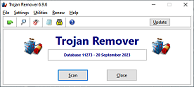
Download Trojan Remover: This security utility is available as a fully-working evaluation copy that will work for 30 days before you must either register or uninstall it.NOTE: You do NOT have to Register to run this 'evaluation copy.' You will find the download site here: http://www.simplysup.com/tremover/download.html
Reboot the computer. See if that handles the server redirect. Rescan with HijackThis and leave new log and the report from the Trojan Remover in your next reply. |
|
#14
|
|||
|
|||
|
Where does Trojan Remover write the log? And is it a .log file? I can't seem to find it.
|
|
#15
|
||||
|
||||
|
This logfile can be viewed in Trojan Remover by selecting 'Help > View Update Log'.
This may just be log for updates- I'm not sure. check it and let me know. When you did the download, then the scan, were there any instructions to name the file? |
|
#16
|
|||
|
|||
|
Found it! It's called TRLOG.TXT. The update of the virus signatures is called UPDLOG.TXT.
It is in: C:\Documents and Settings\ "User ID" \My Documents\Simply Super Software\Trojan Remover Logfiles Here it is... |
|
#17
|
||||
|
||||
|
Still redirecting?
|
|
#18
|
|||
|
|||
|
Click on any item in the selection list and this cones up:
Server not found Firefox can't find the server at nressaceerhrewv.com. |
|
#19
|
||||
|
||||
|
Download LockSearch to your desktop
|
|
#20
|
||||
|
||||
|
Thank you for the assistance kritius.
Tmagic, stay out of this thread. your 'help' is neither wanted or needed. You deserted this member a week ago after giving him bad advice. |
![]() |
| Similar Topics | ||||
| Topic | Replies | |||
[Solved] Browser redirect problem with IE and Firefox
|
35 | |||
One More Browser Redirect problem in IE and FireFox
|
25 | |||
Google Search Browser Redirect Problem
|
5 | |||
Browser Redirect Problem?
|
7 | |||
Browser Redirect Problem
|
5 | |||
| Thread Tools | |
|
|
All times are GMT -4. The time now is 05:54 PM.


Want a New HP LaserJet Multi-Function Printer?
Browser redirect problem with IE and Firefox