If I'm not wrong the Atheros AR8152/8158 PCI-E FAST ETHERNET CONTROLLER is your built in wired network controller. Removing the driver for that device and rebooting your computer and letting Windows reinstall the device driver won't help in this case not that you've been asked to do that.
The probable reason you don't have the '802.11' listed in Device Manager under Network Adapters is your wireless network device is broken. I've assumed you have laptop with built-in wireless networking that used to work. I mean it seems to have worked then worked intermittently then died. I don't think you have a driver issue here; I think the device is dead and will need to be replaced with an external device.
If your warranty period is greater than eighteen months you could have a warranty claim. You'll have to trouble shoot the problem with one of their techs first, and then if the problem isn't fixed ship the laptop back to the manufacturer lock stock and barrel. They'll keep the laptop for a week or two and and then ship it back to you. It may or may not be fixed.
I try to buy network adapters that match the brand and speed of my router. I do this out of the mostly mistaken idea that the same brands work better together. You have a router at home and an access point at school. I doubt they use the same brand, so when you do buy something look closely at the products reviews for complaints about equipment that breaks quickly or doesn't work fresh out of the box. Keep in mind that many of the reviewers are clueless, mistaken or just plain frustrated.
I have old Linksys WRT 54G routers at my house that keep going and going. I also have an old Cisco USB wireless adapter that keeps going and going. Cisco bought Linksys a few years back, so they are the same company now, but I've always had good luck with them. I've had bad luck with Netgear and D-Link.
Many companies put a bunch of money into the products they make, so they cost more. Much of that extra money is spent solving issues with firmware and drivers. I wouldn't buy the lowest cost hardware I could find for that reason. I'd buy something in the medium price range from either Cisco or Linksys.
http://www.newegg.com/Product/Product.aspx?Item=N82E16833186012
I'd try the above. It's cheap and fairly well reviewed.
http://www.newegg.com/Product/Product.aspx?Item=N82E16833704045
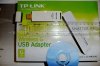
This TP-Link is even more well reviewed.
Yes, you'll have to buy one of these devices.

As far as the sizes go. Size should have no correlation to speed. You can't push your internet speed beyond what your ISP allows with any device. A wireless network adapter should match the speed of your router or better. Your intranet (the network behind your firewall) speed will usually be much faster then than your actual internet speed. For example, I have a very fast internet connection. I can pull in about 3MB a second and push out a little more than 1MB a second. My network (intranet) speed is roughly 3.5MB or (for both input and output over my wireless connection), roughly 54Mb per second. With overhead and other stuff, I get roughly 3.5 MB a second both up and down inside my network over a wireless connection. There is a difference between MB and Mb. MB is eight times as fast as Mb. Internet service providers like to advertise their services in Mb per second because the numbers are eight times bigger when they are measured in MB per second.