You are using an out of date browser. It may not display this or other websites correctly.
You should upgrade or use an alternative browser.
You should upgrade or use an alternative browser.
Temperature for Pentium 4 3.2 GHz Northwood
- Thread starter lyam77
- Start date

Mictlantecuhtli
Posts: 4,049 +13
Welcome to TechSpot
Room temperature, when the computer has been turned off for some hours :giddy:
Read Before Asking "Is This Too Hot?"
I wouldn't worry about temperature until it causes instability or other problems.
That said, I seem to be the only one who thinks it's ok to run CPUs at 80C / 176F.
Room temperature, when the computer has been turned off for some hours :giddy:
Read Before Asking "Is This Too Hot?"
I wouldn't worry about temperature until it causes instability or other problems.
That said, I seem to be the only one who thinks it's ok to run CPUs at 80C / 176F.
before I upgraded I had a 2.8 northwood with 533 fsb. I hada big ol' Zalman heatsink on it and it usually topped out around 60-63 depending on which game I played. A little while before I upgraded to a 3.4 prescott I went to watercooling and got it down to the low 40's. hope this helps. I had an old beige case that wasn't very efficient. I noticed a good drop in temps on the mobo and gpu when I switched cases and this was after I had a water cooling system for the cpu, so consider a new case if it gets too hot but you don't want to increase noise.
thanks.Is it very expensive the water cooling?
I have 2 pcs with pentium 4 prescott 3.2.Both have the same brand of fans and the same casing.
Intel d865perl motherboard
1 gb kingston ddr 400
matrox videocard 32mb
standart Intel cpu fan.
2 fans front,1 fan on the side and 1 in the back
The temperature of this computer is average 40 degrees
my other one
Asus p4p800
intel cpu fan
nvidia 5600
2 gb of ram
soundblaster live value
1fan on the side
2 fans front, 2 fans back
The temperature for this one on average is between 48-58 degrees.
Why is their such a difference? Is is bad for my cpu?
I have 2 pcs with pentium 4 prescott 3.2.Both have the same brand of fans and the same casing.
Intel d865perl motherboard
1 gb kingston ddr 400
matrox videocard 32mb
standart Intel cpu fan.
2 fans front,1 fan on the side and 1 in the back
The temperature of this computer is average 40 degrees
my other one
Asus p4p800
intel cpu fan
nvidia 5600
2 gb of ram
soundblaster live value
1fan on the side
2 fans front, 2 fans back
The temperature for this one on average is between 48-58 degrees.
Why is their such a difference? Is is bad for my cpu?
I have a 3g p4 and it runs about 32/36 all day, and I game all the time. Stock cooling and I have it oc'd all the time too. The temps on your intel box are hi as far as I'm concerned.
The AMD box is in line with others I've seen, so no worry there. You could get a better hsf and drop temps nicely. A friend had a Athlon 1400 (about 70 watts of heat to get rid of) that ran at 58 all the time, now with a copper hsf it runs at 42. Pretty good cooling with just a cheap ocz copper hs and stock AMD fan.
As well, what pookie are you using on the hsf's? If it's not artic silver or similar you're cheating yourself out of better cooling.
The AMD box is in line with others I've seen, so no worry there. You could get a better hsf and drop temps nicely. A friend had a Athlon 1400 (about 70 watts of heat to get rid of) that ran at 58 all the time, now with a copper hsf it runs at 42. Pretty good cooling with just a cheap ocz copper hs and stock AMD fan.
As well, what pookie are you using on the hsf's? If it's not artic silver or similar you're cheating yourself out of better cooling.

Paul
Posts: 56 +0
You have a fan on the side of your case. my guess blowing towards your memory slots beside your cpu,This will cool much better and that is why you have a drop in your temps,if you had 1 fan in front and two in the back you will see your temps go down even more depending on the fan speed.You need equal amount or more fans out the back to suck out the heat from the case,In your case you have 2 fans in the front and side blowing and only one in the back sucking the heat.Thats not good but it will do,You also ahve 2 gigs of ram in your othermobo which will make more heat,If you have dual fan power supply that would be even circulationlyam77 said:thanks.Is it very expensive the water cooling?
I have 2 pcs with pentium 4 prescott 3.2.Both have the same brand of fans and the same casing.
Intel d865perl motherboard
1 gb kingston ddr 400
matrox videocard 32mb
standart Intel cpu fan.
2 fans front,1 fan on the side and 1 in the back
The temperature of this computer is average 40 degrees
my other one
Asus p4p800
intel cpu fan
nvidia 5600
2 gb of ram
soundblaster live value
1fan on the side
2 fans front, 2 fans back
The temperature for this one on average is between 48-58 degrees.
Why is their such a difference? Is is bad for my cpu?
Thanks for replying to me.I will buy more fans.The only thing about that is that the more fan,the louder it gets.I didn't realise that the extra 1gb of ram could make a difference in the cpu temp. I am starting to consider buying a better cpu heatsink.By the way....I don't want to sound dumb,but what is a dual fan power supply?I guess 2 fan in the power supply?Paul said:You have a fan on the side of your case. my guess blowing towards your memory slots beside your cpu,This will cool much better and that is why you have a drop in your temps,if you had 1 fan in front and two in the back you will see your temps go down even more depending on the fan speed.You need equal amount or more fans out the back to suck out the heat from the case,In your case you have 2 fans in the front and side blowing and only one in the back sucking the heat.Thats not good but it will do,You also ahve 2 gigs of ram in your othermobo which will make more heat,If you have dual fan power supply that would be even circulation
Any suggestion??
Thanks
Paul
Posts: 56 +0
Well they do have heat spreaders to keep the memory cooler,If you have all 4 slots filled you will have more heat,To bad most sit so close to the cpu that makes heat,regarding the 2 fan supply yes you have one on the bottom of the power box and an other exiting your tower.This will help cooling.lyam77 said:Thanks for replying to me.I will buy more fans.The only thing about that is that the more fan,the louder it gets.I didn't realise that the extra 1gb of ram could make a difference in the cpu temp. I am starting to consider buying a better cpu heatsink.By the way....I don't want to sound dumb,but what is a dual fan power supply?I guess 2 fan in the power supply?
Any suggestion??
Thanks
Chaos_Stryke
Posts: 12 +0
Blakhart said:I have a 3g p4 and it runs about 32/36 all day, and I game all the time. Stock cooling and I have it oc'd all the time too. The temps on your intel box are hi as far as I'm concerned.
The AMD box is in line with others I've seen, so no worry there. You could get a better hsf and drop temps nicely. A friend had a Athlon 1400 (about 70 watts of heat to get rid of) that ran at 58 all the time, now with a copper hsf it runs at 42. Pretty good cooling with just a cheap ocz copper hs and stock AMD fan.
As well, what pookie are you using on the hsf's? If it's not artic silver or similar you're cheating yourself out of better cooling.
Dude, are you running a prescott? or a northwood
Jeez, my prescott runs at 48 C, when idol and up to 60 C when full load, after a few hours
Jeez, and i have a Thermaltake Spark 7+ which sounds like a jet engine.
TEll me how you do it HOW!?
=)
Hi
well, it's the stock hsf that came with the cpu, and I added artic silver to it after removing the stock hsf's thermal wax crap off the heatsink bottom. I also have a good psu that provides more than enough current, and lastly, probably most importantly, a huge 1030B case with 8 fans in it, counting cpu, vid card, all of them. It makes a bit of noise, but runs very cool.
Ok maybe a good psu is the single most important cooling item.
How's that?
Dur, I know why yours runs so hot. Just noticed it's a Prescott. You will have hi temps as long as you have a Prescott, just the way it is. Mine's a Northwood.
well, it's the stock hsf that came with the cpu, and I added artic silver to it after removing the stock hsf's thermal wax crap off the heatsink bottom. I also have a good psu that provides more than enough current, and lastly, probably most importantly, a huge 1030B case with 8 fans in it, counting cpu, vid card, all of them. It makes a bit of noise, but runs very cool.
Ok maybe a good psu is the single most important cooling item.
How's that?
Dur, I know why yours runs so hot. Just noticed it's a Prescott. You will have hi temps as long as you have a Prescott, just the way it is. Mine's a Northwood.
Chaos_Stryke
Posts: 12 +0
nice case,
does artic silver make a HUGE difference?
yea, i hate my prescott, but can my Mobo support northwood?
oh well, i think the tollerence for prescott is higher though
8 case fans?
wow how noisy can it get, my heatsink + fan on my cpu is loud enough!
does artic silver make a HUGE difference?
yea, i hate my prescott, but can my Mobo support northwood?
oh well, i think the tollerence for prescott is higher though
8 case fans?
wow how noisy can it get, my heatsink + fan on my cpu is loud enough!
Artic is what you should use if you want the best cooling you can get. Just the way I look at it. Your mobo will do Northwoods just fine, but the Prescott will be so close to any Northwood benchmarkwise I wouldn't bother swapping cpus. The Prescott has a meg of cache where the northwood only has 512. This is nice to have in certain situations, typicaly games. The problem with Prescotts is that they run so hot you basicaly can't oc them much if at all. If you can oc yours, then great. If you have some money to throw at it, find the best hsf for it and get some case fans in there. They don't have to be noisy to help.
Once you get the cooling in order, you should be able to do some ocing, Prescotts should do 3.8 and higher without much trouble. But, cool they must be....

Once you get the cooling in order, you should be able to do some ocing, Prescotts should do 3.8 and higher without much trouble. But, cool they must be....
Chaos_Stryke
Posts: 12 +0
indeed,
well ok ill try it,
but i must first get a new case, my case sux
ventalation wise anyway
thx dude
Prescotts are so freaking hot, it scares me!
well ok ill try it,
but i must first get a new case, my case sux
ventalation wise anyway
thx dude
Prescotts are so freaking hot, it scares me!
I am in the same situation as the rest of you. I have a 3.4 that runs @ 58 idle and hits 75-78 under load. I am running 2g of ram, an X800pro card, with a 120 and 160g drive. I have 2 fans in front and one in back. I have a Zalman fan on the way, but I am starting to believe I need a better case to survive. Any case recomendations? Within reason...less than $150??
Chaos_Stryke
Posts: 12 +0
just get a full-tower case, those are about 150 CANADIAN, so yea u can prob afford it, if your lucky try your luck on a allumium case, those supposedly do wonders (i've never tried em out), yea just get bettter ventalation, and this that 3.4 an extreme edition or what? man does it run hot.
I would seriously consider getting a coolermaster aquagate for your system. You need two 5 1/2 inch bays available to install it internally or you can set it up externally. the street price is $199 but there is a shop in Bellevue, Wa called Computerstop which has a web special price of $119.00. It is a great deal and it works great and looks great. You might want to check out the koolance web site for additional water blocks for your video card, northbridge and hard drive. don't make the mistake I made of installing the various waterblocks piecemeal- do them all at once if you can afford it and save yourself alot of hassle. I also got a new case at computerstop- an IN-WIN for about $70. The case really helped drop the ambient/ motherboard temps and of course the water cooler got my overclocked Prescott's (3.4E OC'd to 3.6 with FSB at 1022) tempertures and Nvidia 6800GT down dramatically. If I have it run in silent mode I idle around 40 and get up to 45-50 depending on the game, but if I crank up the aquagate fan I can play hardcore for hours and not get over 40. THis works great because even with the fan on high, I dont notice it with headphones and if I want it quiet while I do something else, I just turn the fan down and it is dead silent. :giddy:
I just serached their site and found nothing called aquagate. Google found a ton of stuff, but not at the price you mentioned. Can you link me in?goodson said:I would seriously consider getting a coolermaster aquagate for your system. You need two 5 1/2 inch bays available to install it internally or you can set it up externally. the street price is $199 but there is a shop in Bellevue, Wa called Computerstop which has a web special price of $119.00. It is a great deal and it works great and looks great. You might want to check out the koolance web site for additional water blocks for your video card, northbridge and hard drive. don't make the mistake I made of installing the various waterblocks piecemeal- do them all at once if you can afford it and save yourself alot of hassle. I also got a new case at computerstop- an IN-WIN for about $70. The case really helped drop the ambient/ motherboard temps and of course the water cooler got my overclocked Prescott's (3.4E OC'd to 3.6 with FSB at 1022) tempertures and Nvidia 6800GT down dramatically. If I have it run in silent mode I idle around 40 and get up to 45-50 depending on the game, but if I crank up the aquagate fan I can play hardcore for hours and not get over 40. THis works great because even with the fan on high, I dont notice it with headphones and if I want it quiet while I do something else, I just turn the fan down and it is dead silent. :giddy:
Well I am saddened to say that it looks like computerstop is no longer offering the aquagate. I should have checked before I posted my original message. I guess I just happened to hit it on a golden opportunity. However, if you are interested in going "liquid" I still stand by my recommendation for the aquagate. Again, sorry for the outdated information.
https://www.techspot.com/vb/topic19365.html
Hello,
The first time that I'm sharing my experiences ,so!!!
I have a P4P800er and a prescott 2.4GHZ and my case temperature is 31 degrees Celcius and my CPU running @3.4GHZ is 30 degrees celcius even after we play games all night. Is anybody wondering how this works ??? I'm not pulling your leg either!!
I have a thermaltech case with aluminum and I build my watercooling my self with a heating core from a opel kadett and a water pump from a aquarium which pumps 440liters an hour mounted out side of the case. Looks a little wiered but buy hearing your problems with you guys my ideal isn't that bad after all I also build a watercooling system for my wife's computer too. She has a AMD 3200+ of cource with a ASUS A7N8X-e with a medal case. Her temperature is even better than mine because her isn't OC.My son wants to have one too for his 2400+Barton AQXEA because he wants to OC his CPU.Any replys??
---------------------------------edited-------------
I have to correct that
my sons processor ist a 2500+ and not a 2400+,sorry
Hello,
The first time that I'm sharing my experiences ,so!!!
I have a P4P800er and a prescott 2.4GHZ and my case temperature is 31 degrees Celcius and my CPU running @3.4GHZ is 30 degrees celcius even after we play games all night. Is anybody wondering how this works ??? I'm not pulling your leg either!!
I have a thermaltech case with aluminum and I build my watercooling my self with a heating core from a opel kadett and a water pump from a aquarium which pumps 440liters an hour mounted out side of the case. Looks a little wiered but buy hearing your problems with you guys my ideal isn't that bad after all
I also build a watercooling system for my wife's computer too. She has a AMD 3200+ of cource with a ASUS A7N8X-e with a medal case. Her temperature is even better than mine because her isn't OC.My son wants to have one too for his 2400+Barton AQXEA because he wants to OC his CPU.Any replys??---------------------------------edited-------------
I have to correct that
my sons processor ist a 2500+ and not a 2400+,sorry
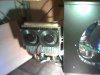
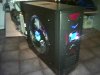
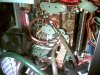
someone take the vacum cleaner out my pc!
hey guys, i aint no expert.. but i like taking my pc apart and looking at it.
i have a HP P4ht 3.2ghz pc, 2.5gRAM- i think it has a metal case too.. but when i run games and things like that the fans go mental and it sounds like a fighter plan.. its been like that ever since i got it.
I've just got SpeedFan to see what temps etc its running at - and fiddled around with the settings. Ive set the CPU fan to 50% and Case fan to 70%.. sounds much better. Now it runs at 46 degrees C but when my games start it goes to high 60's -when i run 3 games at the same time
But is this safe to do? Ive never fiddled with hardware settings.
Also, how can i add more fans to the PC, i have a Asustek motherboard and i can see only 2 plugs for fans, both taken up by the current 2 that i have. Any ideas?
Btw i bought a Akasa Ultra Quiet fan to replace my current one, it was crap.. it ran at 5% speed of what i used to have.. so im returning it.
Cheers
hey guys, i aint no expert.. but i like taking my pc apart and looking at it.
i have a HP P4ht 3.2ghz pc, 2.5gRAM- i think it has a metal case too.. but when i run games and things like that the fans go mental and it sounds like a fighter plan.. its been like that ever since i got it.
I've just got SpeedFan to see what temps etc its running at - and fiddled around with the settings. Ive set the CPU fan to 50% and Case fan to 70%.. sounds much better. Now it runs at 46 degrees C but when my games start it goes to high 60's -when i run 3 games at the same time
But is this safe to do? Ive never fiddled with hardware settings.
Also, how can i add more fans to the PC, i have a Asustek motherboard and i can see only 2 plugs for fans, both taken up by the current 2 that i have. Any ideas?
Btw i bought a Akasa Ultra Quiet fan to replace my current one, it was crap.. it ran at 5% speed of what i used to have.. so im returning it.
Cheers

sllewe
Posts: 1,343 +6
First off, you do not need to use the small fan connector to run another fan. You can buy fans that use the standard molex connector. The only downside is that you will not be able to control the speed using a program, because they will not be tied into the motherboard. You could buy a fan controller I suppose.
An example of a fan using a standard connector instead of a motherboard plug in can be found here
Now, is it safe to run your fans down?
Sure you can run your CPU at 60, thermal protection wont kick in for most likely another 20C. But is it good for the chip? No. Simply put, the cooler you run the chip, the less stress it gets, and the longer its life will be.
Will you notice the difference in life span? Maybe, maybe not
You can buy quieter fans, you can buy water cooling, but turning your fans down because they are too loud really isnt the smartest thing.
An example of a fan using a standard connector instead of a motherboard plug in can be found here
Now, is it safe to run your fans down?
Sure you can run your CPU at 60, thermal protection wont kick in for most likely another 20C. But is it good for the chip? No. Simply put, the cooler you run the chip, the less stress it gets, and the longer its life will be.
Will you notice the difference in life span? Maybe, maybe not
You can buy quieter fans, you can buy water cooling, but turning your fans down because they are too loud really isnt the smartest thing.
Similar threads
- Replies
- 7
- Views
- 175
- Replies
- 13
- Views
- 220


Latest posts
-
Android engineer leaves Google amid concerns over defense partnerships
- Alfonso Maruccia replied
-
The end of uBlock Origin in Chrome is now weeks away, not months
- kaosken replied
-
The Best Laptops of 2026: A Disruptive Mac, a Windows Comeback, and an Nvidia Wildcard
- Squid Surprise replied
-
Chris Seedor once spent 1,500 Bitcoin on a GPU. Now he insures crypto fortunes
- Skye Jacobs replied
-
Touchscreen MacBook Pro looks "100% confirmed" as macOS 27 gives Sidecar full touch support
- Theinsanegamer replied

-
TechSpot is dedicated to computer enthusiasts and power users.
Ask a question and give support.
Join the community here, it only takes a minute.