AdamHuckle
Posts: 6 +0
Hey Guys,
New to the website and man alive, i'm stuck in a really huge rut at the moment, Can anyone help? :grinthumb
I turned on my Dell Dimension 2400 this morning and a blank screen came up saying simply "NTLDR is missing. Press Clt+Alt+Del to Restart"
Well after almost seven hours of trying, and looking up help with my trusty laptop, the problem went away. Don't really know how, but it did.
Only for me to be met with another problem and this one has really got me stumped - I cant find any help for it online at all.
I turn on the computer now, and windows Xp (home edition btw) loads up and i get the little Windows Logo and the green status bar scrolls across the screen, Then the screen will flicker and the following, god awful, BLUE SCREEN message comes up....
_________________________________-
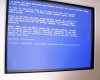
A problem has been detected and windows has been shut down to prevent damage to your computer.
If this is the first time you've seen this Stop error screen, restart your computer. If this screen appears again, follow these steps:
Check to be sure you have adequate disk space. If a driver is identified in the Stop message, disable the driver or check with the manufacturer for driver updates. Try chaging video adapters.
Check with your hardware vendor for any BIOS updates. Disable BIOS memory options such as caching or shadowing. If you need to use Safe Mode to remove or disable components, restart your computer, press F8 to select Advanced Startup Options, and then select Safe Mode.
Technical Information:
*** STOP: 0x0000007E (0xC0000005, 0xF85F9AD9, 0xF898B7A4, 0xF898B4A4)
____________________________________
I have come across this before a couple of times and a restart has made the blue screen go away, I never noted if it had any "Technical Information" before, i dont think it did. Restarting the Dell doesn't make this blue screen go away.
I know i also have addequate Disk Space, im positive of that, so it can't be that.
I really don't have a clue how to stop this / cure it - i can't loose my information on my computer, it holds a lot of data (and yes, its the age of problem of it not being backed up - i know, im a 'tard)
If anyone has any ideas about what will help me get into windows and at least let me burn my info to disk / copy it to a USB memory stick before reinstalling windows, as i really can't afford to loose info.
Any help is gonna be welcome, thanks guys, your my only hope :darth:
New to the website and man alive, i'm stuck in a really huge rut at the moment, Can anyone help? :grinthumb
I turned on my Dell Dimension 2400 this morning and a blank screen came up saying simply "NTLDR is missing. Press Clt+Alt+Del to Restart"
Well after almost seven hours of trying, and looking up help with my trusty laptop, the problem went away. Don't really know how, but it did.
Only for me to be met with another problem and this one has really got me stumped - I cant find any help for it online at all.
I turn on the computer now, and windows Xp (home edition btw) loads up and i get the little Windows Logo and the green status bar scrolls across the screen, Then the screen will flicker and the following, god awful, BLUE SCREEN message comes up....
_________________________________-
A problem has been detected and windows has been shut down to prevent damage to your computer.
If this is the first time you've seen this Stop error screen, restart your computer. If this screen appears again, follow these steps:
Check to be sure you have adequate disk space. If a driver is identified in the Stop message, disable the driver or check with the manufacturer for driver updates. Try chaging video adapters.
Check with your hardware vendor for any BIOS updates. Disable BIOS memory options such as caching or shadowing. If you need to use Safe Mode to remove or disable components, restart your computer, press F8 to select Advanced Startup Options, and then select Safe Mode.
Technical Information:
*** STOP: 0x0000007E (0xC0000005, 0xF85F9AD9, 0xF898B7A4, 0xF898B4A4)
____________________________________
I have come across this before a couple of times and a restart has made the blue screen go away, I never noted if it had any "Technical Information" before, i dont think it did. Restarting the Dell doesn't make this blue screen go away.
I know i also have addequate Disk Space, im positive of that, so it can't be that.
I really don't have a clue how to stop this / cure it - i can't loose my information on my computer, it holds a lot of data (and yes, its the age of problem of it not being backed up - i know, im a 'tard)
If anyone has any ideas about what will help me get into windows and at least let me burn my info to disk / copy it to a USB memory stick before reinstalling windows, as i really can't afford to loose info.
Any help is gonna be welcome, thanks guys, your my only hope :darth: