How do i find out how much of my psu is being used with geforce 6800?

tyleronline

Posts: 66   +0
does anybody out there know how to find out how much of a psu is being used up? i have a games crashing problem which i have been told may be to do with a suspect psu.so i need to find out how much of the psu is being used whilst im running my games.any ideas?regards
 
Howdy

You have several posts that concern basically the same thing.
You are way under powered on your psu. Others have replied the same.

From your signature:
320w psu. Your right at the minimum watts.
Generally, the 6800's need 65 watts of stable power.

You will most likely continue to have trouble with any mid to highend video
card you install, as well as any games you attempt to play.
GPU NVIDIA® GeForce™ 6800 GT
Bus Type AGP
Memory 256MB GDDR3
Core Clock 370MHz (vs. 350MHZ standard)
Memory Clock 1000MHz (effective)
RAMDAC Dual 400MHz
API Support Microsoft® DirectX® 9.0, OpenGL for Microsoft® Windows®
Connectors VGA, DVI, S-Video-Out
555 million vertices/sec setup
32.0GB/second memory bandwidth


This Graphics Card Requires:
1. A minimum 300W system power supply
2. An AGP 2.0 (or higher) compliant motherboard. Some motherboards violate the AGP specification and therefore this card may not physically fit in some systems.
3. An available hard disk drive power dongle (smaller floppy disk drive connector is not sufficient).
Try this Power Calculator
G'Luck
 
yeah sorry bout the multiple posts its just that for every person whos said it is the power supply theres somebody whos saying it wont be! so im just trying to make sure before i splash the cash.i used the power calculater and it came to 275 watts. somebody else thinks i may be overheating.under the nvidia properties the gpu temperature was up to 88.is this too hot?thanks
 
88c is way to hot! Remove the side of your case and aim a portable fan at the insides of your PC and turn it on. If you can run the games without crashing then you'll know it is a heat problem. Is the fan onboard the video card spinning? Do you have any fans in your case? What is your CPU temp?

Your PSU is right at the limits of being too small, power-wise, but if it is a good one then you can probably continue to use it. If it is a $25 unit then you are going to have problems. If you add another drive or a couple fans you may push it over the edge. The 275 watts you calculated is for everything running simultaneously and at full speed/load You're probaly ususally pulling 180-210 watts and peak every now and again at 275 watts. Overclock and this number goes up.

The 320 watts on your PSU is its peak power rating (probably) which means it can maintain that load for anywhere from a few milliseconds to 30 minutes. Its nominal power rating, what it can run continuously, comfortably, is probably around 240-280 watts.

All the numbers above are guesstimates on my part but as you can see, you are tweaking the edges with your setup. You'll be OK but should be looking at replacing the PSU before you upgrade.

The above numbers presuppose a quality unit. If it is some junk unit that came with the case then forget all the above and get a new PSU immediately. A no-name POS PSU is capable of causing all kinds of problems and may even damage your expensive gear when it decides to commit suicide explosively in your case.
 
tyleronline
I did not mean that too critize you by any means.
I apologize to you, if I caused you any ill feels.

Trouble shooting some ones system, that we can not
see or touch, is very difficult at best, working on one I can
touch is tricky at best, we try to help each other only.

TS is a world wide forum, knowing no boundry,
save the ones common place here. No political, language,
Hardware/software preferences or line drawn on a map
will ever exlude anyone.
Certain individuals tend exlude themselves.

Not all of us can afford "top of the line" equip.
let alone extra equip. to trouble shoot with.

My personal frustration is that I can not be at your side
to help you (and others) personally, leaving me only to
encourage you and them to try various solutions,
that have proven to work and may result in fixing
your problem so you can enjoy your computer confident of it's stability.

I only meant to show that you maybe missing a solution that
several of us agree on, subject to the symptoms you've posted.
I see as I'm typing that merc14 has posted the same solution.

That is hot for a 6800 and may be drectly related to the psu being over taxed.
sorry for the long post
I wish you good luck. & don't give up!
 
Hey guys thanks for all your info.It has allways seemed strange to me that the people who are the kindest and most helpfull in these situations are the people that have no obligation to help at all.So thanks,especially to merc14 and SOcRatEs. Help is always greatly appreciated.
Anyway back to the problem,The only fans that are in my case are the cpu fan a zallman silent cpu cooler and the fans on my psu.I have no additional fans.I dont know how to check the CPU temperature apart from in the BIOS but as this is at the start I thought the temperature would be normal.So if anybody could tell me how to check it during playing a game then I will check that and report back to you. I shall check that the cards fan is running smoothly aswell and try using a personnal fan to try and cool the card and see if that works.Thanks again.Regards
 
O.K. Guys I checked the temperature of my CPU using everest.The temperature was about 85 during gameplay.The RPM of the CPU fan was about 1400.I hope this isnt too hot aswell because i had what i believed to be a good fan! I shall try to cool it down and see if this stops it crashing. Is it possible that a dodgy PSU is causing the overheating?Thanks
 
Tyler-
If it is 85c then that is way to high too. 60c is where you start to get worried, 70c is where things start shutting down. ARe you reading the temps in centigrade or fahrenheit?
 
yes

yes 88c on video temp & 85c cpu temp is
too high. Your cpu fan seems to be slow too.
If this is a result of bad psu, that where to start fixing things

Everest show both f & c temps next to each other.
My temps
Temperatures
Motherboard 35 °C (95 °F)
CPU 38 °C (100 °F)
GPU 58 °C (136 °F)
GPU Ambient 43 °C (109 °F)
Seagate ST3120026A 36 °C (97 °F)
WDC WD800JD-75JNA0 43 °C (109 °F)

Cooling Fans
CPU 2411 RPM
Chassis 3835 RPM
 
Yes Iam afraid the temps listed were in centigrade not farenheit. If i were to get a new PSU do you think this would solve the overheating problem. would it help to take the graphics card out and see if the cpu temps drop? This may tell me whether the lack of power is causing the overheating? thanks
 
For a possible PSU what do you guys think of the thermaltake purepower butterfly? would this be suitable for my needs?
 
Tyler-
Your problem is not the PSU. Your system is running at way over the limit temperatures, if the sensors are correct. You need to get those temps down. Have you tried running the PC with the case side off and a fan lowing on to the innards? You really need to do that and then let us know if the temps have decreased to normal levels.
 
Hey guys.I tried the fan idea and the during gameplay the GPU temperature was about 45, so a very big improvement.I was also able to play for well over 2 hours and it didnt crash. The CPU temperature was still about low sixties but the fan was aimed more at the GPU. Does this mean the PSU is being overtaxed and causing the overheating or is it just overheating for another reason.What should i do next?Thanks
 
No, this problem is not PSU related, IMO, at all. Your case is not ventilated enough and/or your PC is in a very warm space. This doesn't mean you can't use a better PSU but the other issues need to be addressed. The drastic drop in GPU and CPU temps show that you need to redo all the cooling.
1. Get a good aftermarket Heat Sink Fan (HSF) unit for the CPU. Personally I like the Zalman7700CU and 7000 AlCU units ( I use both) becasue they are quiet and cool well but you may need something that cools better like a Thermalltake XP-120. Attach it with a good thermal paste like Arctic Silver 5. Go to the AS website for directions on how to correctly apply thermalpaste.($35-$55)
2. I would get a Arctic Cooling NV5 rev2 GPU HSF for the video card. This is a great unit that not only cools better than the stock GPU HSF, it does it quieter and it dumps the hot GPU air out the back of the case, rather than inside the case, thereby cooling everything else off. ($30)
3. Add a couple of fans. At least one intake at the front and one exhaust at the rear. Also a exhaust at the top (blowhole) to dump all that rising hot air out. ($5-$8 each)
4. Still gonna need that upgraded PSU but take care of the heat first. I wouldn't wait on this Tyler as the temps you are hitting are definitely doing damage to your PC parts.
 
I still dont understand why the CPU and the GPU is overheating.I think i shall take the card out and see if the CPU stil overheats. Does anyone know what could be causing the overheating? Could it be low power? Or something else? I thought i had a good quality CPU cooler. So i dont understand why the CPU is overheating! I don thtink the system was this hot before i installed the graphics card.Is it possible that because of the new card needing more power everything is being underpowered andd this is causing the overheating? Thanks
 
Nah, the only heating condition the PSU would cause is that it is probably working at near 100% all the time now which heats it up. The PSU, though, has its own fan and sits at the top of the case (in most cases) and it exhausts its hot air out the back so it adds only a little to the case heat. Since it is working hard and producing more heat, though, it may not be exhausting as much heat as before.

The 6800GT you added produces as much, or more, heat than your Pentium P4 so you effectively doubled the heat produced within your case when you installed it. Now you have both the CPU and GPU exhausting their work produced heat into the case, which is where they draw "cold" air in to cool off. So they heat up the ambient air then draw it back in to cool off, heat it up and then exhaust it again etc. etc. in a vicious cycle. That, coupled with the less efficient exhausting of heat from the PSU, has created an overload in your case.

You were balanced before but adding the hot GPU tipped that balance and created a runaway overheating condition. What you need to do is add some case fans to push all that hot, stagnant air out of the case while drawing relatively cool air in. Suck in cool air, transfer the system heat to it and dump it out the back. The faster the better. The next step is watercooling which transfers the system heat to water and then up to a radiatoir which transfers it to the outside air. Either way, all you are doing is transferring the system produced heat from the components to something else and moving that something else to somewhere else that is far away from the components. LOL This is how you cool a PC case.

The Arctic Cooling NV5 GPU coolers are great because they not only cool the video card efficiently but dump the GPU air out the back, thus not adding to overall case heating and actually exhausting a little of the excess hot air in the case. This allows the CPU and GPU to draw in cooler air to cool themselves off which reduces the overall case heat even more and allows them to run more efficiently and you have a happy system again.

You need to break the cycle so get out the wallet and go to work :knock:

PS: Get yourself a new case, with good circulation, and you'll probably be fine. Then you wont have to add all the CPU and GPU coolers.
 
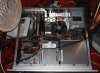
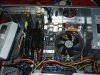
O.k thanks for the info merc14.Im afraid a new case isnt an option for me as the case is a rack mountable P.C case (see pictures). I will have to invest in some new fans for my GPU and CPU instead. Would you reccomend getting the thermaltake butterfly aswell as this has a blower with it? thanks for all your help guys I will let you know how it goes! regards
 

Attachments

  • Picture 003.JPG
    Picture 003.JPG
    68.2 KB · Views: 5
  • Picture 004.JPG
    Picture 004.JPG
    50.5 KB · Views: 5
hey guys have just bought the arctic cooler for my gpu and the thermaltake butterfly aswell as a case fan.will let you know how it goes!regards
 
I found this on somewhere else after searching all day. i going to try it when i get hom hopefully it will work.

i have a 6600. same problems.

I did have a problem with random freezing mainly noticed in FarCry (very card stressful) and when attempting to bench in '03

Yes I know there have been several threads but no one has posted a concrete solution. This worked for me and ALOT of other people in the OCUK forum.

First of all I thought heat, then I thought power related. However after lots of testing and forum posts it turns out it was Fast Writes being enabled causing it. I cant take credit but it definitly fixed the problem.

Interestingly disabling it in bios did not disable it in windows and I had to disable it using RivaTuner.Download Here

Also instersetingly for people not experiancing this, disabling Fast Writes appears to allow higher overclocks for people using all types of 6800s.

This appears to be a problem specifically on the nforce3 150/250/Pro/non-pro chipset ironically (as far as we know).

The problem has been posted by people in various places but its never been categorically fixed to my knowledge anyway (I did lots of googling believe me!). So I felt it best to post as a FYI for people.


Tell me if its a success

Hope this helps.
 
Tyler-
Looking at your case it seems you already have a real nice Zalman HSF installed on the CPU. It just needs some air blowing over it to help it work efficiently, as will any HSF except water cooled. You may not need the Butterfly. The NV5 should be helpful if it fits. It takes up two PCI slots.

You have a small hole in the back, mount an exhasut fan to that abd put ine in the front blowing into the case and things should balance out.
 
Turn fast write off everyone is pointing to over heating etc. what ever else.

Far from the problem i'll turn of fast write in fews hrs i last long than 10mins on Counter strike source problem will be fixed .
 
o.k joemailey im intrigued now.if i disable fastwrite will it have any adverse effects on my p.c?what exactly is fastwrite? in response to merc14's post i have bought a fan for the hole at the back to try and remove some hot air i shall see about adding one at the front aswell. As you can see my case isnt the easiest thing to upgrade!regards
 
Back