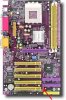
I have a soltek SL 75FRV (SL-KT400-C).
I had been having some problems with rebooting which are currently worked out, but today I pulled the pc apart to give the cpu a clean and apply some thermal paste to combat some heat issues and noticed a burnt out section on the board.
I was wondering if anyone might have a link to a detailed schematic that details every part of the board and what it does, or possibly look at the picture I've posted to try and get an idea of what it might be.
I got the best picture off the net I could and the diagrams at soltek itself are not detailed for what I need.
I also have no camera to take a photo of my board.
currently my pc is working fine with recent format and updated drivers but I haven't pushed its capabilities yet to what I was doing with it when I started having problems pre-format. is this burnt out area something to be concerned about?
thank you
edit: this is also my second soltek board...the first fried about two years ago and nothing worked at all, so was replaced at store....could it be the same thing causing both burns?
I had been having some problems with rebooting which are currently worked out, but today I pulled the pc apart to give the cpu a clean and apply some thermal paste to combat some heat issues and noticed a burnt out section on the board.
I was wondering if anyone might have a link to a detailed schematic that details every part of the board and what it does, or possibly look at the picture I've posted to try and get an idea of what it might be.
I got the best picture off the net I could and the diagrams at soltek itself are not detailed for what I need.
I also have no camera to take a photo of my board.
currently my pc is working fine with recent format and updated drivers but I haven't pushed its capabilities yet to what I was doing with it when I started having problems pre-format. is this burnt out area something to be concerned about?
thank you
edit: this is also my second soltek board...the first fried about two years ago and nothing worked at all, so was replaced at store....could it be the same thing causing both burns?