I went out and bought the mobo before the case because I am buying the case online and I bought the mobo in a store. The mobo did not come with screws so I was wondering if they usually come with the case. Also, I read online that if the back of the mobo touches the case it will short out. How do you keep to mobo from touching the case so it does not short out? I heard about riser pins. I don't know what they are or where to get them. Would rubber washers around the screws work?
You are using an out of date browser. It may not display this or other websites correctly.
You should upgrade or use an alternative browser.
You should upgrade or use an alternative browser.
Computer Building Questions
- Thread starter agronick
- Start date
LipsOfVenom
Posts: 160 +0
all cases that i have bought online so far have come with rise pins. They have also come with a quite a few screws. So you shouldn't have to worry so much. Also when manufacturers make motherboards they create a non electrical zone around the screw holes so the metal won't harm the board. But in any case, the computer cases should come with little red plastic washers that you can use .

KingCody
Posts: 964 +8
some cases come with standoffs, some don't. also some motherboards come with them too. If neither your case or motherbord come with them, they only cost less than $5 at a computer store or radio shack, etc.
the screws are supposed to touch the case, that is why the mounting holes on the motherboard have a metal ring around them, the mounting screws not only attach the mobo to the case, but they also keep it grounded so that static electricity doesn't build up and damage any components. The back of the mobo cannot touch the case, but the screws should, so don't use washers or anything to insulate it.
-in some boards, a mounting hole may be too close and will actually short the board out, in these cases, either don't use that hole, or use a plastic standoff (no screws, the plastic tab locks the board on)
the screws are supposed to touch the case, that is why the mounting holes on the motherboard have a metal ring around them, the mounting screws not only attach the mobo to the case, but they also keep it grounded so that static electricity doesn't build up and damage any components. The back of the mobo cannot touch the case, but the screws should, so don't use washers or anything to insulate it.
-in some boards, a mounting hole may be too close and will actually short the board out, in these cases, either don't use that hole, or use a plastic standoff (no screws, the plastic tab locks the board on)
Hi
If the screw hole on the mobo has a metal ring, it should go to a metal standoff in the case, unless the mobo manual says not to install it this way. Mobo screw holes that don't have metal surounding the screw hole should use plastic standoffs to attache the mobo to the case.
If the screw hole on the mobo has a metal ring, it should go to a metal standoff in the case, unless the mobo manual says not to install it this way. Mobo screw holes that don't have metal surounding the screw hole should use plastic standoffs to attache the mobo to the case.
LipsOfVenom
Posts: 160 +0
Athlon 64 is a single core 64 bit processor that is available from 1.8 Ghz - 2.4 Ghz and they are called Athlon 64 3000+ through Athlon 64 4000+ respectively. Those are socket 939's. The FX versions are also 939 but are available 2.4 - 2.8 Ghz and these are the real gaming CPU's. Both FX and 64 run with 2000 Mhz buses. The FX's are what Alienware and Falcon Northwest use in their extreme gaming machines. Athlon 64 also has a line called X2 which is a dual core line up.

CrossFire851
Posts: 714 +0

DonNagual
Posts: 2,385 +5
The Athlon64 X2 cpus are dual core, but the regular Athlon64 cpus are not dual core.
http://www.amd.com/us-en/Processors/ProductInformation/0,,30_118,00.html
http://www.amd.com/us-en/Processors/ProductInformation/0,,30_118,00.html
Yea, I know. They also cost more then $1000 and I have a $700-$800 budget for the whole computer. I think I'm going to get this processor.
http://www.newegg.com/Product/Product.asp?Item=N82E16819103539
Its not the best, but the mobo I got makes it real easy to overclock. I'm hoping to get it above 2.6Ghz.
http://www.newegg.com/Product/Product.asp?Item=N82E16819103539
Its not the best, but the mobo I got makes it real easy to overclock. I'm hoping to get it above 2.6Ghz.
CrossFire851
Posts: 714 +0
Oh i had miss read what you had said sorry, and amd athlon x2 CPUs cost a few hundered $$$
I have a few of them my self, work like a charm
I have a few of them my self, work like a charm
computer help
Posts: 63 +0
i concur
LipsOfVenom said:Athlon 64 is a single core 64 bit processor that is available from 1.8 Ghz - 2.4 Ghz and they are called Athlon 64 3000+ through Athlon 64 4000+ respectively. Those are socket 939's. The FX versions are also 939 but are available 2.4 - 2.8 Ghz and these are the real gaming CPU's. Both FX and 64 run with 2000 Mhz buses. The FX's are what Alienware and Falcon Northwest use in their extreme gaming machines. Athlon 64 also has a line called X2 which is a dual core line up.[/QUOT
yep indeed i concur
I got my case and put in my motherboard and now I got some more questions.
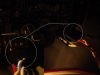
I plugged the leds, power button, and reset button into my motherboard. My motherboard manual showed what pins they went to but neither my case nor my motherboard specified how they should be put in. Which way does the text on the wires usually face? I got the vertical ones going to the left and the horizontal ones going down. Can you tell from this picture if I have it in right?
I plugged the leds, power button, and reset button into my motherboard. My motherboard manual showed what pins they went to but neither my case nor my motherboard specified how they should be put in. Which way does the text on the wires usually face? I got the vertical ones going to the left and the horizontal ones going down. Can you tell from this picture if I have it in right?
Attachments
DonNagual
Posts: 2,385 +5
It varies from maker to maker. Does your case manual tell you which side the negative should go on? That is the way I usually tell, then the white wire is typically the negative. But it varies...
Good news is, if you make a mistake it simply won't work. Switch 'em and try again.
Good news is, if you make a mistake it simply won't work. Switch 'em and try again.
computer help
Posts: 63 +0
here here
i agree depends on the mobo manafacturer however try with the writting facing you first im sure that will work and another way to tell is
look at the system speaker plug does it have + and - if so
put on look at mobo does it have + and - if so
match + to + and - to -
wich ever way thAT WRITTING IS FACING FOLLOW THAT THERE AFTER
EXCEPT BACKWARDS ON THE RESEST SWITCH OK
i agree depends on the mobo manafacturer however try with the writting facing you first im sure that will work and another way to tell is
look at the system speaker plug does it have + and - if so
put on look at mobo does it have + and - if so
match + to + and - to -
wich ever way thAT WRITTING IS FACING FOLLOW THAT THERE AFTER
EXCEPT BACKWARDS ON THE RESEST SWITCH OK
computer help
Posts: 63 +0
Yes It Matters
yes it matters because it sends a small votage to activate the power swith inside the power supply also double check you have plugged in the yellow and black cable to your p4 socket or you might blow ya mobo
blue is neg and white is pos :knock:
yes it matters because it sends a small votage to activate the power swith inside the power supply also double check you have plugged in the yellow and black cable to your p4 socket or you might blow ya mobo
blue is neg and white is pos :knock:
computer help
Posts: 63 +0
im confused
:slurp: no offense but i told you wich is wich allready whats the troubles dude?
please re read what i wrote !! it specifies wich coulour to put on wich
:slurp: no offense but i told you wich is wich allready whats the troubles dude?
please re read what i wrote !! it specifies wich coulour to put on wich
Similar threads

- Replies
- 21
- Views
- 495


-
TechSpot is dedicated to computer enthusiasts and power users.
Ask a question and give support.
Join the community here, it only takes a minute.