also @ TechSpot: Desktop Core i3 Ivy Bridge CPUs leaked ahead of launch
Welcome to the TechSpot OpenBoards. Please read the FAQ if you have any questions. Sign up or Login to participate.

Go Back   TechSpot OpenBoards > TechSpot Editorial and Site Feedback > Site Feedback and Suggestions

Download Now:

Connect to ads1.ad-flow.com - help!

Reply
Thread Tools Search this Thread
  #1  
Old 02-19-2003
negroplasty's Avatar
TechSpot Booster
 
Location: Phoenix, AZ
Member since: Feb 2003, 497 posts
System specs
Connect to ads1.ad-flow.com - help!

I feel like a bit of an ***** asking such a simple question, but when I browse the TechSpot site, I always get a window coming up with the title "Connect to ads1.ad-flow.com" asking me for a user name and password; I have broused the TechSpot site from my other computer and it doesn't come up. I am running Win XP Pro on SP1 for the OS itself and SP1 for internet explorer 6, my other computer also runs on the same OS and service pack as my primary PC. Does anyone else experience these problems and/or know what I could do to correct this error?
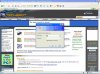
Attached Images
File Type: jpg connect to....jpg (59.8 KB, 21 views)
  #2  
Old 02-19-2003
Phantasm66's Avatar
TechSpot Evangelist
 
Location: Glasgow, Scotland
Member since: Feb 2002, 6,504 posts
Ah..... Hmm... that's interesting....

What happens if you delete all temporary internet files??
  #3  
Old 02-19-2003
Rick's Avatar
TechSpot Special Forces
 
Location: Los Angeles, CA
Member since: Feb 2002, 5,600 posts
It happens to me as well. I blocked the ad-flow site however, on my pop-up blocker and everything is normal again.
  #4  
Old 02-19-2003
SNGX1275's Avatar
TechSpot Forces Special
 
Location: Rolla, Missouri, USA
Member since: Feb 2002, 10,815 posts
System specs
Our friend PHATMAN5050 had this problem too, either it fixed itself or he gave up:
http://www.techspot.com/vb/showthrea...ighlight=login
  #5  
Old 02-19-2003
olefarte's Avatar
TechSpot Ambassador
 
Location: Arkansas, USA
Member since: Dec 2002, 1,425 posts
System specs
I got it also. And blocked it.
  #6  
Old 02-20-2003
negroplasty's Avatar
TechSpot Booster
 
Location: Phoenix, AZ
Member since: Feb 2003, 497 posts
System specs
I have erased my temp files and there appears to be no change. What pop-up blocker do you use Rick? I am going to see if I can get my Norton Personal Firewall to block it. Thanks for all the ideas.
  #7  
Old 02-20-2003
negroplasty's Avatar
TechSpot Booster
 
Location: Phoenix, AZ
Member since: Feb 2003, 497 posts
System specs
Oh, wait, YES. I have done it! All I had to do was to turn on Ad Blocking on NPF and it seems to have done the trick. Thanks again all! It was really starting to drive me crazy.
  #8  
Old 04-26-2003
Newcomer, in training
 
Member since: Apr 2003, 1 posts
hosts file

i removed the entry containing ads.ad-flow.com from my hosts file (on XP: c:\windows\system32\drivers\etc\hosts). this does the trick.

i think i created this problem for myself by installing eDexter, an ad-hiding program.

hop
  #9  
Old 04-27-2003
Tarkus's Avatar
TechSpot Ambassador
 
Location: Martinez, CA
Member since: Mar 2002, 835 posts
System specs
That just reinforces why I stick with Mozilla and Zone Alarm Pro. I only use IE6 when a website absolutely requires it. I don't mind banners so much but the popups are annoying and Mozilla takes care of them. ZAP can block cookies and ads although I don't set it to high so some get through. I clean my cookies about once a week to throw off the ad and most site cookie trackers.
Reply

Similar Topics
Topic Replies Forum
Diagnostic Flow Charts 1 Other Hardware
Flow Control? 0 Gaming
Fan air flow direction 1 Overclocking, Cooling and Modding
Ads1.revenue- pop-up 3 Windows OS
air flow 1 Other Hardware

Thread Tools Search this Thread
Search this Thread:

Advanced Search
All times are GMT -4. The time now is 05:15 AM.