Welcome to the TechSpot OpenBoards. Please read the FAQ if you have any questions. Sign up or Login to participate.
|
|||||||
Download Now:
Help - High CPU Temperature.
|
|
Thread Tools | Search this Thread |
|
#1
|
|||
|
|||
|
Help - High CPU Temperature.
Ok, I just bought a new CPU Fan, the Zalman Fatal1ty CPU cooler.'
I installed it correctly (checked this many times). But the temperature is 40c(!!) degrees IDLE! and when load, it is at 55c degrees! I didnt apply Thermal paste though :P, how many degrees can it be reduced if i apply Artic Silver 5? |
|
#2
|
||||
|
||||
|
Hello again,
You must apply thermal paste, I'm suprised your temps are that low without it. If you do use Artic Silver you can expect your temps to drop 10C maybe more. So everything is going ok with your new build I take it? Cheers. |
|
#3
|
|||
|
|||
|
Thanks
Hehe, its working now. I applied some of the "Thermal Grease" that came with my Zalman CPU cooler.
I am now at 34c idle, and 44c load (at 1100RPM!). It could be better, but these temps are OK imo. Thanks! Last edited by Frostyr0d; 05-19-2006 at 06:07 PM.. |
|
#4
|
|||
|
|||
|
my temps are a little on the high side witha Zalman and Artic Silver
Last edited by IBN; 05-20-2006 at 10:28 AM.. |
|
#5
|
|||
|
|||
|
I know i could reduce my temps, it is because my case ambient is 40 degrees.. :S
I got it down to 33 and im then at 30c idle. More case fans ftw. |
|
|
|
#6
|
||||
|
||||
|
IBN, those temps idle? try giving your pc a good dusting... and add more fans if neccesary...
|
|
#7
|
|||
|
|||
|
To be honest i am stumped. All my fans are clean. I have 4 case fans and Antec exahaust blower and a Zalman on the CPU!!!
I have just re-applied artic silver to my cpu and the temps are the same. |
|
#8
|
|||
|
|||
|
Ok, some questions (no offense
):Have you installed the CPU fan correctly with the heatsink (on the center of the cpu) How much is your case ambient temp? |
|
#9
|
|||
|
|||
|
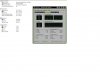
Ya i placed the heatsink correctly. I dont know how do get the ambient temperatures, but below i have attached another jpeg but at 100% load.
|
|
#10
|
|||
|
|||
|
57 degrees??!?!?!
Are you using intel or an AMD? i would suggest not to keep the system running until you find out the problem, not good for your CPU ![]() have you tried to open up your case and pointing a house fan at it? maybe it is this with the case ambient temperature... you could also download the program called "SensorsView 2.1" you will find it under download sections it will also show the ambient temp. |
|
#11
|
||||
|
||||
|
yeh.. 57`C is probably a lot.. whats it like in the computer room? dry/hot/warm/cold, in the basement, through a hole in the wall, under lots of junk, in a corner, things sitting on the pc etc...?
|
|
#12
|
||||
|
||||
|
That's a lot?
What exactly do you fellows consider as "normal" for aircooling? |
|
#13
|
|||
|
|||
|
My aircooling is sitting at 22C (P4 Northwood).
Goes up to 45s at load. Either way, the lower the better in any case. If you can afford LN2 cooling, go for it!
|
|
#14
|
|||
|
|||
|
For an A64, the temps idle shoudl be at high twentys or low thirtys. and +~10 degrees when load.
|
|
#15
|
||||
|
||||
|
P4 3.2 prescott on my rig is running rite now at 30-32`C (2 browser open, had protools running a few seconds ago..) with stock hsf... so i'd say +-40-45 would be my absolute max with full load...
|
|
#16
|
|||
|
|||
|
Got my temps down a bit now, but i need more case fans since my ambient temp inside my case is pretty high.
Anyways i managed to get down to those temps idle now: http://img389.imageshack.us/img389/9757/mytemps5dw.jpg ![]() Much better than 40 degrees. My mobo is a bit high though. |
|
#17
|
||||
|
||||
|
ah yes.. those temps are a lot better now..
|
|
#18
|
|||
|
|||
|
Get a bigger exhaust fan
|
|
#19
|
|||
|
|||
|
Quote:
|
|
#20
|
||||
|
||||
|
Quote:
Although take heed these temps reported could be inaccurate, so just use them for comparison on fluctuations of temps and a general idea of what they are at. BIOS reads (when you boot up and go to BIOS's hardware monitor) and actual temperature probing with a device is the most accurate. |
![]() |
| Similar Topics | ||||
| Topic | Replies | Forum | ||
PC switches off automatically, High temperature
|
16 | Processors and Motherboards | ||
Extremley high CPU idling temperature.
|
12 | Overclocking, Cooling and Modding | ||
CPU High Temperature
|
2 | Overclocking, Cooling and Modding | ||
Processor Temperature goes abnormaly high
|
3 | Processors and Motherboards | ||
HDD temperature
|
8 | Storage and Networking | ||
| Thread Tools | Search this Thread |
|
|
All times are GMT -4. The time now is 10:16 AM.


):

PC switches off automatically, High temperature