also @ TechSpot: Desktop Core i3 Ivy Bridge CPUs leaked ahead of launch
Welcome to the TechSpot OpenBoards. Please read the FAQ if you have any questions. Sign up or Login to participate.

Go Back   TechSpot OpenBoards > Tech Support > Windows BSOD, Freezing, Restarting Help

Download Now:

3 different BSOD STOP errors in 3 hours

Thread Tools Search this Thread
  #1  
Old 07-17-2006
Newcomer, in training
 
Member since: Jul 2006, 25 posts
3 different BSOD STOP errors in 3 hours (nearly there?)

Hi all, im new here

I was having problems back last month with IRQL_NOT_LESS_OR_EQUAL so i reformatted the hard drive.

I have been having IRQL_NOT_LESS_OR_EQUAL errors on and off over the last couple of weeks and this afternoon i got IRQL_NOT_LESS_OR_EQUAL and PAGE_FAULT_IN_NONPAGED_AREA and another error which i cant remember but it didnd display the error name on the BSOD but googling the number cam up with somthing with KERNEL in it.

They seem to happen at random intervals and also when alot is going on (e.g. RootkitChecker cant complete a scan before something goes pear-shaped.

Been keeping an eye on CPU temps but the seem OK at ~32C idle and up to ~46C when under load.

If you need any more info please ask and i will do my best.

Many Thanks,
Rob
Attached Files
File Type: zip myminidumps.zip (59.1 KB, 3 views)

Last edited by saiorse44; 07-22-2006 at 09:57 AM..
  #2  
Old 07-17-2006
fastco's Avatar
TechSpot Guru
 
Location: Ohio
Member since: Jun 2006, 1,511 posts
System specs
Hi just read these instructions then zip up a few minidumps and attach them to this thread then we can analyze them to see what's up..

http://www.techspot.com/vb/topic51365.html

Disregard, just saw the minidumps you added!!!
  #3  
Old 07-17-2006
fastco's Avatar
TechSpot Guru
 
Location: Ohio
Member since: Jun 2006, 1,511 posts
System specs
Minidumps point to memory corruption. Download one of the memory testers from the download page and run some memroy tests.

Another cause of the crash is the file ntoskrnl.exe. Try to use the system file checker at run, type sfc.exe /scannow.

Also check the system for viruses as they can also corrupt that windows file.

If that doesn't fix the problem and the memory is ruled out then perform a repair of the current Windows installation with the XP cd.

Last edited by howard_hopkinso; 07-17-2006 at 05:12 PM.. Reason: Merged your last two posts.
  #4  
Old 07-17-2006
Newcomer, in training
 
Member since: Jul 2006, 25 posts
Hi,

Thanks for your helpful replies.

I ran Memtest and it gave my RAM a clean bill of health.

I ran the SFC and it completed its operation without informing me of anything (is that correct?).

Went on Windows Update. Nothing to download.

Restarted system. Oddly enough display reverted back to 800x600 or less.

Installed newer GeForce drivers than i was running.

Lets hope this worked and i will keep an eye on it for a couple of days.

Thank you so much.
Rob
  #5  
Old 07-18-2006
Newcomer, in training
 
Member since: Jul 2006, 25 posts

is doing it again guys!

Last night i got an 0x0000008E but it didnt create a minidump, and just now i got an IRQL_NOT_LESS_OR_EQUAL.

Here is the mindump from just now attached.

Any ideas?
Attached Files
File Type: zip new_minidump.zip (22.3 KB, 0 views)
  #6  
Old 07-18-2006
iss's Avatar
iss iss is offline
TechSpot Chancellor
 
Member since: Nov 2002, 2,896 posts
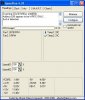
Your problem is undoubtably hardware related. Memtest is not a surefire test so it could still be the memory. It could also be your PSU. Download SpeedFan and check the voltages on your rails. errattic or out of spec voltages can cause all kinds of problems.
  #7  
Old 07-19-2006
Newcomer, in training
 
Member since: Jul 2006, 25 posts
Hi,

Thanks for that program, attached are my results. PSU readings seem ok?

Thanks,
Rob
Attached Images
File Type: jpg sf.jpg (43.9 KB, 12 views)
  #8  
Old 07-19-2006
iss's Avatar
iss iss is offline
TechSpot Chancellor
 
Member since: Nov 2002, 2,896 posts
The voltages seem to be fine. have you tried running your hard drive makers diagnostic software on the hard drive? if you dont have it you can download it from the hard drive makers website. should be in the support\downloads section.
  #9  
Old 07-19-2006
Newcomer, in training
 
Member since: Jul 2006, 25 posts
Thanks!

Quote:
Originally Posted by fastco
If that doesn't fix the problem and the memory is ruled out then perform a repair of the current Windows installation with the XP cd.
I was wondering if i did a system repair, i have an XP SP1 CD but SP2 (downloaded from Windows Update) installed. What would happen if older files are copied from the CD?

Many Thanks,
Rob
  #10  
Old 07-19-2006
Newcomer, in training
 
Member since: Jul 2006, 25 posts
Its happened again

Just plain rebooted once, then later i got:

0x0000008E

and something about GFBHOOK.sys (maybe?) on the blue screen.

No minidumps made.

Its all fallin apart by the looks of it :eek:

Any ideas?
  #11  
Old 07-20-2006
nickc's Avatar
TechSpot Paladin
 
Location: Friona, Tex, USA
Member since: Jun 2004, 1,594 posts
System specs
Quote:
Originally Posted by saiorse44
Thanks!


I was wondering if i did a system repair, i have an XP SP1 CD but SP2 (downloaded from Windows Update) installed. What would happen if older files are copied from the CD?

Many Thanks,
Rob
just do the repair and then go to WINDOWSUPDATE and get the updades u need...
  #12  
Old 07-22-2006
Newcomer, in training
 
Member since: Jul 2006, 25 posts
Hi all,
Its been a few days since i last posted whats been hapenning.

After another crash two days ago, scandisk (or the XP equivelant of) randomly decided to look at my hard drive during the bootup. If found two things of concern and i am let to believe that it fixed them.

Since then alot of the BSODs have stopped appearing, except for one:
IRQL_NOT_LESS_OR_EQUAL

0x0000000A (0x00000000,0x00000002,0x00000000,0x804E4E08)

This happens at random intervals and its ALWAYS at 0x804E4E08.

Is this an address in memory? Because Memtest says my RAM is fine.

Back along i changed my RAM from 256MB DDR PC2700 333MHz to 1024MB DDR PC3200 400MHz. My motherboard manual says that it supports, and i quote, "DDR200/266/333 MHz and up". I saw this "and up" bit and assumed that putting DDR400 in it would be fine. Could this not be the case?

Cheers,
Rob
  #13  
Old 07-22-2006
Newcomer, in training
 
Member since: Jul 2006, 25 posts
Hi,
I checked my IRQs and nothing is sharing with anything else.

It just crashed again, new one this time, 0x0000007E SYSTEM_THREAD_EXCEPTION_NOT_HANDLED

Applied a related (?) patch from microsoft, something to do with timings.

When it got back up from reboot. it informed me that it had recovered from a 0x0000000A (why?) and then it told me about it had recovered from a 0x0000007E. Wierd.

Considering taking my soundcard out and just using the one onboard.

:? :cry:

Cheers,
Rob
  #14  
Old 07-22-2006
Tedster's Avatar
Techspot old timer.....
 
Location: Petersburg, VA
Member since: Feb 2005, 10,005 posts
System specs
all 3 minidumps point to corrupted hardware - in particular memory. Ensure your memory is compatible with your motherboard. Not all brands, speeds, or types are. RTFM
  #15  
Old 07-23-2006
Newcomer, in training
 
Member since: Jul 2006, 25 posts
Hi,

I did read the manual, it was the "DDR200/266/333 MHz and up" bit that lead me to question my DDR400 RAM.

No crashes (yet) since MS patch.

Cheers,
Rob
  #16  
Old 07-23-2006
iss's Avatar
iss iss is offline
TechSpot Chancellor
 
Member since: Nov 2002, 2,896 posts
From what I read on the MSI webite Your board does not support DDR 400. it only supports DDR266 and DDR333.
Closed Thread

Similar Topics
Topic Replies Forum
Stop BSOD errors 11 Device Drivers
BSOD Stop errors 2 Windows BSOD, Freezing, Restarting Help
Two stop errors within 1.5 hours 5 Windows OS
BSOD and various stop errors! 7 Windows BSOD, Freezing, Restarting Help
BSOD stop errors 1 Windows BSOD, Freezing, Restarting Help

Thread Tools Search this Thread
Search this Thread:

Advanced Search
All times are GMT -4. The time now is 07:24 AM.