Welcome to the TechSpot OpenBoards. Please read the FAQ if you have any questions. Login to participate.
|
|||||||
Westell Router/Modem with D-Link Router
![]() |
|
|
|
Thread Tools |
|
#1
|
|||
|
|||
|
Westell Router/Modem with D-Link Router
My service provider just gave me the new Westell E90 router modem but with out informing me that its a router.
I already have a D-link DI-624 wirless set up and I am getting the internet connection fine, but I'm unable to access my computer remotely using PCAnywhere (or other apps) like I was before using port forwarding. I don't understand Lan/Wan too much or DHCP or Bridge or PPoe so if someone can give me a hint I would appreciate it. Strangely, I had a dynamic ip address before , but its not changing everyday now. ?? I got to the Westell config area but still haven't been able to set it up right. I'll try to give some info here to help u help me. D-Link gateway - 192.168.0.1 D-Link Submask - 255.255.255.0 DHCP Server - enabled Westell VC1 Config - Protocol: Bridged VC1 - Bridge Settings - mode: Routed Bridged DHCP - enabled Subnet Mask - 255.255.240.0 Gateway - 72.49.16.1 Westell discovered local devices: di-624 - 192.168.200.253 Westell Private Lan DCHP start address 192.168.200.10 Westell Private Lan DCHP end address 192.168.200.253 Westell Public Lan DCHP Server Enable - not checked Westell Public Lan Ebable - not checked |
|
#2
|
||||||
|
||||||
|
Quote:
Quote:
Most routers that you and I have do two very important things - They route traffic from your home network to/from the Internet (Gateway) and they assign local IP addresses to each computer (DHCP server). They also provide extra security through firewalls and NAT (Protocol that routes traffic). You should only have one router for a home setup and you should only have one DHCP server. I'd recommend only one hardware (router) firewall also. If both of your devices are acting as a router, you need to disable the routing abilities of one device (probably the modem), disable the DHCP server abilities of one device and disable the firewall of one device. Quote:
Quote:
Quote:
Quote:
I'd like you do something for me on your computer. Go to Start > Run > cmd.exe Type ipconfig /all and copy + paste the results here. To copy the resuts, right click anywhere in the black box. Click "select all" from the menu and right click anywhere on the selected text. Paste it here. I'm interesting in seeing what gateway and IP address your computer is using. |
|
|
|
#3
|
|||
|
|||
|
Ok, very inofrmative
Microsoft(R) Windows DOS
(C)Copyright Microsoft Corp 1990-2001. C:\DOCUME~1\ALANCO~1>cd\ C:\>ipconfig /all Windows IP Configuration Host Name . . . . . . . . . . . . : ALAN1 Primary Dns Suffix . . . . . . . : Node Type . . . . . . . . . . . . : Unknown IP Routing Enabled. . . . . . . . : No WINS Proxy Enabled. . . . . . . . : No Ethernet adapter Local Area Connection: Connection-specific DNS Suffix . : Description . . . . . . . . . . . : SiS 900 PCI Fast Ethernet Adapter Physical Address. . . . . . . . . : 00-16-EC-45-9B-6C Dhcp Enabled. . . . . . . . . . . : No IP Address. . . . . . . . . . . . : 192.168.0.2 Subnet Mask . . . . . . . . . . . : 255.255.255.0 Default Gateway . . . . . . . . . : 192.168.0.1 DNS Servers . . . . . . . . . . . : 216.68.4.10 216.68.5.10 C:\> My Wan IP is a 72.49.xxx.xxx number so .... ? It seems like I need to some how make the westell just a bridge(?) so that it doesn't assign ip address and allows the D-link to be the router?? thanks |
|
#4
|
|||
|
|||
|
I am able to get to my D-Link config typing http://192.168.0.1
|
|
#5
|
|||
|
|||
|
Quote:
So it looks like the westell is in fact being a DHCP? Maybe I need to check the config better. confusing. |
|
#6
|
|||
|
|||
|
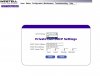
Screenshot of Westell DHCP settings page
See this attachment pic
|
|
#7
|
||||
|
||||
|
I'd be interested in seeing the configuration for your router too, the part where it lists all of those IP, subnet, gateway and DNS numbers. I'd be looking to make sure the 'gateway' of your router is an outside IP (WAN) (Probably 72.xxx.xxx.xxx), not a local IP (192.168.200.xxx).
Your ipconfig looks good... Exactly as I'd expect it. ![]() I'm betting your modem has a firewall which should be disabled since your router also has one. Make sure you have disabled this in the modem configuration, as this would be an obvious problem. Once we can eliminate all the other variables, then it is just a matter of forwarding the ports in your router. |
|
#8
|
|||
|
|||
|
d-link status
IP Address 192.168.0.1
Subnet Mask 255.255.255.0 DHCP Server Enabled WAN MAC Address Connection DHCP Client Connected IP Address 192.168.200.252 Subnet Mask 255.255.255.0 Default Gateway 192.168.200.1 DNS 192.168.200.1 Wireless 802.11g SSID default Channel 6 Encryption WEP : 64 bits Does any of this make any sense? |
|
#9
|
|||
|
|||
|
well my nightmare of no longer being able to connect to my computer from internet has worsened. Finally a tech from my ISP says this westell cannot be set as bridged/non routed (which is strange because it appears to have the setting for it) so they will refer my case to a senior technician. My question to them was why would the service guy give me a routed modem when I already had a router? !!! Is this crazy? Puttin a router/modem on a customer's already routed network.
exasperated |
|
|
|
#10
|
|||
|
|||
|
Quote:
|
|
#11
|
||||
|
||||
|
if the westell is already a router just make your router a switch
if the westell has a firewall remove the firewall from the router what do you think Rick? disable dhcp in the router |
|
#12
|
|||
|
|||
|
Finally
Got it.
It had nothing to do with firewalls. It did have to do with setting the modem to Bridged instead of Router Bridged but it needed more needed to be done than just that. I had done this several times and every time I did I lost internet connection. This time I turned off DHCP server on Westell first, THEN set to Bridged. I then lost my internet again of course but then discovered the missing piece of puzzle.... On my D-LINK, on the status page I needed to click "RELEASE DHCP" and then "RENEW DHCP". Then Got internet again and westell config page no longer accessible through 192.168.200.1 signifying that it was now in Bridged mode! That last step is what my ISP was not able to tell me. Nor did Westell they told me to get support from my ISP. O well, Its fixed now after about a week of fighting with it. |
|
#13
|
||||
|
||||
|
Excellent!
|
![]() |
| Thread Tools | |
|
|
| Similar Topics | ||||
| Topic | Category | Replies | Last Post | |
| Westell DSL Modem + D-Link Ethernet Bbnd. Router | Storage & Networking | 10 | 07-25-2007 11:20 PM | |
| HERE WE GO AGAIN...ROUTER, 5 port switch ROUTER off MODEM? and Wireless. | Storage & Networking | 5 | 10-06-2006 05:21 AM | |
| Westell DSL modem/router | General Hardware | 1 | 02-01-2006 07:03 PM | |
| MODEM > ROUTER > ROUTER Problems?? Any suggestions? | Storage & Networking | 2 | 07-30-2005 12:15 PM | |
| Westell versalink modem/router | General Hardware | 0 | 12-24-2004 04:00 PM | |
All times are GMT -4. The time now is 02:29 AM.