also @ TechSpot: Nortel's internal network "owned" by hackers for almost a decade
Welcome to the TechSpot OpenBoards. Please read the FAQ if you have any questions. Sign up or Login to participate.

Go Back   TechSpot OpenBoards > Software > Software Apps

Collaborate in the cloud with Office, Exchange, SharePoint, and Lync

Issues with Links Firefox 2.0

Thread Tools Search this Thread
  #1  
Old 02-06-2007
Newcomer, in training
 
Member since: Feb 2007, 6 posts
Issues with Links Firefox 2.0

I've been using firefox 2.0 for awhile now and recently have encountered some strange problems. Certain links on pages viewed in firefox do not work... they bring up the standard error page. This problem happens randomly with some links (one day they don't work, the next day they work), but some specific links never seem to work anymore. This is especially the case with myspace.com, where any "Next" and "Previous" links won't load. This is not just a myspace issue, as it occurs in google too. If i misspell a search word in google, google will of course suggest the logical search word, but that link contains the same error which doesn't load the appropriate page.

I have noticed why these links don't work, as when hovering over the link, the url address is visible in the status bar. In myspace, for example, when i hover over "Next" the statusbar displays the address "http://ctl00$cpmain$pagerbottom','2/" (where "2" is the next page number). It seems to disregard all of the parent directories. Obviously, "http://ctl00$cpmain$pagerbottom','2/" is not going to bring me to the correct destination.

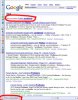
Same in google... in searching for a forum on this issue, i accidentally typed the search words "firefox prolbems." Google suggested the phrase "firefox problems" but that link led to an error page. The status bar showed "http://firefox+problems&spell=1/" when i hovered over the link. It seems to have disregarded the google main directory. Obviously, that link is bogus, too.

I'm not too tech savvy, but i think this might be a Javascript issue? I've uploaded some images to help depict the problem. I should also note that these issues do not apply to IE7 (too bad i hate IE7!!). Any help on this matter would be greatly appreciated!
Attached Images
File Type: jpg error1.jpg (88.9 KB, 6 views)
File Type: jpg error2.jpg (35.7 KB, 5 views)

Last edited by BmoreOriginal; 02-06-2007 at 11:23 AM..
  #2  
Old 02-06-2007
IBN IBN is offline
TechSpot Booster
 
Member since: Dec 2005, 624 posts
System specs
The latest version of firefox is 2.0.1. Have you tried uninstalling the current version and installing the newer version? It doesn't take long to do. I would give that a shot.
  #3  
Old 02-06-2007
jobeard's Avatar
TechSpot Ambassador
 
Location: Southern Calif.
Member since: Apr 2005, 10,835 posts
looks as if the page did not load all the required resources.
try to EMPTY your cache.
  #4  
Old 02-06-2007
Newcomer, in training
 
Member since: Feb 2007, 6 posts
Quote:
Originally Posted by IBN
The latest version of firefox is 2.0.1. Have you tried uninstalling the current version and installing the newer version? It doesn't take long to do. I would give that a shot.
my bad... i currently am using the version 2.0.0.1

thanks for the help.
  #5  
Old 02-06-2007
Newcomer, in training
 
Member since: Feb 2007, 6 posts
Quote:
Originally Posted by jobeard
looks as if the page did not load all the required resources.
try to EMPTY your cache.
i tried clearing my cache to no avail. =(

About not loading all the resources... that sounds right. I should also note that sometimes when I load links from the main navigation in myspace, all the text in the destination page is unstyled, (using a different font and larger text that the home page). Perhaps the CSS is not loaded when this happens, and if that is the case, I suppose other things aren't loaded.

This might be a worm or something i picked up from myspace, but so far my account doesn't seem to be abused.

Thanks for the concern.
  #6  
Old 02-06-2007
jobeard's Avatar
TechSpot Ambassador
 
Location: Southern Calif.
Member since: Apr 2005, 10,835 posts
what happens using IE on the same URL http://www.google.com/ ?
(use this directly and avoid all search buttons in both browsers)

you should get
Code:
http://www.google.com/search?hl=en&sa=X&oi=spell&resnum=1&ct=result&cd=1&q=problems+firefox&spell=1
  #7  
Old 02-06-2007
Newcomer, in training
 
Member since: Feb 2007, 6 posts
Quote:
Originally Posted by jobeard
what happens using IE on the same URL http://www.google.com/ ?
(use this directly and avoid all search buttons in both browsers)

you should get
Code:
http://www.google.com/search?hl=en&sa=X&oi=spell&resnum=1&ct=result&cd=1&q=problems+firefox&spell=1
yes, it works in IE7... i get:

I have searched so many forums for this problem and no one else seems to mention they have the problem.


http://www.google.com/search?hl=en&s...oblems&spell=1

IE7 has no problems. The problem links that don't work in firefox seem to be similar in that they are more than basic text links. They seem to be links that are more dynamic, where the text is always the same but the target address relies on the current variables in the page (eg. Next, Previous, Did You Mean...). I tried reinstalling the Java plugin from sun microsystems, but that didn't fix it.

I don't know if this has anything to do with it, but:
I have the most recent IE Tab extension for Firefox installed, which used to work great. Ever since a month ago, it no longer works. I can still successfully open a tab in an external application (IE7), but when I try to load a link in a new firefox tab or in the same tab, i get a blank white page with "Done" in the statusbar. I even tried uninstalling and reinstalling this extension, but that didn't fix it.

Thanks for helping me out. Don't let me burden you. Would like to know if anyone else has this problem.
  #8  
Old 02-06-2007
Newcomer, in training
 
Member since: Feb 2007, 6 posts
Quote:
Originally Posted by BmoreOriginal
yes, it works in IE7... i get:

I have searched so many forums for this problem and no one else seems to mention they have the problem.


http://www.google.com/search?hl=en&s...oblems&spell=1

IE7 has no problems. The problem links that don't work in firefox seem to be similar in that they are more than basic text links. They seem to be links that are more dynamic, where the text is always the same but the target address relies on the current variables in the page (eg. Next, Previous, Did You Mean...). I tried reinstalling the Java plugin from sun microsystems, but that didn't fix it.

I don't know if this has anything to do with it, but:
I have the most recent IE Tab extension for Firefox installed, which used to work great. Ever since a month ago, it no longer works. I can still successfully open a tab in an external application (IE7), but when I try to load a link in a new firefox tab or in the same tab, i get a blank white page with "Done" in the statusbar. I even tried uninstalling and reinstalling this extension, but that didn't fix it.

Thanks for helping me out. Don't let me burden you. Would like to know if anyone else has this problem.
INTERESTING...

i realize that code in my response above was shortened... i copied and pasted it into my reply. I guess the forum automatically shortened it?

HOWEVER, if i click that link in my response now, it takes me to the same error page (http://firefox+problems&spell=1/) even though i inserted the correct URL address.
  #9  
Old 02-07-2007
jobeard's Avatar
TechSpot Ambassador
 
Location: Southern Calif.
Member since: Apr 2005, 10,835 posts
I believe your Preferences have stopped something like ActiveX, Scripting, or
Scripting of Java, as most people do not report this problem.

Some sites create links dynamically using these tools and the result of one
being disabled is the creation of a bad url. if you notice, the portion you
are seeing is the last set of parms to the correct url; ie yours is truncated
  #10  
Old 02-20-2007
Newcomer, in training
 
Member since: Feb 2007, 6 posts
I have found a solution

Just incase anyone else has this problem...

After a trial and error method of disabling all my firefox extensions, I found that this problem ceases when i disable my "Split Link" extension.

Everything is back to normal again. =)
  #11  
Old 02-20-2007
halo71's Avatar
TechSpot Maniac
 
Location: Augusta, GA.
Member since: Jun 2005, 1,290 posts
I had that same problem once as well. I never knew the cause or fix. But I did download Opera as an alternative and found I like it much better.
  #12  
Old 02-20-2007
jobeard's Avatar
TechSpot Ambassador
 
Location: Southern Calif.
Member since: Apr 2005, 10,835 posts
re: feedback

Quote:
Originally Posted by BmoreOriginal
Just incase anyone else has this problem...

After a trial and error method of disabling all my firefox extensions, I found that this problem ceases when i disable my "Split Link" extension.

Everything is back to normal again. =)
Thankyou for the feedback
Closed Thread

Similar Topics
Topic Replies Forum
Links, Rocketdock etc doesn't open with Firefox plus other woes 4 Software Apps
IE popups useless links, even when I'm using FireFox 2 Virus and Malware Removal
Firefox doesn't change color of visited links 3 Software Apps
Bookmarks / links in Firefox email!? 0 Software Apps
Help with opening javascript links in new tabs with firefox. 6 Software Apps

Thread Tools Search this Thread
Search this Thread:

Advanced Search
All times are GMT -4. The time now is 05:06 AM.