
mopar man
Posts: 1,286 +1
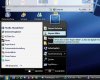
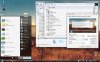
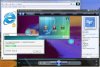
Vista Transformation Pack is a program that changes system and registry files to transform the looks of XP into Vista/Vista Basic.
I will give a ratings out of 5, 5 being best, 1 being worst.
Ease of Installation: 4
It is pretty easy to install, aside from the fact that if you are running a large DPI text, you won't be able to read a certain few windows that appear. This can cause some confusion, so lower your DPI before you start this!
Ease of Use: 5
This program is surprisingly easy to use once installed. A few programs appear in the task bar that you can use to change many visual preferences.
Features: 5
This thing has so many things it's hard to list them all. It has the sidebar, Icon changes, Task bar changes, and window changes that make it look very much like a real Vista OS.
Bugs: 1
This is the downfall of this program. I am not sure if this will occur on all systems, but it did on mine, which is why I no longer use this program. First of all, attempting to use Dual monitors and changing primary desktops might as well have crashed the computer. If you have Dial Up, or anything you need to hover over in the task bar to view the text, good luck. None of mine worked aside from the clock.
It also caused problems with a few minor things that drove me nuts. If you hate little stuff going wrong, I wouldn't think about downloading/installing this program.
Performance:3
This takes up a decent, yet still too large amount of system resources. It can, and will, cause lag in games such as CNC Generals and Company of Heroes. If you are a gamer, and don't have a high end system, I don't recommend this. If you just use it for net/email, then I do recommend it.
Over all, I'd say it would get a 3.5/5 because of all of the bugs, and the fact that it caused the games to lag pretty bad.
Thanks for reading my review, as this is my first review.
Mopar Man 44
I will give a ratings out of 5, 5 being best, 1 being worst.
Ease of Installation: 4
It is pretty easy to install, aside from the fact that if you are running a large DPI text, you won't be able to read a certain few windows that appear. This can cause some confusion, so lower your DPI before you start this!
Ease of Use: 5
This program is surprisingly easy to use once installed. A few programs appear in the task bar that you can use to change many visual preferences.
Features: 5
This thing has so many things it's hard to list them all. It has the sidebar, Icon changes, Task bar changes, and window changes that make it look very much like a real Vista OS.
Bugs: 1
This is the downfall of this program. I am not sure if this will occur on all systems, but it did on mine, which is why I no longer use this program. First of all, attempting to use Dual monitors and changing primary desktops might as well have crashed the computer. If you have Dial Up, or anything you need to hover over in the task bar to view the text, good luck. None of mine worked aside from the clock.
It also caused problems with a few minor things that drove me nuts. If you hate little stuff going wrong, I wouldn't think about downloading/installing this program.
Performance:3
This takes up a decent, yet still too large amount of system resources. It can, and will, cause lag in games such as CNC Generals and Company of Heroes. If you are a gamer, and don't have a high end system, I don't recommend this. If you just use it for net/email, then I do recommend it.
Over all, I'd say it would get a 3.5/5 because of all of the bugs, and the fact that it caused the games to lag pretty bad.
Thanks for reading my review, as this is my first review.
Mopar Man 44
 ! The only thing that I don't like about the transformation packs is that they change registry files


![hellokitty[hk]](/community/data/avatars/m/169/169488.jpg?1355088591)


