Post Your Partition Setups!

Vehementi

Posts: 2,644   +2
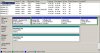
I'd just like to see how well we're doing partition wise, especially with those of us with big HD's. I have a 120G WD SE, and here's mine right now. Tomorrow I'll be doing a whole repartitioning and reinstallation.

C: Games 17G
D: Music 17G
E: Junk 43.8G
F: Movies 23.8G
K: WinXP 8G

I know it sucks, my ROM drives (G:, H: ) actually are ahead of my root partition. I messed it up during my last installation and wasn't prepared to back up all my files to reformat. Currently I'm compressing all my music and movies and everything with WinRAR (which rocks) to backup. But, here's what I'm changing it to:

C: WinXP + Games 35G
D: Swap 768M (this'll actually be the first physical partition)
E: Media 30G
F: Junk 35G
G: Burnspace 15G

Nice and simple. Any suggestions?

But, post yours guys!
 
My simple partition layout

partition.png
 
I have 2 hard drives.
C: Win2k + programs and music 30GB drive
D: Movies + Data 120GB drive
No partitions... just 2 full drives
 
Mine is very uninvolved and lazy - take a look at my Computer Info page at http://12.247.102.155/ComputerInfo.htm - each of the drives you see in there is it's own partition. I used to partition off my OS from my Apps from my Documents - but with the number of drive letters I have now and the mapping between all my machines it just became too much of a headache. It's already hard enough for me to remember what machine something is on - and I can almost never pick the right drive to start searching when I do pick the right one.

Edit: Guess I need to update the drives listed on that page - seems some of the machines appear to have no drives at all. That really sucks for my fileserver.
 
Nothing much

Hercules
C: WinXP + programs
D: Downloads, Drivers, MP3s
E: Nil
F: Games
All 20.0GB

Midget
C: WinXP 20.0GB
D: Downloads, Drivers MP3s 10.0GB
E: Games 20.0GB
F: Nil 20.0GB
G: Nil 20.0GB
H: Nil 10.0GB

Network:
Z: Mp3_New
Y: Mp3_Old
X: Downloads + Drivers
w: Documents
 
I have so many machines with such a wide variety of partitioning schemes it is hard to describe accurately. However, most of them follow this simple pattern, more or less:

Disk 1: 80GB, Pri IDE

C: 1GB - Win98
D: 2GB - WinXP
E: 2GB - Win2003
F: 70GB - Mass Storage (CD images and OS image backups)

Disk 2: 30GB, Pri IDE

G: 1GB - Apps 98
H: 4GB - Apps XP/2003
L: 23GB - Additional Storage

Disk 3: 40GB, Sec IDE

I: 1GB - Swap for 98/XP/2003, temp files for 98/XP/2003
J: 37GB - Games and disk intensive programs
K: 750MB - Temp spot for CD burning

P: - Network Drive, my documents/small apps storage
Y: - Network Drive, installs/patches/etc
Z: - Network Drive, mp3s


In addition to this, all OS'es have a locked pagefile on a seperate partitions. The temporary locations are also kept on their own partitions. No programs whatsoever are installed onto the same partition as the OS and the desktop/home folder/etc is mapped to a network share upon login.
 
2 160 GB drives 4 partitions
C: 80 GB WinXP Programs and Data
M: 80 GB Music Bands 1-E
N: 80 GB Music Bands F-N
O: 80 GB Music Bands O-Z
 
Wow! You must have tons (tonnes for my metric friends :) ) of music to have to break it up like that! I assume WTPN has something to do with radio/tv?
 
yup. tons.

i noticed some people have a swap partition on the same physical drive. Is there really a performance increase there?

winnie the pooh n' tigger - just an audiophile that's all.
 
Originally posted by wtpntiggr

i noticed some people have a swap partition on the same physical drive. Is there really a performance increase there?

Things do run a bit smoother, yes. Mainly because, as the only real single file on the drive, the swap file does not get fragmented at all.
 
Not sure exactly without reading a partition thread or 2 on performance comparability. But I can tell you the reason its on the same physical drive for me. Its because those other 2 drives are IBM Deathstars, they are both hooked up to the same Promise IDE ATA100 controller, my Maxtor 80 gig is on my other ATA 100. I don't trust those IBMs much, and I didn't like the idea of having my swap on a disk that isn't on its own controller by itself.
 
Originally posted by Phantasm66
Things do run a bit smoother, yes. Mainly because, as the only real single file on the drive, the swap file does not get fragmented at all.
I thought he was talking about it being on the same drive, not just its own partition.
 
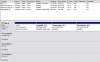
OK, so I feel like showing off my striped software RAID array...;)

It's just pure goodness. But I have no CD drives...the 2 HDD's are on my secondary IDE...and K: is virtual.
 

Attachments

  • partitions2.jpg
    partitions2.jpg
    76.6 KB · Views: 14
1xSeagate 120 GB SATA 8MB Cache,
C: 6GB Win XP +Apps
D: 114GB Games, temp vid files n stuff (Working partition)

1xSeagate 80GB ATA100 8MB Cache,
E: 80GB DVD-R s & Downloads

1xSeagate 120GB ATA100 2MB Cache
F: 120GB Movies
 
OOOOPS! Forgot to tell you that i have dissabled SWAP (Have 1 GB Corsair RAM)
 
Update 11-19-2003

Hercules
Primary: Western Digital JB 80.0GB
Secondary: None

C: WinXP + programs ---> 20.0GB
D: Downloads, Drivers, MP3s ---> 20.0GB
E: Games ---> 20.0GB
F: Nil ---> 9.0GB
Red Hat 9 Root ---> 3.0GB
Red Hat 9 /home ---> 3.0GB
Swap for Red Hat 9 ---> 1.0GB


Midget
Primary: Western Digital JB 80.0GB
Secondary: Maxtor 20.0GB

C: WinXP 20.0GB
D: Downloads, Drivers MP3s 12.0GB
E: Games 20.0GB
F: Nil 20.0GB
G: Nil 20.0GB
Red Hat 9 Root ---> 3.0GB
Red Hat 9 /home ---> 3.0GB
Red Hat 9 Swap ---> 1.0GB


Network:
Z: Mp3_New
Y: Mp3_Old
X: Downloads + Drivers
w: Documents
 
Only one OS (to lazy to instal others)
2 HD 120GB & 80 GB

C: => win2000 10GB => 70% used
D: => Programs 10GB => 60% used
E: => Storage 30GB => 80% used
F: => Music 50GB=> 95% used
G: => Stuf i download 17GB => 60% used
L: => Iso's(progs & games) 10 GB => 100% used
M: => Movies 50GB => 80% used
N: => Anything else :D 20GB => 10% used
 
Back