Welcome to the TechSpot OpenBoards. Please read the FAQ if you have any questions. Login to participate.
|
|||||||
WinRaR Icon !
![]() |
| Thread Tools |
|
#1
|
||||
|
||||
|
WinRaR Icon !
Hi,
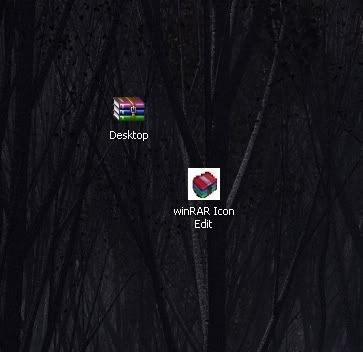
I was wondering If anyone seen this winRar icon before ? ![]() It came with some version of winRar i installed but now,after a reformat i cant find it. im back to the old icon. Ans thats after installing the lastest version of winrar. Any ideas ? |
|
#2
|
||||
|
||||
|
Instructions here for hacking into the program to get the icon back:
http://www.msfn.org/board/lofiversio...hp/t35532.html |
|
|
|
#3
|
||||
|
||||
|
Wow yeah thanks.
All i need now is that Icon. Thats a picture of it i cut out of another picture. Anyone use it or seen it ? |
|
#4
|
||||
|
||||
|
Did you try the hack for the icon?
|
|
#5
|
||||
|
||||
|
Yes. That icon isint in the .exe I need to find that icon so that i can put it in there, but i the only picture i have of it is one i cut from another picture with the wallpaper in the backround and stuff.
|
|
#6
|
||||
|
||||
|
Not a lot of those icons running around. Can you do a Save As using right click on the icon image> There are some resizing directions on this site> scroll down to "QUOTE(b0n3z @ Jan 19 2005, 03:43 PM)"
http://www.msfn.org/board/lofiversio...hp/t35039.html Once you save and re-size, it should be available to open the program using right click> Properties> Customize> change icon> Look In the place where you save it (My Pictures?) and change the folder icon. Couldn't find anything else. |
|
#7
|
||||
|
||||
|
Thanks a million, 1 more question. Im going to edit that image i have. I want to remove the black from around it but instead of just the icon i get a black or white box around it.
How do i remove this. Here's a pic- ![]() |
|
|
|
#8
|
||||
|
||||
|
How about bringing it up in one of your photo editing programs and trimming it there? Something simple like MS Picture IT or maybe in Paint.
|
|
#9
|
||||
|
||||
|
Thats the thing. Ive tried in MS paint by selecting and area and deleting. I end up with the white backround as you see. What do you mean by trimming ?
|
|
#10
|
||||
|
||||
|
I looked in Paint and didn't see the cutting tool. I rarely use that program. I opened MS Picture IT, grabbed a picture from my computer, clicked on Cut or Trim, clicked on a spot to cut and cut it off. So you should be able to 'trim' the icon so all the white is gone and you only have the icon itself.
|
![]() |
| Thread Tools | |
|
| Similar Topics | ||||
| Thread | Thread Starter | Forum | Replies | Last Post |
| winRAR - need help | cassiopeia1289 | Misc. Software & Utilities | 1 | 04-28-2007 12:03 PM |
| WinRAR? | Mekaonija | Security and the Web | 9 | 01-07-2007 03:30 PM |
| problem with winrar | bobby123 | Misc. Software & Utilities | 2 | 06-09-2006 04:49 PM |
| winrar | bobby123 | Misc. Software & Utilities | 1 | 05-16-2006 03:14 PM |
| WinRAR | Maurice | Misc. Software & Utilities | 4 | 11-24-2004 09:14 AM |
All times are GMT -4. The time now is 04:50 PM.