TechSpot
 
Go Back   TechSpot OpenBoards > Hardware & Tweaking > Storage & Networking
Forgot?

Welcome to the TechSpot OpenBoards. Please read the FAQ if you have any questions. Login to participate.

RealVNC firewall troubles on 3Com officeconnect router

Reply
 
Thread Tools Search this Thread
  #1  
Old 01-27-2008, 11:32 AM
t_v t_v is offline
Newcomer, in training
 
Member since: Jan 2008, 16 posts
RealVNC firewall troubles on 3Com officeconnect router

Hello.

I have tried to open port 5900 - 5906 on my 3Com Officeconnect cable/DSL router in order to log into the VNC server running on my computer (from the Internet).

I have selected port 5900-5906 and the (local) IP address of the computer hosting the VNC server using the "virtual server" option on the firewall settings. The VNC server does run un port 5900.

However, I am not able to connect to the VNC server. Anyone have any ideas how to correct this error?
Reply With Quote
  #2  
Old 01-27-2008, 12:13 PM
Nodsu's Avatar
Nodsu Nodsu is offline
TS Special Forces
 
Location: Estonia
Member since: Feb 2002, 9,432 posts
System specs
How and from where are you trying to connect? Many routers do not support loopback connections - you cannot connect to your own internet address from your internal network.

Is the software firewall on the computer cofigured properly? Make sure that the VNC server is configured to accept connections from all remote addresses. Can you connect to the VNC server using another computer on the LAN?
Reply With Quote
You can remove this banner by registering, join the TS Community for free.
  #3  
Old 01-27-2008, 12:23 PM
t_v t_v is offline
Newcomer, in training
 
Member since: Jan 2008, 16 posts
Thanks for your fast reply

I have disabled the SW firewall at the PC running the server when debugging. I'm connecting from another computer outside the LAN/WLAN using the Internet.

I have tried 2 configurations:
1. Connect the computer running VNC to the router using CAT5 cable. Connect from another computer oustide the LAN/WLAN using the Internet. This works perfectly fine! (10.0.0.X)
2. Connect the computer running VNC to the router using the WLAN. Connect from another computer oustide the LAN/WLAN using the Internet. This does not work (192.168.10.X) (I get reply on PING)
Reply With Quote
  #4  
Old 01-27-2008, 01:51 PM
jobeard's Avatar
jobeard jobeard is offline
TechSpot Evangelist
 
Location: Southern Calif.
Member since: Apr 2005, 5,597 posts
VPN software will by design disable access to a local LAN. This is important to
the remote system security that you are connecting to.

Consider: If LAN access were allowed while the VPN connection were active, then
anything on the LAN could use the VPN link to access and corrupt the remote system.

VPN usage is typically binary: you access the remote VPN site OR disconnect and
access your LAN systems.
Reply With Quote
  #5  
Old 01-27-2008, 03:01 PM
t_v t_v is offline
Newcomer, in training
 
Member since: Jan 2008, 16 posts
There must be something I don't understand....

I have computer A and B connected to a 3Com gateway. They both have local IP addresses, but they share the same global IP address. Both are running VNC servers.

Then, I have computer C running VNC viewer at a very different location.

When I configure the viewer at C to connect to the global IP address of computer A&B, I'm able to connect to A as long as it also is wired to the router using a CAT5 cable. However, when A&B only are connected to the router using wirless, I'm unable to connect to A.

What I don't understand is:
1) Why am I able to connect to A (from C) when A is wired to the router, but not when A is not wired to the router?

2) If I'm able to resolve 1). How do I select if a want to connect to A or B? (They both have the same global IP, which I configure at C...)

I'm a little confused...
Reply With Quote
  #6  
Old 01-27-2008, 03:18 PM
jobeard's Avatar
jobeard jobeard is offline
TechSpot Evangelist
 
Location: Southern Calif.
Member since: Apr 2005, 5,597 posts
I'll quote this ...
VNC by default uses TCP ports 5900 through 5906, each port corresponding to a separate screen (:0 to :6). A Java viewer is available in many implementations such as RealVNC on ports 5800 through 5806, allowing clients to interact through, among other things, a Java-enabled web browser. Other ports can be used as long as both client and server are configured accordingly. Some operating systems, such as Windows XP, only support a single VNC session at a time[citation needed].

Using VNC over the Internet works well if you have a broadband connection at both ends. However, it may require advanced NAT, firewall and router configuration such as port forwarding in order for the connection to go through. Some users may choose to use instant private networking applications such as Remobo or VPN applications such as Hamachi to make usage over the Internet much easier. Remobo also adds an additional layer of encryption for enhanced security.
Reply With Quote
  #7  
Old 01-28-2008, 01:46 AM
t_v t_v is offline
Newcomer, in training
 
Member since: Jan 2008, 16 posts
Thanks your your information.

I've also checked www.portforward.com. Seems like I have configured VNC / portforward at the router according to the guide. Still don't get any contact with the VNC server from Internet. Ping reply OK. OK when running VNC client on another computer inside the LAN/WLAN.
Reply With Quote
  #8  
Old 01-28-2008, 11:25 AM
tipstir's Avatar
tipstir tipstir is offline
TechSpot Maniac
 
Location: Connecticut, USA
Member since: Jan 2006, 1,813 posts
System specs
I've tested this on wireless laptop at a different location about 20 to 30 miles from my network home. Try Ultra VNC it has more features looks like Radmin from Farmtech. But Ultra VNC is freeware and uses the java client. What I would do if I was you is get Ultra VNC install both client and server on the PCs you need to access.

In you router point Port 5900 to 5999 TCP/UDP to your IP address you want to connect too.. If you don't have a domain setup you can use no-ip or dyndns.org and that will take your IP from your ISP and make it into a domain name but still using your IP. Kinda masking it in a way for free. If your router doesn't have the tools to keep this free service alive you need to download their software client to run.

Example. http://tv_home.ip.net so instead of using 59.99.99.99 ISP IP assigned to you it would be now called http://tv_home.ip.net

Now from any remote location you could VNC into the that by this way:

http://tv_home.ip.net:5900

user name
password box you prompt you to get access to your remote network

Also another way to do this some routers have VS (virtual server) that allows you to gain access to your netwok from the internet.

Name of Service_Remote Access
Port 5900
Port 5999
IP adddress of the system you want to connect to:
always available
schedule to shutdown or stay open from etc. etc..
Reply With Quote
  #9  
Old 01-28-2008, 12:24 PM
Nodsu's Avatar
Nodsu Nodsu is offline
TS Special Forces
 
Location: Estonia
Member since: Feb 2002, 9,432 posts
System specs
When describing your successful and unsuccessful connections, you said that the wired network is 10.x.x.x and the wireless network is 192.168.x.x? Basic routers do not support several different LANs, but you are claiming that you have two different local networks. You either have an advanced business-class router or two router devices there or some messed up networking..

Is your router the device that is providing wireless connectivity (does it have antennas attached!)? If no, then you have to take a look at this other thing that is dishing out 192.168 addresses.
Reply With Quote
You can remove this banner by registering, join the TS Community for free.
  #10  
Old 01-28-2008, 12:32 PM
t_v t_v is offline
Newcomer, in training
 
Member since: Jan 2008, 16 posts
I have a 3Com officeconnect wireless 11g Cable / DSL router.

The antennas / WLAN provides the 192.x. network, the switch (included in the router) provides the 10.x network using CAT5 cable.

I have now tried remote desktop. I enabled remote desktop (incudling the windows firewall) on the computer I would like to connect to. Then I configured port forwarding to the local 192.x IP address of this computer (port 3389)

However - there is no response when I try to connect to the router / global IP address from the other computer (located outside the LAN/WLAN-Internet).....
Reply With Quote
  #11  
Old 01-29-2008, 11:32 AM
jobeard's Avatar
jobeard jobeard is offline
TechSpot Evangelist
 
Location: Southern Calif.
Member since: Apr 2005, 5,597 posts
if the target system is on the 10.x.x.x net, then the secondary router needs port forwarding too.
Reply With Quote
  #12  
Old 01-29-2008, 12:21 PM
t_v t_v is offline
Newcomer, in training
 
Member since: Jan 2008, 16 posts
thanks.

I'm afraid the target system is on the 192.x
Reply With Quote
  #13  
Old 01-29-2008, 12:48 PM
Nodsu's Avatar
Nodsu Nodsu is offline
TS Special Forces
 
Location: Estonia
Member since: Feb 2002, 9,432 posts
System specs
Well, try to figure out how your network is built. Obviously it is not a simple router sharing a broadband connection. See what exactly connects to what. (Including the fact that you may be connecting to an open wireless network across the street.)
Reply With Quote
  #14  
Old 01-29-2008, 12:59 PM
t_v t_v is offline
Newcomer, in training
 
Member since: Jan 2008, 16 posts
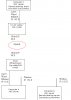
Global IP: 80x

3COM CABLE /DSL Router
-> Connection 1: CAT 5/LAN, IP10x -> Computer 1
-> Connection 2: WLAN, IP192x -> Computer 1
-> Connection 3: WLAN, IP192x -> Computer 2

if CAT5/LAN disconnected computer 1: Ping to 80x OK. VNC to 80x NOK. (from Internet)
if CAT5/LAN connected computer 1: Ping to 80x OK. VNC to 80x OK. (from Internet)
VNC between from computer 1 to computer 2 OK. (using 192x network)

i.e. VNC is OK when computer 1 is connected to the 10x network (using CAT5). VNC is NOK when computer 1 is connected to 192x (using WLAN).

Last edited by t_v : 01-29-2008 at 01:03 PM.
Reply With Quote
  #15  
Old 01-29-2008, 03:05 PM
t_v t_v is offline
Newcomer, in training
 
Member since: Jan 2008, 16 posts
Please see attached JPG file
Attached Images
File Type: jpg network.jpg (36.6 KB, 6 views)
Reply With Quote
  #16  
Old 01-30-2008, 02:02 PM
Nodsu's Avatar
Nodsu Nodsu is offline
TS Special Forces
 
Location: Estonia
Member since: Feb 2002, 9,432 posts
System specs
So, how do you know that this 192.168 IP came from your OfficeConnect router?

Try this: go to the 3com's setup and disable wireless. See if A and B still get the same wifi connection.

Also, the exact model of the router would help. OfficeConnect is a huge product line of different stuff.
Reply With Quote
  #17  
Old 01-31-2008, 01:46 AM
t_v t_v is offline
Newcomer, in training
 
Member since: Jan 2008, 16 posts
There's no other wireless network in the area. (it's a remote location)

I'll revert with the exact model of the router.
Reply With Quote
  #18  
Old 01-31-2008, 07:23 AM
Nodsu's Avatar
Nodsu Nodsu is offline
TS Special Forces
 
Location: Estonia
Member since: Feb 2002, 9,432 posts
System specs
OK, assuming that you are indeed connecting to the correct router device (not even an ad-hoc connection advertised by another computer), you are still receiving the wrong IP configuration over DHCP. Could it be that there is a computer on your network that is set up to do internet connection sharing and it is sharing its wired connection to wireless, overriding the router's DHCP?

Get the "ipconfig /all" output from the wired computer and the wireless one (paste here maybe).

Last edited by Nodsu : 01-31-2008 at 07:27 AM.
Reply With Quote
  #19  
Old 01-31-2008, 08:08 AM
t_v t_v is offline
Newcomer, in training
 
Member since: Jan 2008, 16 posts
Router model: 3 crwe554g72t
Reply With Quote
  #20  
Old 01-31-2008, 02:18 PM
Nodsu's Avatar
Nodsu Nodsu is offline
TS Special Forces
 
Location: Estonia
Member since: Feb 2002, 9,432 posts
System specs
The router manual confirms that it's a simple device and has only one LAN network served by one DHCP server.

Assuming that your wireless and wired networks are both connected to the same router, you either have misconfigured the client compters or you have two DHCP servers on your network.
Reply With Quote
Reply


Thread Tools Search this Thread
Search this Thread:

Advanced Search

Posting Rules
You may not post new threads
You may not post replies
You may not post attachments
You may not edit your posts

vB code is On
Smilies are On
[IMG] code is On
HTML code is Off
Forum Jump

Similar Threads
Thread Thread Starter Forum Replies Last Post
How to reset 3com officeConnect dannydy Storage & Networking 4 05-05-2007 11:25 AM
3com 3CRWDR100A-72 router nithish Storage & Networking 0 09-04-2006 08:22 AM
3Com Router Disconnects. poLiSen Storage & Networking 3 06-06-2006 12:25 PM
Open Ports for realVNC / still RealVNC problems techuser Windows OS 2 01-19-2004 02:15 AM
3Com puts firewall on an NIC Phantasm66 News & Interesting links 1 04-26-2002 10:36 AM


All times are GMT -4. The time now is 07:12 AM.


  TechSpot  The PC Enthusiast Resource    |    News    |    Reviews    |    Guides    |    Downloads    |    Drivers    |    Forums    |    Pricewatch    |    News Archive    |    RSS Feeds