also @ TechSpot: First Qualcomm Snapdragon 800 benchmarks hit the web

Change your Windows 7 taskbar and window color

Discussion in 'Windows OS' started by learninmypc, Jan 20, 2013.

Post New Reply
  1. learninmypc TechSpot Guru Posts: 3,164   +111

  2. St1ckM4n TechSpot Guru Posts: 1,704   +252

    Right-click on desktop, click 'Personalize'. Background, sounds, window color options are there.

    Also, if you type in this instead, you'll find your option in the start menu: "change window gla"
  3. learninmypc TechSpot Guru Posts: 3,164   +111

    Your first suggestion only goes to Background, no sounds
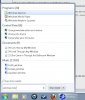
    Your second option windows colors is there but thats only for desktop unless they're referring to the taskbar as "Inactive Title Bar?
    Inactive title bar.jpg
  4. St1ckM4n TechSpot Guru Posts: 1,704   +252

    Nope. Check my attachments.

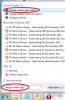
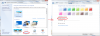
    This is what you need to type into start bar:
    glass1.png


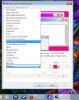
    And this is what happens if you right-click on an empty spot on your desktop wallpaper:
    glass2.png
  5. learninmypc TechSpot Guru Posts: 3,164   +111

    Typing "Change windows glass colors", takes me to Control panel>All control panel items>Personalization.
    Mine has Window color like your second screen shot shows,but it don't say Custom, it says Windows 7 Basic.
  6. St1ckM4n TechSpot Guru Posts: 1,704   +252

    Yup, click on it and make your changes.
     
  7. learninmypc TechSpot Guru Posts: 3,164   +111

    Well, choosing "inactive title bar" as shown in post #3, & click apply ok didn't change the color I chose. I'll mess with it in the morning, thank you.:)
  8. St1ckM4n TechSpot Guru Posts: 1,704   +252

    You must be clicking the wrong thing. Follow the screenshots above to get the screen, thenn click on the words 'Window color'. Yours says Windows 7 Basic, because that's the default. Mine's custom because I've changed it.

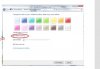
    After you click this, you can choose the colours etc. Tick the transparency box to give it that glassy look.


    glass3.png
  9. learninmypc TechSpot Guru Posts: 3,164   +111

    Clicking window color, I'm NOT getting this
    Not this.jpg
    I'm still getting the image in post #3.
  10. Cobalt006 TechSpot Booster Posts: 838   +44

    Are you setup in windows Aero theme If not you will not get the Task bar color changer. Looks like you maybe set to windows basic theme.
  11. learninmypc TechSpot Guru Posts: 3,164   +111

    Evidently I'm not. If thats the only way I can get it to change,is the Aero theme good or bad?
  12. Rabbit01 TechSpot Enthusiast Posts: 773   +19

    It's subjective. There's a clip here. FF until 4:00 mark. Talks about difference between basic & Aero.
  13. learninmypc TechSpot Guru Posts: 3,164   +111

    Thanks Rabbit01. When I first got this W7 pc, I couldn't see much of anything in here so I went to the Basic and High Contrast themes area via Right clicking desktop & so on & just started going thru the choices till I was able to see in here.
    In short, I have no idea which one I chose.
    I will watch that video again to see what I can do, thank you.:)
  14. learninmypc TechSpot Guru Posts: 3,164   +111

    Well, I messed up so I'm leaving it as is. Thanks for your help. :)
  15. Rabbit01 TechSpot Enthusiast Posts: 773   +19

    Well, usability won't be affected by much even if it's not enabled.
  16. St1ckM4n TechSpot Guru Posts: 1,704   +252

    Hmm. Weird.

    Type into the start search "aero". Then look for the fifth option that should be "find and fix problems with transparency and other visual effects".

    Run that wizard and see what happens.
  17. learninmypc TechSpot Guru Posts: 3,164   +111

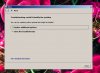
    Did that & got this
    Trouble shooter.jpg
  18. St1ckM4n TechSpot Guru Posts: 1,704   +252

    See my post #8? Can you screenshot what your screen looks like when you get the the left-side screen in my post.

    Edit: Actually, do what my second screenshot in post #4 says.
  19. Rabbit01 TechSpot Enthusiast Posts: 773   +19

    So nothing happens when you select any one of the Aero Themes like in St1ckM4n's post #4?
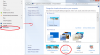
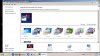
  20. learninmypc TechSpot Guru Posts: 3,164   +111

    Personalize.jpg