
I had the same problem with a client's Dell XPS trying to install Windows from their resource CD. What I had to discover was that the SATA drivers on the CD were bad. I was able to boot with a USB floppy and the correct drivers. After that it was down hill. The point is that you can't take anything for granted with these installations. Thankfully there are forums like this one to help.
You are using an out of date browser. It may not display this or other websites correctly.
You should upgrade or use an alternative browser.
You should upgrade or use an alternative browser.
Error Message: Setup did not find any hard disk drives installed in your system
- Thread starter trigger753
- Start date
H
heneka
I have a three month old Dell Dimension 8400. 3.0 GHZ P4, 1 Gig Ram and a 160 gig SATA Hard Drive. When I got the computer I used the files and transfer (PC Relocator) utility. And had a bunch of unwanted extras that came with it. I'm having a Satellite Internet system installed and they wanted a clean install of windows XP. So I opened the owner’s manual and got out the reinstallation disk and the problems began. By the way Dell tech support's only response has been to say gee that's not right, and would send a tech sometime after Christmas. Anyway heres step by step what I did.
I boot to the Dell reinstallation disk. The windows setup screen appears and loads files. The next screen says welcome to setup and offers three options. 1-to setup XP press enters. 2 To repair XP press R 3 to exit without installing XP press F3
I press enter and the following message comes up. Setup did not find any hard disk installed in your computer. Make sure any hard disk drives are powered on and properly connected. And any disk related configuration is correct.ect. Press F3 to quit. It dose this if I try repair also.
Dell had me check the connections to the HD and Motherboard. They’re good. And debug the hard drive. No luck. Everything worked fine until I put in the reinstallation disk.
Any help would be welcome.
I don't have dell hard disk ... I have Samsung 80gb and I have same problem... how can I solve that? 'cause I can't find setups from tyler's post..
 PLEASE SOMEONE HELP MEE !!!!!!! (
W
wbakr
Thanks
Another registration to say thanks to Tyler. I had the same error on a compaq nx7400 so I simply accessed the machine's bios setup, found where SATA was mentioned and, since there were two choices, selected the "other" setting and boom, now setup sees my hard drive.
Another registration to say thanks to Tyler. I had the same error on a compaq nx7400 so I simply accessed the machine's bios setup, found where SATA was mentioned and, since there were two choices, selected the "other" setting and boom, now setup sees my hard drive.
C
chuckd
Another registration to say thanks to Tyler. I had the same error on a compaq nx7400 so I simply accessed the machine's bios setup, found where SATA was mentioned and, since there were two choices, selected the "other" setting and boom, now setup sees my hard drive.
And another registration to say thanks. Had the problem on a Dell Dimension 8400 after installing Ubuntu. Thanks, Tyler.
X
xorgate
Worked flawlessly
Thanks man, I've used this tip on two laptops now that had this issue. Great advice!
Thanks man, I've used this tip on two laptops now that had this issue. Great advice!
I completely feel your pain. I have the same system and just fixed the same problem. Here's what I did. And by the way, 2 hours of tech support with Dell did nothing for me other than give me practice understanding Pakistan accents. I eventually stumbled on the solution myself w/o dell's help.
Reboot your system and hit F2 as soon as you see the Dell startup screen (the options are F2 for setup, F12 for boot sequence).
In the System Setup screen, do these steps.
Select Drives:
Make sure your Diskette Drive (3.5 floppy) is set properly (Usually set to Internal)
Make sure that "Drive 0: SATA-0" drive is set to "ON"
Go to "SATA Operation":
Your system proabaly came set to "RAID Autodetect / AHCI" - THIS SETTING CAUSES YOUR SYSTEM TO GO INTO AN IDE LOOP AND DOESN'T ALLOW IT TO FIND YOUR FACTORY INSTALLED SATA DRIVE.
CHANGE THE SATA OPERATION SETTING TO "COMBINATION"
Reboot - make sure that the boot sequence is set to CD rom before HD and make sure that the reinstall CD is in the drive. Setup will load, hit enter to reinstall XP. Your HD should now be detected and you should see the licensing agreement.
If you have your files backed up I reccommend deleting the partition and reformatting prior to installing XP, it will give you that option after the license agreement.
Once you have successfully reinstalled the OS, Dell reccommends that you change the SATA Operation setting back to RAID AUTODETECT / AHCI (or back to whatever your factory setting was) to avoid any problems with other IDE devices installed on your system.
Hope that helps!
Good luck!
Thanks for all the "Thank You" Messages
I just wanted to let everyone know that I truly appreciate all the people who have logged in (and in some cases created an account) just to thank me for a solution that I posted back in 2005.
It's really cool to see how many people this one tip has helped.
In fact, this single post from so long ago gave me the idea to create a Tip-based website about blogging in WordPress. I figured if this one tip about a Dell computer could help so many people, how helpful would a website full of tips be?
Anyway, it's been truly rewarding to stop back by this site every few months to see how many more people have been helped. It's also been very cool to see so many others step up and help answer questions in my absence (like Scudder above).
Happy Holidays everyone! And good luck with your Dell computers!
Tyler Youngblood
Seattle, WA
Current Projects:
TysTips.com
ProjectsInMetal.com
I just wanted to let everyone know that I truly appreciate all the people who have logged in (and in some cases created an account) just to thank me for a solution that I posted back in 2005.
It's really cool to see how many people this one tip has helped.
In fact, this single post from so long ago gave me the idea to create a Tip-based website about blogging in WordPress. I figured if this one tip about a Dell computer could help so many people, how helpful would a website full of tips be?
Anyway, it's been truly rewarding to stop back by this site every few months to see how many more people have been helped. It's also been very cool to see so many others step up and help answer questions in my absence (like Scudder above).
Happy Holidays everyone! And good luck with your Dell computers!
Tyler Youngblood
Seattle, WA
Current Projects:
TysTips.com
ProjectsInMetal.com
Z
zixi
I just want to add my thanks. Thank you for your advice on getting the hard drive recognised. You saved me a lot of money and more importantly perhaps the loss of my dead father's emails. I somehow doubt you'll ever see how many people are grateful for that thread but...
Thank you!
Thank you!
I just want to add my thanks. Thank you for your advice on getting the hard drive recognised. You saved me a lot of money and more importantly perhaps the loss of my dead father's emails. I somehow doubt you'll ever see how many people are grateful for that thread but...
Thank you!
Hi Zixi,
I am touched by your message. Having recently lost a loved one, I know what you're going through and I hope those e-mails will provide you with some much needed comfort. Thank you for taking the time to log in and reply.
Tyler Youngblood
Seattle, WA
Current Projects:
TysTips.com
ProjectsInMetal.com
D
dernoma
+1
Finding this thread was a miracle!
I took my old dell xps out of storage and decided to hook it up...after wasting almost all of new years day trying to reinstall xp I found this!!!!
Thank You!
Finding this thread was a miracle!
I took my old dell xps out of storage and decided to hook it up...after wasting almost all of new years day trying to reinstall xp I found this!!!!
Thank You!
+1
Finding this thread was a miracle!
I took my old dell xps out of storage and decided to hook it up...after wasting almost all of new years day trying to reinstall xp I found this!!!!
Thank You!
Glad we could help, Happy New Year!
Tyler Youngblood
Seattle, WA
Current Projects:
TysTips.com
ProjectsInMetal.com
B
birch65
Fix: Setup did not find any hard disk drives
Ok, I've had this problem twice in the last few years, and aside from trying all of the obvious things like checking cords and what not; it turned out to be the same thing both times.
My power core was failing. Probably because I don't clean it often enough.
(I'm told it should be blown out every 6 months, every 3 months if you have pets and I do..)
I went into bios by hitting Delete as it was booting, and when I tabbed to 'power' my power core was displaying in red, and showing that is was running at less than capacity. So, without adequate power, the discs became invisible to the system.
I bought a new $38 power core, had the tech at the store install it, and it worked perfectly after that.
According to the tech I spoke with at my computer store, another reason he's seen is that the type of HDD detection in BIOS somehow gets changed (if you reset BIOS to default, or maybe it just glitches) so, check and see if its using "RAID" or "NATIVE" or if its disabled.
Change it to "Native" and apparently, that may fix it.
Cheers,
Birch
Ok, I've had this problem twice in the last few years, and aside from trying all of the obvious things like checking cords and what not; it turned out to be the same thing both times.
My power core was failing. Probably because I don't clean it often enough.
(I'm told it should be blown out every 6 months, every 3 months if you have pets and I do..)
I went into bios by hitting Delete as it was booting, and when I tabbed to 'power' my power core was displaying in red, and showing that is was running at less than capacity. So, without adequate power, the discs became invisible to the system.
I bought a new $38 power core, had the tech at the store install it, and it worked perfectly after that.
According to the tech I spoke with at my computer store, another reason he's seen is that the type of HDD detection in BIOS somehow gets changed (if you reset BIOS to default, or maybe it just glitches) so, check and see if its using "RAID" or "NATIVE" or if its disabled.
Change it to "Native" and apparently, that may fix it.
Cheers,
Birch
P
pacificNW
I have been beating my head against a brick wall for a few days. I was able to rescue the files off the hard drive by using an adapter and then thought I could just reinstall the OS. Nope! Until I found this post I could not do anything even though I performed an Fdisk and tried a fresh install it still would not see the HD. I disabled the SATA drive Compaq 6710b; the only option is to disable/enable on this machine. Once I did that boom! I am in and reinstalling the OS. You are awesome! Thank you!
M
MaxUdi
Thanks Tyler
Had a similar issue with my IBM Lenovo x300 and the fix suggested by Tyler has worked like a charm.... Thank you youngblood!!
Had a similar issue with my IBM Lenovo x300 and the fix suggested by Tyler has worked like a charm.... Thank you youngblood!!
J
jkieran
It still works...!!!
Thanks for the great tip, Tyler!
I am reformatting and re-installing Windows XP Pro on my old (circa 2004) Dell Dimension 8400 so my kids can use it. The Windows Setup program started fine, but did not recognize my SATA drive (although it was enabled in BIOS).
Finding your tip taught me a little lesson, too. I usually start with the newest tips I find in Google, but this time I went with yours first and it worked right away.
What a refreshing experience! By contrast, I just spent about an hour trying to figure out a work-around for a different problem with the Windows Setup.
(FYI here's my own tip: BIOS recognized my Dell wireless keyboard but the Windows Setup program did not. Several tipsters suggested it was a USB problem. However, my USB was enabled in the BIOS and it still was not working.
Ultimately, I plugged the receiver for my wireless keyboard (USB) into the PS/2 keyboard plug-in, using the Dell-provided USB to PS/2 adaptor, and it worked.)
So, in sum, Tyler, after a LOT of frustration solving one problem, I solved a second problem in just seconds with your tip. It's still usefull, all these years later!
Joe
Thanks for the great tip, Tyler!
I am reformatting and re-installing Windows XP Pro on my old (circa 2004) Dell Dimension 8400 so my kids can use it. The Windows Setup program started fine, but did not recognize my SATA drive (although it was enabled in BIOS).
Finding your tip taught me a little lesson, too. I usually start with the newest tips I find in Google, but this time I went with yours first and it worked right away.
What a refreshing experience! By contrast, I just spent about an hour trying to figure out a work-around for a different problem with the Windows Setup.
(FYI here's my own tip: BIOS recognized my Dell wireless keyboard but the Windows Setup program did not. Several tipsters suggested it was a USB problem. However, my USB was enabled in the BIOS and it still was not working.
Ultimately, I plugged the receiver for my wireless keyboard (USB) into the PS/2 keyboard plug-in, using the Dell-provided USB to PS/2 adaptor, and it worked.)
So, in sum, Tyler, after a LOT of frustration solving one problem, I solved a second problem in just seconds with your tip. It's still usefull, all these years later!
Joe
M
MUSTANGGUYT214
Mustangguyt214
I tried all the steps in the setup and my dell still can't find my hard drive. Dell really isn't no help at all. What else can i do
I tried all the steps in the setup and my dell still can't find my hard drive. Dell really isn't no help at all. What else can i do
S
srinivaspach
Problem getting into Drives menu in System Setup(BIOS)
Hello everyone,
We have the same issue with our DELL machine too. Problem is, I don't know how to get into the Drives menu from System Setup (BIOS). There is the option to change time, the boot sequence and so on. Please tell me how to see the Drives option from the System Setup menu or BIOS. Your help will be much appreciated.
Srinivas.P.S
"""Reboot your system and hit F2 as soon as you see the Dell startup screen (the options are F2 for setup, F12 for boot sequence).
In the System Setup screen, do these steps.
Select Drives:
Make sure your Diskette Drive (3.5 floppy) is set properly (Usually set to Internal)
Make sure that "Drive 0: SATA-0" drive is set to "ON"
Go to "SATA Operation":
Your system proabaly came set to "RAID Autodetect / AHCI" - THIS SETTING CAUSES YOUR SYSTEM TO GO INTO AN IDE LOOP AND DOESN'T ALLOW IT TO FIND YOUR FACTORY INSTALLED SATA DRIVE.
CHANGE THE SATA OPERATION SETTING TO "COMBINATION"
Reboot - make sure that the boot sequence is set to CD rom before HD and make sure that the reinstall CD is in the drive. Setup will load, hit enter to reinstall XP. Your HD should now be detected and you should see the licensing agreement.
If you have your files backed up I reccommend deleting the partition and reformatting prior to installing XP, it will give you that option after the license agreement.
Once you have successfully reinstalled the OS, Dell reccommends that you change the SATA Operation setting back to RAID AUTODETECT / AHCI (or back to whatever your factory setting was) to avoid any problems with other IDE devices installed on your system.""
Hello everyone,
We have the same issue with our DELL machine too. Problem is, I don't know how to get into the Drives menu from System Setup (BIOS). There is the option to change time, the boot sequence and so on. Please tell me how to see the Drives option from the System Setup menu or BIOS. Your help will be much appreciated.
Srinivas.P.S
"""Reboot your system and hit F2 as soon as you see the Dell startup screen (the options are F2 for setup, F12 for boot sequence).
In the System Setup screen, do these steps.
Select Drives:
Make sure your Diskette Drive (3.5 floppy) is set properly (Usually set to Internal)
Make sure that "Drive 0: SATA-0" drive is set to "ON"
Go to "SATA Operation":
Your system proabaly came set to "RAID Autodetect / AHCI" - THIS SETTING CAUSES YOUR SYSTEM TO GO INTO AN IDE LOOP AND DOESN'T ALLOW IT TO FIND YOUR FACTORY INSTALLED SATA DRIVE.
CHANGE THE SATA OPERATION SETTING TO "COMBINATION"
Reboot - make sure that the boot sequence is set to CD rom before HD and make sure that the reinstall CD is in the drive. Setup will load, hit enter to reinstall XP. Your HD should now be detected and you should see the licensing agreement.
If you have your files backed up I reccommend deleting the partition and reformatting prior to installing XP, it will give you that option after the license agreement.
Once you have successfully reinstalled the OS, Dell reccommends that you change the SATA Operation setting back to RAID AUTODETECT / AHCI (or back to whatever your factory setting was) to avoid any problems with other IDE devices installed on your system.""
P
PCchallenged
Thank You! Thank You! Thank You!
It appears that it has already been posted ### times, but I want to add my thanks to Tyler for the guidance. It is 4:00pm on Sunday afternoon and I have been up since 8:30am yesterday working on computer(s) in this house.
I Googled Sata Operation etc.... and TechSpot popped up and there was Tyler's instructions. "Man", it worked like a charm. I can't find anyway to say thanks other than to say Happy Holiday's. You have made mine much more pleasent. (Wife gets grumpy when her computer doesn't work).
Now for some sleep............
It appears that it has already been posted ### times, but I want to add my thanks to Tyler for the guidance. It is 4:00pm on Sunday afternoon and I have been up since 8:30am yesterday working on computer(s) in this house.
I Googled Sata Operation etc.... and TechSpot popped up and there was Tyler's instructions. "Man", it worked like a charm. I can't find anyway to say thanks other than to say Happy Holiday's. You have made mine much more pleasent. (Wife gets grumpy when her computer doesn't work
).Now for some sleep............
G
GarGarBinks
Adding my thanks as well. This thread is the #1 google reply for "setup did not find any hard disk drives installed"
This old Dell gives lots of trouble!
This old Dell gives lots of trouble!
A
Arrow
It's good to know one can go back in time to the year 2005 A.D to find wisdom from the ancients that modern day thinkers (tech support!) are unable to do, thank you tyleryoungblood for the solution
P
prayaspatel03
HI..
I am trying to do this, and I do not have the options that you say I should have.
The only things with "drive'" on them are:
Drive configuration
Hasrd-Disk Drive Sequence
Boot sequence
Othere than that i tried to solve the problem by downloading the drivers as you mentioned...but the problem is my dell server doesnt have floppy drive.....and those driver can only be installed using floppy disk.
Some one please help me....i spend almost 2 days debugging this.
I am using Dell server
I am trying to do this, and I do not have the options that you say I should have.
The only things with "drive'" on them are:
Drive configuration
Hasrd-Disk Drive Sequence
Boot sequence
Othere than that i tried to solve the problem by downloading the drivers as you mentioned...but the problem is my dell server doesnt have floppy drive.....and those driver can only be installed using floppy disk.
Some one please help me....i spend almost 2 days debugging this.
I am using Dell server
P
prayaspatel03
Some more information on my previous question..
I alos tried to burn the CD using nlite and made the bootable CD...but it still doesnt work........
I alos tried to burn the CD using nlite and made the bootable CD...but it still doesnt work........
Z
zslates
u rock
Here it is June of 2011 and this post still rocks!! Thank you helped me big time...BTW I'm another who only signed up to thank you.
Here it is June of 2011 and this post still rocks!! Thank you helped me big time...BTW I'm another who only signed up to thank you.

D
dino
BIOS setting,
Hi Guys,
Error I am getting when re installing windows XP is: "Error Message: Setup did not find any hard disk drives installed ..."
Thank you for your help. This help me so much. I went to bios and disable the Hard drive and my PC boot fine. Very strange how this worked as I disable it ... oh well important is that is working for now. Thank you again.
Dino
Hi Guys,
Error I am getting when re installing windows XP is: "Error Message: Setup did not find any hard disk drives installed ..."
Thank you for your help. This help me so much. I went to bios and disable the Hard drive and my PC boot fine. Very strange how this worked as I disable it ... oh well important is that is working for now. Thank you again.
Dino
R
rdpaleja
Thanks for great solution. Saved lot of hrs not by struggling to look answer for this
I completely feel your pain. I have the same system and just fixed the same problem. Here's what I did. And by the way, 2 hours of tech support with Dell did nothing for me other than give me practice understanding Pakistan accents. I eventually stumbled on the solution myself w/o dell's help.
Reboot your system and hit F2 as soon as you see the Dell startup screen (the options are F2 for setup, F12 for boot sequence).
In the System Setup screen, do these steps.
Select Drives:
Make sure your Diskette Drive (3.5 floppy) is set properly (Usually set to Internal)
Make sure that "Drive 0: SATA-0" drive is set to "ON"
Go to "SATA Operation":
Your system proabaly came set to "RAID Autodetect / AHCI" - THIS SETTING CAUSES YOUR SYSTEM TO GO INTO AN IDE LOOP AND DOESN'T ALLOW IT TO FIND YOUR FACTORY INSTALLED SATA DRIVE.
CHANGE THE SATA OPERATION SETTING TO "COMBINATION"
Reboot - make sure that the boot sequence is set to CD rom before HD and make sure that the reinstall CD is in the drive. Setup will load, hit enter to reinstall XP. Your HD should now be detected and you should see the licensing agreement.
If you have your files backed up I reccommend deleting the partition and reformatting prior to installing XP, it will give you that option after the license agreement.
Once you have successfully reinstalled the OS, Dell reccommends that you change the SATA Operation setting back to RAID AUTODETECT / AHCI (or back to whatever your factory setting was) to avoid any problems with other IDE devices installed on your system.
Hope that helps!
Good luck!
S
StormPursuit
HELP!!! I recently purchased a used HP XW4300 from a computer shop, no OS, but it does have a 160g SATA hard drive. I tried installing the XPP SP3 software and it gets past the user agreement and to the screen that shows 4 empty slots with no drive detected. Then I get the blue screen of death and restart. I try to boot BIOS so I can switch from RAID to IDE (from what I've seen this helps) but there is no F10 ability (It's like BIOS doesn't exist on this computer). When I press F10 it goes to a black screen with a blinking underscore. Can someone help me please? 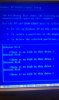
Similar threads
- Replies
- 10
- Views
- 733

- Replies
- 6
- Views
- 691


Latest posts
-
-
The FBI and Google just took down a botnet that hijacked 2 million smart TVs
- daffy duck replied
-
LG and Alienware monitors caught auto-installing Windows adware
- daffy duck replied


-
TechSpot is dedicated to computer enthusiasts and power users.
Ask a question and give support.
Join the community here, it only takes a minute.