also @ TechSpot: Study suggests majority of Windows 8 users ignore Metro apps

Full size laptop numpad issues on Vista

Discussion in 'Mobile Computing' started by jreddick, Feb 23, 2008.

  1. jreddick Newcomer, in training

    So my laptop has this weird issue with the numpad. Sometimes this computer works totally normal like a standard keyboard. But other times, like now... It changes the keys for a 15.4" laptop's numpad:

    u = 4
    i = 5
    o = 6
    p = *
    j = 1
    k = 2
    l = 3
    ; = -
    m - 0
    / = +

    Now, this is a 17" computer, so it has the numpad and everything. It's an HP with Windows Vista Ultimate on it. Any help or suggestions would be great. :D
  2. Tmagic650 TS Ambassador Posts: 18,747   +62

    Is this an external number pad?
  3. jreddick Newcomer, in training

    No, it's a 17" laptop. The numpad is built in.

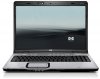
    It looks like the attached picture.
  4. Tmagic650 TS Ambassador Posts: 18,747   +62

    Ok,
    have you tried updating the mouse touch pad and keyboard drivers from the HP support website. Also make sure you have installed all the Vista updates using Windows Update. There are some 60 Vista updates available now
  5. hadicurtay Newcomer, in training

    hello jreddick, ive got the same problem on my 17' hp laptop. have you found any solution to this problem yet? its quite annoying!
  6. Tmagic650 TS Ambassador Posts: 18,747   +62

    This question is for you too hadicurtay. Have you done this? If you don't answer questions, how do you expect us to help you with your problems?
     
  7. hadicurtay Newcomer, in training

    hey Tmagic650, yes i have updated the synaptics pointing device and keyboard drivers from hp's website. the other day i was on chat with hp support and he made me reinstall the drivers as well as do a firmware flash for the bios. finally he said the computer has to be taken to service station. i think its seriously a driver problem. i have all the vista updates installed too
  8. Tmagic650 TS Ambassador Posts: 18,747   +62

    Did the number pad ever work or did this problem just pop up one day?
  9. hadicurtay Newcomer, in training

    the number pad worked before. but i believe its since i installed some new updated by microsoft that this issue has started occuring
  10. Tmagic650 TS Ambassador Posts: 18,747   +62

    Can you do a system restore back to a time before you did the suspect updates? I wonder if jreddick had the same problem after installing updates?