also @ TechSpot: Xbox One: Entertainment Hub First, Gaming Console Second -- But Could It Disrupt TV?

I'll come back when things are working properly

Discussion in 'Site Feedback and Suggestions' started by gbhall, Apr 15, 2012.

Post New Reply
  1. gbhall TechSpot Chancellor Posts: 2,069   +15

    There seem to be two levels of edit capability. If editing after a long period (hours?) one gets a straightforward edit screen with little in the way of ornamented text available. Save it. Then edit again (within minutes?) one gets the same edit page, but, it is not editable !! I find if I go to the option 'extras', after a second or two, a different editor pops up, with all the singing and dancing textual mods available. Save that, and I get a top-of-page confirmation edit saved (which you dont get on the first edit).

    Also on the general listing of 'my posts' much useful info used to be on the title line, like how many replies, how long the post existed, and perhaps other things.....all useful but no longer there.

    Can the members little 'add-on-text' at the bottom of each post be in a smaller font please, as it is a bit distracting at the moment.
  2. Marnomancer TechSpot Booster Posts: 801   +46

    As for the editing time, Julio fixed it a few hours ago. I reckon it's unlimited now, like the old board.

    As for the signature size, I agree with you. Either a smaller size, or even a dividing line.
  3. Leeky TechSpot Moderator Posts: 4,344   +59

    Are you finding it is now unlimited Marnomancer and Gbhall? I can't comment on it because my Moderator status uses different permissions to everyone else, as such I'm able to edit any post or thread which rather awkwardly (on this occasion) makes it hard to help you in this respect.

    From what I can see, there is a dividing line between the main body of text and the signature, though its not as prominent as the original vBulletin version, admittedly.

    I personally feel that leaving the signature text as it is, but making the separation more prominent would be the ideal solution, as text sizes any smaller would render the signatures text harder to read.
  4. slh28 TechSpot Paladin Posts: 1,679   +101

    +1 for adding back the system specs and post count, it helps in gauging the relevancy of the post.

    And also I agree in having a more distinct separator between the post and the signature.
  5. cliffordcooley TechSpot Paladin Posts: 2,308   +291

    Yes please!

    +1 for more distinction between post and signature. As much as I like signatures, they are a huge distraction from the thread when being read as thread material. I once noticed that a slight indention would offset the signature from the rest of the post. Perhaps all the signatures could be indented (just a thought) to distinguish them.
  6. Julio Franco TechSpot Editor Posts: 6,051   +121

    Signatures have been modified to be less distracting.

    On post editing, it's been set to unlimited for all members except newcomers.

    I'm reading your feedback as it comes. There are things that are easier to implement than others, but we are tackling as much as we can to ease the transition and improve our new platform. Thanks for your support.
     
  7. cliffordcooley TechSpot Paladin Posts: 2,308   +291

    I have noticed that after reading the article (I think its referred to as the article feed) when commenting, carriage returns are ignored and not even a space is placed between the period and the start of the next line.
  8. Marnomancer TechSpot Booster Posts: 801   +46

    Glad to be of service, Julio :)
    Any help the staff needs on our part, let us know. I'm on a personal level working on a change-log, but it's hard to keep up given the pace at which you guys are working. Kudos to you guys! *applause*
    Cheers! :)
  9. gbhall TechSpot Chancellor Posts: 2,069   +15

    No change to editting at this time. A re-edit within moments of an edit is not editable, and you need to force some extra action by choosing 'more options' before eventually (couple of seconds later) a second editor box with different capabilities appears. A bit like a double-buffer if you like - the edit first made is still buffered and not written to data, so you cannot edit it.......or appears like that (a bit difficult to explain accurately)
  10. Leeky TechSpot Moderator Posts: 4,344   +59

    Do you think there is any chance of a screenshot Gbhall?

    From my perspective (and it should be the same for you on your own posts as it is for me on mine), I'm able to edit immediately, and save and open to edit again several times in a row without an issue. Every time I hit edit on my own posts, a popup appears with the text from the post I'm editing. It seems instant and I can literally re-edit immediately upon saving the previous changes.
  11. Benny26 TechSpot Paladin Posts: 1,515   +36

    Editing is unlimited and fine for me. I get the popup just like Leeky ^^
  12. gbhall TechSpot Chancellor Posts: 2,069   +15

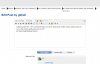
    This screen shot unfortunately the edit window hides a message on my post that says gbhall, 17 minutes ago. The window cannot be moved, cannot be edited, but the buttons work. Clip0001.jpg
  13. Leeky TechSpot Moderator Posts: 4,344   +59

    Thanks for that Gbhall. :)

    I have to say that is very odd, though I do really appreciate you working with us to find a solution. To me it seems weird that your essentially able to see and do everything except change the text contained within the popup box. Hopefully the above information, as well as your screenshot will be assistance to the developers in tracing the problem though.

    I'm wondering if maybe (and I could be totally wrong here) its a permission issue affecting your specific user rank, which is why your experiencing it.
  14. Marnomancer TechSpot Booster Posts: 801   +46

    I can edit my post multiple times in a row without any issue. I can even edit posts from back in January, so any 'permitted editing time' issue appears to be resolved for now. Only that I have to wait 10 seconds between posts, or it gifts me an error. Working perfectly fine otherwise, pop-up and all.
    Though as I've already told Matthew, I can't edit a title of a thread created by me. Anyone else noticed that? Other than Leeky, of course. :p. Mods won't notice it like regular users would.
  15. gbhall TechSpot Chancellor Posts: 2,069   +15

    I'm a little puzzled here - the screenshot below is how the drop-down 'profile' window always looks to me. Is the window partly-obscured or not?
    Clip0002.jpg

    Then I try to edit this post within seconds, and cannot. So I take the 'more options' tab, and after 2-3 seconds up comes this....
    Clip0003.jpg
  16. SNGX1275 TS Special Forces Posts: 11,893   +117

    I don't think non mods/staff were ever able to edit the thread title on the old board...?
  17. Julio Franco TechSpot Editor Posts: 6,051   +121

    @gbhall, what browser are you using? Please don't tell me IE 6 or 7 :)
  18. Julio Franco TechSpot Editor Posts: 6,051   +121

    I believe someone was asking before where to find the threads you've opened vs. all your activity or posts.
    In the profile page, you can go to the Information tab and then follow the link "Find all threads by username"

    I think this is quite similar to what vBulletin had.

    We'll continue to work on improvements across the site and the new forums this week, so keep your suggestions coming.
  19. SNGX1275 TS Special Forces Posts: 11,893   +117

    News articles are still only a sentence or so, you have to click through to read the full article. That kind of sucks for me because I rarely visit the main page. I do all my TS news reading through the forums. That may be too big of a request though.

    So, for a lighter request. On those same news articles, clicking to read the full article opens in that window. Wish it would open in a new tab.
  20. Julio Franco TechSpot Editor Posts: 6,051   +121

    As we had discussed earlier, the first request is really hard to do (and to do right). Let alone dedicating efforts to format a post in both templates, and then if we need to update a post... phew. On the other hand, your second request (open in new window) is super easy, so I'll get that done today.