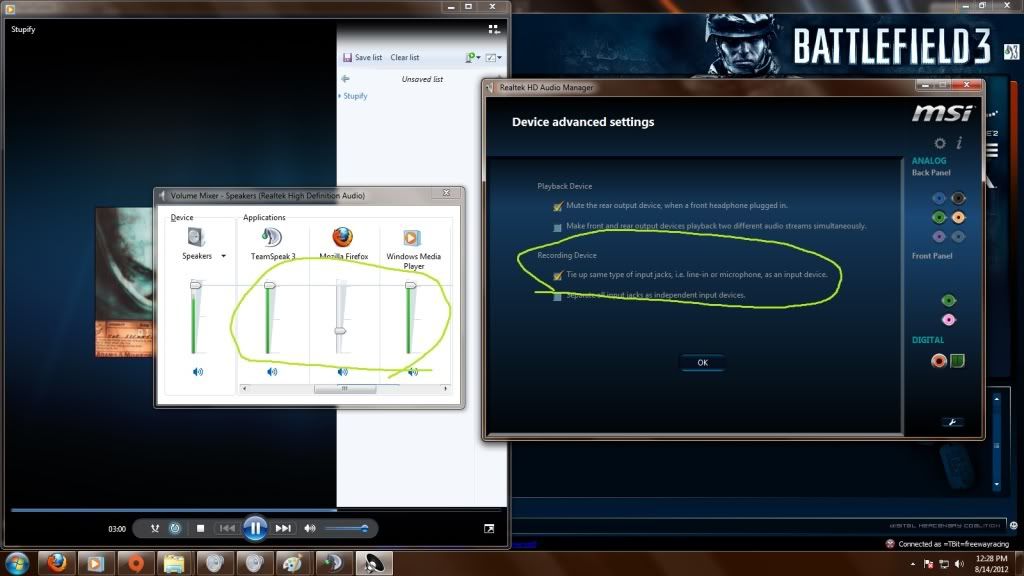
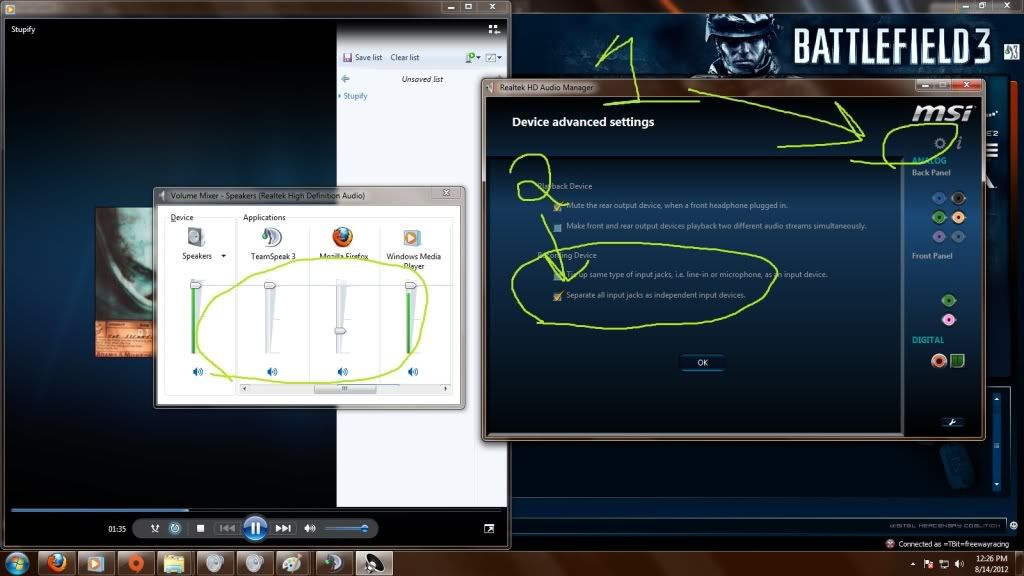
I have a problem that I hope can be fixed. I just recently bought a new computer and I did not have the same issue on the old computer (which was XP). The one I have now is Windows 7 64 bit home premium. Same headset and everything. Not using a sound card either, just using an integrated one.
The problem I am having is this: when talking to someone in Skype, my microphone is somehow picking up any output audio that my headset is receiving. For example when I'm playing any game or listening to music and talking to someone, they can hear everything that is happening with crystal clearness. This was not happening on my old computer with the same headset. So I'm guessing it's a Windows 7 thing but I have combed every option and I just don't know what to do. They say it sounds like I'm not even using a headset at all and people tell me to turn off my speakers and put on my headset all the time when this isn't the case!
It's not because my sound is on max either, if I have the sound at 20% they hear it at the exact same level on top of listening to me talk. I have combed tons of forums and even found another thread with the same issue, but it was outdated from 2 years ago and no fixes for Windows 7.
I realllly need some help. Any is appreciated.
The problem I am having is this: when talking to someone in Skype, my microphone is somehow picking up any output audio that my headset is receiving. For example when I'm playing any game or listening to music and talking to someone, they can hear everything that is happening with crystal clearness. This was not happening on my old computer with the same headset. So I'm guessing it's a Windows 7 thing but I have combed every option and I just don't know what to do. They say it sounds like I'm not even using a headset at all and people tell me to turn off my speakers and put on my headset all the time when this isn't the case!
It's not because my sound is on max either, if I have the sound at 20% they hear it at the exact same level on top of listening to me talk. I have combed tons of forums and even found another thread with the same issue, but it was outdated from 2 years ago and no fixes for Windows 7.
I realllly need some help. Any is appreciated.